2.4 vs 5 vs 6 GHz Wi-Fi: Which Band to Use
 Tech Guru
Quick Answer
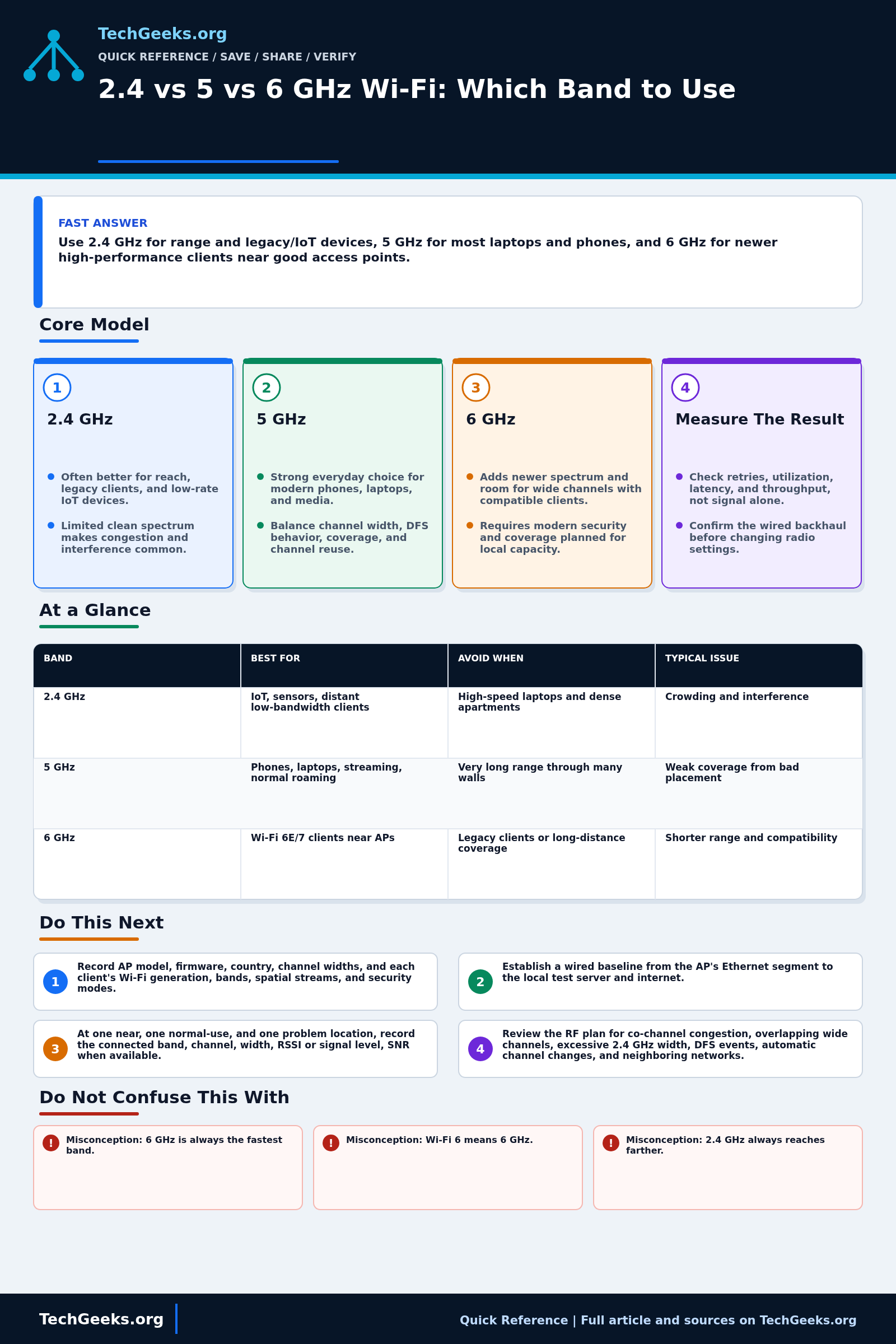
Use 2.4 GHz for compatible low-bandwidth and Internet of Things (IoT) devices, 5 GHz for many everyday phones and laptops, and 6 GHz for supported clients with good nearby coverage. Check the client and access point (AP) before choosing a band. Signal quality, congestion, security settings, and backhaul matter more than picking the highest frequency.
Start Here: The Beginner Foundation
A Wi-Fi band is a range of radio frequencies, while a Wi-Fi generation describes a set of technical capabilities. They are related but not interchangeable: Wi-Fi 6 equipment can use 2.4 GHz and 5 GHz, Wi-Fi 6E extends Wi-Fi 6 operation into 6 GHz, and Wi-Fi 7 products may support two or three bands depending on the product and region. Both the access point and the client must support a band, and the usable channels and power levels are controlled by local regulations. This is why a new router cannot make an older phone see 6 GHz, and why a product sold in one country may expose a different channel set in another.
The 2.4 GHz band is usually the practical choice for low-rate devices, older clients, and locations where extra reach matters. Its lower frequency often suffers less path loss through the same building materials than 5 GHz or 6 GHz, but real coverage still depends on transmit power, antenna design, receiver quality, interference, and the walls in the path. The band also has limited room for wide channels and shares spectrum with many neighboring networks and non-Wi-Fi devices. A strong 2.4 GHz signal can therefore provide a stable connection while still having poor throughput or high latency when the channel is busy.
The 5 GHz band is the common performance choice for phones, laptops, and streaming devices because it offers more channel choices and usually less congestion than 2.4 GHz. The 6 GHz band adds a large amount of newer spectrum and can make wide channels easier to deploy, but it requires compatible clients, modern security, and suitable coverage. Higher frequency and regulatory power rules often make 6 GHz coverage more localized, so it works best where access points are placed for capacity rather than expected to cover an entire building from one corner. Band choice does not remove a bottleneck in the wired backhaul, internet service, or client.
The Fast Comparison
| Band | Best for | Avoid when | Typical issue |
|---|---|---|---|
| 2.4 GHz | IoT, sensors, distant low-bandwidth clients | High-speed laptops and dense apartments | Crowding and interference |
| 5 GHz | Phones, laptops, streaming, normal roaming | Very long range through many walls | Weak coverage from bad placement |
| 6 GHz | Wi-Fi 6E/7 clients near APs | Legacy clients or long-distance coverage | Shorter range and compatibility |
Advanced Notes and Design Boundaries
Band names are only a starting point: the client radio, regulatory domain, channel plan, access-point placement, security mode, and measured airtime decide whether a connection is actually usable.
- Treat channel width as an airtime and reuse decision, not a free speed setting. A 20 MHz channel may outperform 80 MHz or 160 MHz in a dense environment because it encounters fewer overlapping transmitters and creates more independent channel reuse opportunities.
- On 5 GHz, Dynamic Frequency Selection channels and allowed transmit power vary by regulatory domain. A radar event can force an AP to vacate a DFS channel, so correlate unexplained channel changes or brief outages with AP event logs before blaming the client.
- Six-gigahertz operation uses modern discovery and security rules. Wi-Fi Alliance-certified 6 GHz deployments use WPA3 for authenticated networks or Enhanced Open for open networks, with protected management frames; WPA2-only clients cannot use that radio even if the same SSID also exists on older bands.
- A shared SSID can simplify roaming, but band selection remains a joint outcome of client logic and AP steering features. Steering hints, minimum-RSSI controls, and association rejection can improve or damage behavior, so validate with the actual client fleet instead of assuming a controller can force every decision.
- Collect signal level, signal-to-noise ratio, channel utilization, retry rate, negotiated PHY rate, spatial streams, and actual application performance together. RSSI scales and roaming thresholds differ across vendors, and a high PHY rate does not prove that airtime is clean or end-to-end throughput is healthy.
Troubleshooting Workflow
Keep one known client and one test location constant while changing a channel, width, power level, or placement. Record the original AP settings first so an experiment that harms roaming or coverage can be reversed.
- Inventory the AP model, firmware, country or regulatory setting, channel widths, and each test client's supported Wi-Fi generation, bands, spatial streams, and security modes.
- Establish a wired baseline from the AP's Ethernet segment to the local test server and internet so a slow uplink, switch port, or ISP connection is not mistaken for a radio problem.
- At one near, one normal-use, and one problem location, record the connected band, channel, width, RSSI or signal level, SNR when available, PHY rate, retries, and channel utilization.
- Review the RF plan for co-channel congestion, overlapping wide channels, excessive 2.4 GHz width, DFS events, automatic channel changes, and neighboring networks at the times users report trouble.
- Run repeatable local throughput, latency, and packet-loss tests with the same client and server on each supported band, then repeat during both quiet and busy periods to expose contention.
- Change one variable at a time, such as AP placement, channel, width, transmit power, or steering policy; retest the same locations and keep the setting only when the measured result improves.
Evidence and Verification Method
Evidence status: The band, security, and regulatory explanations are documentation-backed from IEEE, Wi-Fi Alliance, and FCC material reviewed on July 15, 2026. TechGeeks did not conduct an original RF survey, throughput benchmark, roaming trial, or 6 GHz regulatory-compliance test for this draft. The numbers a reader sees on one client are not transferable to a different building, access point, firmware, country, or client radio.
- Planned measurement: establish a wired local-server baseline, then use the same client at near, normal-use, and problem locations on every supported band.
- Record: AP and client models, firmware and OS versions, regulatory setting, channel and width, RSSI, SNR when exposed, channel utilization, retry rate, PHY rate, local throughput, latency, and loss during quiet and busy periods.
- Accept: the band choice only when the target application remains stable, local results are repeatable, roaming does not regress, and AP logs show no security or DFS failure. Save the original radio configuration before every change.
Security, Privacy, Regulatory, and Recovery Boundaries
Do not weaken authentication merely to place a legacy device on 2.4 GHz; isolate devices that cannot meet the household's security baseline, and remember that certified 6 GHz operation uses newer security requirements. Controller telemetry, client names, MAC addresses, signal maps, and SSID locations can reveal occupancy and device identity, so limit exports and redact captures before sharing them. Six-gigahertz channel, power, location, and AFC rules are jurisdiction- and device-class-specific; use the equipment's correct country setting and local regulator guidance rather than a foreign forum recipe. Keep a known-good management path and a configuration backup. If a channel, width, steering, power, or security change disconnects clients, restore the recorded setting first and retest one client before changing anything else.
What This Evidence Does Not Prove
- Misconception: 6 GHz is always the fastest band. Correction: It offers valuable clean spectrum and wide-channel options, but client capability, signal quality, channel width, backhaul, and contention determine delivered performance.
- Misconception: Wi-Fi 6 means 6 GHz. Correction: Wi-Fi 6 can operate on 2.4 GHz and 5 GHz; Wi-Fi 6E identifies Wi-Fi 6 capability extended into 6 GHz.
- Misconception: 2.4 GHz always reaches farther. Correction: It often has a propagation advantage in the same environment, but different power limits, antennas, interference, and receiver designs can reverse a specific comparison.
- Misconception: One SSID guarantees that every device uses the best band. Correction: The client normally makes the final association and roaming choice, while the network can only provide information, incentives, or policy constraints.
Real-World Use Cases
- Keep IoT devices on 2.4 GHz when required.
- Use 5 GHz as the normal client band.
- Use 6 GHz where wired backhaul and AP density support it.
- Do not hide APs in cabinets or utility rooms.
Failure Patterns to Recognize
- A client stays on weak 2.4 GHz; check its band-selection behavior and AP steering settings before changing either.
- 6 GHz SSID is visible only to newer clients.
- Wide channels overlap more neighboring traffic and can increase contention.
- Wireless mesh backhaul consumes capacity.
Common Mistakes
- Naming every SSID differently without a reason.
- Forcing all devices onto 6 GHz for marketing reasons.
- Using 160 MHz channels in crowded areas without testing.
- Buying Wi-Fi 7 when the real problem is placement.
Quick Checklist
- List client Wi-Fi capabilities.
- Check signal and retry rates.
- Test speed near and far from APs.
- Verify wired backhaul.
- Move one AP before buying more.
Common Questions
Useful Gear And Buyer Notes
Affiliate disclosure: As an Amazon Associate, TechGeeks may earn from qualifying purchases. The product links below are buying references, not a requirement to buy a specific brand or seller. Verify compatibility, seller quality, warranty, and current specs before ordering.
Buy an access point only after checking the clients that must connect, the permitted 6 GHz device class in your country, Ethernet backhaul speed, PoE budget, and whether the vendor exposes channel and security controls. A Wi-Fi 7 label alone does not solve poor placement.
Related TechGeeks Reading
- Mesh Is Not Always the Answer: How to Fix Bad Wi-Fi the Right Way explains placement, backhaul, and why another radio is not always the cure.
- Wi-Fi 7 and Wi-Fi 8 Buyer Guide separates band support and client capability from product-label marketing.
- 15 Router Security Settings to Audit covers WPA3, firmware, guest access, and other controls around the band plan.