3-2-1 Backup Rule Explained for Real Homes
 Tech Guru
Quick Answer
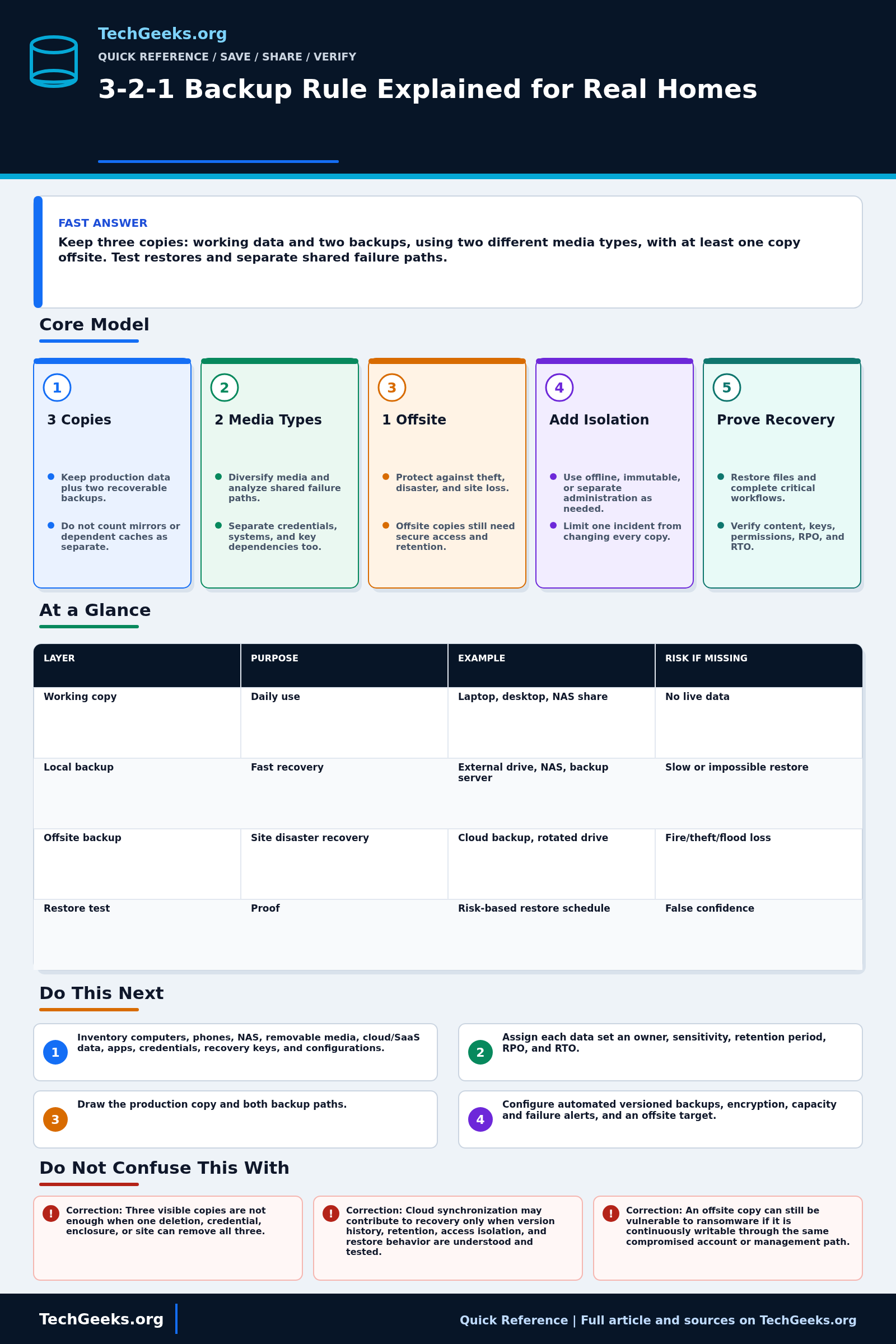
Keep three copies of important data: the working copy and two backups, using two media types, with at least one copy offsite. Then restore representative files to another location. Copies that share a deletion path, compromised account, or inaccessible encryption key can still fail together. Include phones, cloud-only files, password-vault access, and the recovery information needed to retrieve them.
Start Here: The Beginner Foundation
The classic 3-2-1 rule calls for three copies of important data: the production copy you use and two backup copies. Those copies should use two different media types, with one copy kept offsite. The numbers are a memory aid for avoiding one obvious point of failure, not a product list. A laptop plus one folder synchronized to a cloud account may still expose both visible copies to the same deletion, compromised credentials, or retention policy, so count only copies with a defined recovery path.
Independence is the practical goal behind the rule. A local backup can provide a fast restore after a failed drive, while an offsite copy can survive theft, fire, flood, or loss of the building. An offline disk or an immutable, access-isolated repository can reduce the chance that ransomware or an administrator mistake changes every copy. Different media alone does not solve every correlated risk: two devices in one enclosure, two accounts under one compromised administrator, or two backups that depend on one encryption key can still fail together.
A working plan also defines how much recent data can be lost, how quickly it must return, what history to retain, and who can perform recovery. Include phones, cloud-only files, NAS shares, application data, configuration, password-vault access, encryption keys, and backup catalogs where they are needed for restoration. Monitor jobs and capacity, then restore representative data on a schedule based on its value and after major changes. A verified restore gives much stronger evidence than a green backup notification alone.
The Fast Comparison
| Layer | Purpose | Example | Risk if missing |
|---|---|---|---|
| Working copy | Daily use | Laptop, desktop, NAS share | No live data |
| Local backup | Fast recovery | External drive, NAS, backup server | Slow or impossible restore |
| Offsite backup | Site disaster recovery | Cloud backup, rotated drive | Fire/theft/flood loss |
| Restore test | Proof | Quarterly test folder restore | False confidence |
Advanced Notes and Design Boundaries
The count matters less than independence: copies that share the same credentials, synchronization mistake, fire, theft, ransomware path, or untested encryption key can fail together even when they sit on different disks.
- Count the production instance plus two independently recoverable backup instances. RAID members, caches, synchronized endpoints without separate history, and snapshots that cannot survive loss of their source should not be casually counted as independent copies.
- The classic second digit specifies two different media types. For modern implementations, also analyze system, credential, administrative, software, site, and provider failure domains; cosmetic media diversity does not compensate for a shared destructive control path.
- At least one copy should be offsite, and ransomware resilience often adds an offline or immutable copy. Offsite does not itself mean isolated: online cloud data may still be reachable by compromised credentials or destructive automation.
- Set a recovery point objective (RPO): how much recent data you can afford to lose, measured in time. Set a recovery time objective (RTO): how long recovery can take. Backup frequency, retention, upload bandwidth, local staging, catalog design, and restore throughput must collectively meet those objectives.
- Application-consistent recovery may require coordinated snapshots, database logs, configuration, identities, certificates, encryption keys, and dependency mapping. Test full workflows as well as individual files, and restore into a clean alternate location when validating cyber-recovery copies.
Build and Test the Backup Plan
Begin with one irreplaceable data set and document where each copy lives, who can delete it, how old it may be, and the exact restore path. Test into an alternate folder or device so verification does not overwrite the working copy.
- Inventory irreplaceable and operationally necessary data across computers, phones, NAS shares, removable media, SaaS accounts, cloud folders, applications, credentials, recovery keys, and configurations.
- Assign each data set an owner, sensitivity, retention period, RPO, and RTO so backup frequency and restore speed follow impact rather than one schedule for everything.
- Draw the production copy and both backup paths, then mark media, device, enclosure, site, provider, account, administrator, encryption-key, and network dependencies to expose correlated failures.
- Configure automated versioned backups, encryption, capacity and failure alerts, and an offsite target; add offline, immutable, or separately administered protection where the threat model calls for it.
- Review every run for skipped data, stale agents, quota or capacity exhaustion, credential failures, retention drift, integrity warnings, and whether the offsite or isolated copy is actually current.
- Restore representative files and at least one complete critical workflow to an alternate location on a risk-based schedule and after major changes. Verify content, metadata, permissions, keys, application consistency, and elapsed time, then fix gaps and record the next test.
Evidence and Restore-Test Method
Evidence status: The resilience guidance is documentation-backed by current NIST, CISA, and Apple material reviewed July 15, 2026. No TechGeeks restore was performed for this article, and no cloud provider's immutability, retention, key recovery, or bulk-download behavior was independently lab-tested. A dashboard showing successful backup jobs is operational evidence, not proof that the files, permissions, application state, and decryption material can be recovered.
- Planned restore test: select representative current, old, large, small, and application-sensitive files, then restore them to an alternate folder, spare system, or isolated recovery environment.
- Measure: recovery point age, transfer and preparation time, hash or content match, filenames, timestamps, permissions where required, application-open result, and whether an offline record supplies the encryption key and account-recovery path.
- Accept: each priority data class meets its documented recovery-point and recovery-time target, an authorized alternate person can follow the instructions, and a failed test creates a tracked repair and retest rather than a silently ignored alert.
Ransomware, Privacy, Legal, and Recovery Boundaries
Keep at least one backup beyond ordinary user and sync-tool deletion, protect administrative backup credentials with strong authentication, and alert on unusual deletion or retention changes. Encrypt sensitive offsite data when the threat model requires it, but store recovery material separately enough that a lost password does not erase every copy. Back up only data you are authorized to retain; employment records, client data, health information, licensed media, and cross-border cloud storage may carry contractual or legal duties beyond the 3-2-1 count. A restore test should write to an alternate destination first. During an active ransomware event, isolate affected systems and preserve logs before reconnecting a backup target; otherwise the recovery copy can be reinfected or useful evidence overwritten.
What the Copy Count Does Not Prove
- Three visible copies are not enough when one deletion, credential, enclosure, or site can remove all three.
- Cloud synchronization may contribute to recovery only when version history, retention, access isolation, and restore behavior are understood and tested.
- An offsite copy can still be vulnerable to ransomware if it is continuously writable through the same compromised account or management path.
- A completed backup job is not the end of the process; capacity monitoring, integrity checks, key access, documentation, and restore tests are part of recoverability.
Real-World Use Cases
- Back up irreplaceable data first.
- Keep one copy offline or protected from ransomware.
- Include phones and cloud accounts.
- Document where recovery keys and passwords live.
Failure Patterns to Recognize
- Backup drive fills silently.
- Cloud sync is mistaken for backup.
- Only local copies are lost in a theft.
- Password vault loss blocks access to backup accounts.
Common Mistakes
- Never testing restore.
- Backing up shortcuts instead of real files.
- Keeping all copies in the same room.
- Leaving backup disks always writable.
Quick Checklist
- List irreplaceable data.
- Identify three copies.
- Confirm one offsite.
- Test one restore.
- Calendar the next test.
Common Questions
Useful Gear And Buyer Notes
Affiliate disclosure: As an Amazon Associate, TechGeeks may earn from qualifying purchases. The product links below are buying references, not a requirement to buy a specific brand or seller. Verify compatibility, seller quality, warranty, and current specs before ordering.
Size a backup target from retained versions, change rate, encryption overhead, and expected growth rather than the current folder size alone. An external drive, cloud plan, or UPS is useful only when it fits a documented failure domain and restore procedure.
- Amazon search: external hard drive backup 12TB
- Amazon search: fireproof document bag hard drive
- Amazon search: UPS battery backup
Related TechGeeks Reading
- The 3-2-1 Backup Rule in 2026 adds restore and isolation checks to the basic count.
- Homelab Backup Strategy develops NAS, offsite, and restore-test choices for a larger setup.
- RAID, ZFS Snapshots, Sync, and Backup shows which failures each storage mechanism does and does not cover.