
Homelab Backup Strategy: NAS, Offsite Copies, and Restore Tests
 Tech Guru
The most expensive homelab lesson is learning that redundancy is not backup. RAID can keep a storage pool online after a disk fails. Snapshots can roll back a dataset after a bad change. Neither one saves you by itself from deletion, ransomware, theft, fire, bad sync jobs, or a backup tool that was never tested.
Backups are not glamorous, but they are the difference between a hobby outage and losing family photos, documents, configs, keys, and years of work. CISA's ransomware guidance and backup guidance both stress recoverability, separation, and testing. NIST also publishes guidance on protecting data from ransomware and other data-loss events. The homelab version should be practical, not performative.
Design principle: Your backup is not real until you restore from it. Build the plan around recovery, not around feeling protected.
What To Back Up
| Data Class | Examples | Backup Priority |
|---|---|---|
| Irreplaceable personal data | Photos, documents, scans, family videos, keys | Highest. Multiple copies, offsite, restore tested. |
| Service configs | Docker compose, app databases, firewall exports, controller backups | High. Small data, huge recovery value. |
| VMs and containers | Proxmox VMs, LXCs, app hosts | High for critical services, selective for disposable labs. |
| Media libraries | Large replaceable media | Depends on rebuild cost, bandwidth, and personal value. |
| Snapshots | ZFS/Btrfs/NAS snapshots | Useful for fast rollback, but not enough alone. |
A Practical 3-2-1 Shape
- Primary copy: the live data on your NAS, server, or application host.
- Local backup copy: a separate backup target such as Proxmox Backup Server, a NAS share, or a dedicated backup disk.
- Offsite copy: cloud object storage, a remote NAS, or rotated disk stored away from the house.
- Offline or immutable layer: a copy that routine credentials cannot rewrite or delete.
- Restore test: a scheduled proof that the data can actually come back.
Backup Architecture Patterns
| Pattern | Good For | Watch Out For |
|---|---|---|
| Proxmox Backup Server | VM and LXC backups with dedupe and retention | Still needs offsite replication or export. |
| NAS snapshots plus replication | Fast rollback and remote NAS copies | Snapshots on the same box are not enough. |
| Restic / Borg / Kopia | Encrypted file-level backups to local or cloud targets | Test restore speed and retention policies. |
| Rotated USB disk | Offline copy protected from online mistakes | Needs calendar discipline and encryption. |
| Cloud object storage | Offsite durability | Costs, egress, lifecycle rules, and credentials need design. |
Credential Design
The backup job should not hold unlimited power over every copy. If malware, a bad script, or a compromised host can delete the primary data and all backups with the same credentials, the backup design is fragile. Use separate credentials for writing backups, restrict deletion where possible, and protect cloud or NAS admin accounts with MFA and hardware keys.
Restore Drill
- Pick one small but real service, such as a wiki, DNS resolver, or test VM.
- Record the current version, data path, database path, and expected behavior.
- Restore it to an isolated test host or separate VM name.
- Verify the app starts, data is present, logins work, and dependencies resolve.
- Record restore time, missing steps, surprises, and exact commands.
- Fix the backup job or documentation immediately while the lesson is fresh.
Set Recovery Objectives by Data Class
Recovery point objective (RPO) is the amount of recent change you can lose; recovery time objective (RTO) is how long the service can remain unavailable. Family photos uploaded once a day, a DNS configuration changed monthly, and a busy application database do not need the same schedule. State the acceptable loss and outage first, then choose frequency, retention, replication, and restore hardware that can meet them.
Keep the objective realistic. A nightly job cannot deliver a one-hour RPO. A cloud copy over a slow connection may survive a house loss but miss the required RTO. Measure restore throughput with encryption and verification enabled, include download or egress constraints, and record the time required to rebuild the operating environment before data restoration begins.
Application Consistency Matters
Copying files from a running database or stateful container can capture an inconsistent point in time. Use the application's supported export, database dump, snapshot coordination, or quiescing method. Back up the configuration that explains how to restore the data, but keep secrets and encryption keys under separate access control. During a drill, check application-level integrity rather than assuming that readable files equal a usable service.
Example Restic Flow
# Initialize once
restic -r sftp:backup-host:/backups/homelab init

# Back up app configs and important data
restic -r sftp:backup-host:/backups/homelab backup \
  /srv/docker \
  /etc \
  /home/operator/Documents

# Prove you can see snapshots
restic -r sftp:backup-host:/backups/homelab snapshots

# Restore a snapshot to a test path
restic -r sftp:backup-host:/backups/homelab restore latest \
  --target /tmp/restore-test
Monitoring
- Alert when a backup job fails.
- Alert when no successful backup has completed within the expected window.
- Alert when the backup target is low on space.
- Log retention pruning so it does not silently remove more than intended.
- Schedule quarterly restore tests for critical data.
Validation and Evidence
Validate the recovery objective, not just the job. For each critical data class, record the newest recoverable point, where the copy lives, which credentials can restore it, and how long a realistic restore takes. Restore into a clean path or isolated host so the original remains untouched. Compare file counts and hashes where practical, open representative documents, start the restored application, and verify permissions, database consistency, encryption keys, and dependent services.
| Evidence | Pass Condition | What It Does Not Prove |
|---|---|---|
| Successful job log | Expected source and target completed without unresolved errors. | It does not prove the repository can restore usable data. |
| Repository check or scrub | Backup tool reports catalog and stored objects readable. | It does not prove application consistency or that every required path was selected. |
| File restore | Representative current and older versions open from a separate path. | It does not prove a whole VM, database, identity service, or bare-metal host can recover. |
| Service recovery drill | Clean instance starts, data and login work, and recovery time is recorded. | One service does not prove site-wide disaster recovery. |
Security, Privacy, Legal, and Recovery Boundaries
- Security: do not mount every backup repository permanently with a domain or host administrator account. Separate write, prune, restore, and repository-admin privileges; protect destructive operations with stronger authentication and an offline or immutable layer.
- Privacy: backups multiply sensitive data. Encrypt transport and storage, protect key material separately, limit provider and family access, and delete expired copies according to the stated retention policy.
- Legal: work data, licensed media, health records, customer data, and surveillance footage may have contractual, copyright, retention, location, or deletion requirements. Get organization-specific guidance before copying them to personal or foreign cloud storage.
- Recovery: keep software versions, installation media, repository configuration, credentials, encryption keys, and a printed or offline recovery note outside the failed system. A backup encrypted by a lost key is not recoverable.
The example Restic commands are illustrative and were not executed for this revision. They do not prove the example repository exists, that SFTP authentication is hardened, or that live application data is transactionally consistent. Follow the current tool documentation, use a test repository first, and run application-aware dumps or quiescing where required.
Useful Gear And Buyer Notes
Affiliate disclosure: As an Amazon Associate, TechGeeks may earn from qualifying purchases. The product links below are buying references, not a requirement to buy a specific brand or seller. Verify compatibility, seller quality, warranty, and current specs before ordering.
| Need | Good Choice | Why It Fits | Affiliate Link |
|---|---|---|---|
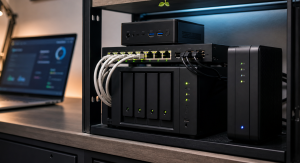
| NAS chassis | Synology, QNAP, TrueNAS, or DIY NAS | Central backup target and storage platform. Pick by maintenance appetite and drive needs. | Search Amazon: 2 bay 4 bay NAS |
| NAS drives | WD Red Plus or Seagate IronWolf CMR drives | Designed for NAS workloads. Avoid mystery drives for important data. | Amazon: WD Red Plus 8TB Amazon: Seagate IronWolf 8TB |
| Portable offline copy | Samsung T7 Shield or external HDD | Good for encrypted rotated backups and grab-and-go recovery copies. | Amazon: Samsung T7 Shield 2TB Search Amazon: external backup drive |
| UPS | APC or CyberPower UPS | Protects against dirty shutdowns while backups or writes are running. | Amazon: CyberPower CP1500PFCLCD Amazon: APC BR1500MS2 |
Common Mistakes
- Believing RAID is backup.
- Backing up only files and forgetting app databases.
- Backing up to the same host with the same admin credentials.
- Never restoring until the day everything is broken.
- Forgetting encryption keys, recovery codes, and password vault exports.
- Letting backup jobs silently fail for months.
Related TechGeeks
- The 3-2-1 Backup Rule in 2026
- RAID, ZFS Snapshots, Sync, and Backup
- How to Back Up Docker Volumes and Databases Properly
References
- CISA Ransomware Guide
- CISA: Back Up Government Data
- NIST: Protecting Data from Ransomware and Other Data Loss Events
Final Thought
A homelab backup strategy should be boring, visible, and practiced. You do not need a perfect enterprise disaster recovery program on day one. You do need copies that survive the failure you are afraid of, credentials that cannot erase every layer, and a restore drill that proves the plan before it becomes urgent.
This backup guide closes the TechGeeks homelab foundation sequence: remote access, segmentation, exposure control, DNS, and IoT isolation all depend on recoverable configurations and data. Use the related posts to identify the routers, resolvers, firewall policies, VPN credentials, and controllers that belong in the backup inventory and restore drill.
2 thoughts on “Homelab Backup Strategy: NAS, Offsite Copies, and Restore Tests”