Mesh vs Wired Access Points: The Home Network Decision Tree
 Tech Guru
Before replacing a router, separate poor client coverage from a weak AP uplink or an internet bottleneck. Backhaul is the path from each access point (AP) toward the rest of the network: a cable where available, or a wireless connection to a parent AP.
Ubiquiti wireless meshing guidance emphasizes parent-link quality and limiting wireless hops. Use those as placement checks, not as a guarantee that a specific mesh kit or AP count will cover your home.
Design principle: Use wired backhaul whenever you reasonably can. Multimedia over Coax Alliance (MoCA) adapters can be part of that wired path. Use mesh when wiring is not practical, and place nodes where they still have a strong upstream signal.
The Decision
| Design | Best Fit | Tradeoff |
|---|---|---|
| Wired APs | Performance, roaming, virtual local area network (VLAN) SSIDs, and flexible PoE placement. | Requires cable runs or existing Ethernet. |
| MoCA backhaul | Homes with coax but no Ethernet. | Needs a splitter and filter audit. |
| Wireless mesh | Rentals, temporary installs, and impossible wiring. | Consumes airtime and depends on placement. |
| Single router | Small apartments or simple homes. | Coverage and capacity limits arrive quickly. |
Placement Rules
- Place APs near where people use devices, not in utility closets.
- Check coverage on each floor; walls, floors and antenna orientation can make vertically aligned locations unsuitable.
- Tune placement and transmit power from client-to-AP and AP-to-client measurements; lowering power is not automatically an improvement.
- For mesh, choose a location with a stable measured parent link and adequate client coverage; geometric halfway placement is not a radio survey.
- Wire stationary high-bandwidth devices when possible.
Roaming Reality
A controller can help with band steering, minimum received signal strength indicator (RSSI), and neighbor information, but client devices still decide when to roam. The goal is not a perfect handoff demo; it is enough overlap and signal quality that clients have a good choice.
Recommended Homelab Shape
Start with one AP pilot and the existing working gateway. Add an AP only for a measured coverage or capacity gap. A separate router, PoE switch and wired APs may suit the available cabling, but no fixed node count is a default for every floor plan. Separate trusted, IoT and guest SSIDs only where the corresponding VLAN and firewall policies are defined.
Map the Topology Before Buying
Draw the packet path for each candidate location: client to AP, AP to switch or mesh parent, switch to router, and router to the internet. A wireless mesh node needs two usable radio paths at once: one toward clients and one toward its upstream node. If both share the same channel and radio, they also share airtime. A tri-band system may reserve or prefer another radio for backhaul, but that does not make distance, walls, interference, or channel contention disappear.
Inventory what the house already provides. Mark Ethernet drops, coax outlets, cable paths, power outlets, the optical network terminal or modem, and the location where the router and switch can live. Ethernet is the simplest AP backhaul. Existing coax may support MoCA, but the coax plant needs compatible splitters, a point-of-entry filter where appropriate, and a check for equipment or services that share the cable. Do not order adapters until you know how the coax is connected.
Count Power over Ethernet (PoE) requirements by both port and wattage. A switch advertised as PoE-capable may have enough powered ports but an insufficient total budget for several high-power APs, cameras, and phones. Check each AP's supported PoE standard, maximum draw, and included injector. Confirm uplink speed as well: adding multigigabit AP ports does not help when their switch uplink or router path is the actual bottleneck.
A Reversible Rollout
- Record the current router, SSID names, security mode, DHCP scope, DNS settings, port forwards, and a configuration backup if the platform supports one.
- Install one AP or mesh node in the intended AP/bridge mode without removing the working router; keep the existing gateway and DHCP scope owner, rather than unintentionally enabling another DHCP server. Use a temporary SSID so test clients cannot hide a bad result by reconnecting to the old network.
- Validate the wired or MoCA backhaul first. Confirm link rate, error counters where available, gateway reachability, DNS resolution, and access to one local service.
- Test coverage from the rooms that matter, then move the AP before adding another one. A second AP should solve a documented coverage or capacity gap.
- Move one normal client and one difficult client, such as an older phone or IoT device, to the intended SSID and security mode.
- Only after the pilot passes, migrate the household SSID. Keep the old router configuration and cabling intact until normal work, calls, casting, printing, and IoT control have been checked.
Rollback is simple when the old network is still available: disconnect the new APs or mesh system, restore the previous router configuration, and reconnect clients to the old SSID. If you reused the same SSID, some clients may retain stale security or addressing state; forgetting and rejoining the network can separate that client problem from an AP problem.
Security and Privacy Boundaries
Backhaul choice is not a security control by itself. Use WPA3-Personal where the complete client set supports it, or a deliberate WPA2/WPA3 transition mode when legacy devices require it. Give the wireless controller, APs, switch, and router unique administrative credentials; apply supported firmware; restrict management to trusted devices or a management network; and disable internet-facing administration unless a documented remote-management design requires it.
Guest and IoT SSIDs need firewall policy, not just different names. Confirm that guest clients cannot reach private subnets or one another when isolation is intended. IoT segmentation may need carefully scoped Domain Name System (DNS), Network Time Protocol (NTP), controller, casting, or multicast DNS access. Broadly allowing traffic to make discovery work defeats the point of segmentation. NIST's WLAN guidance treats design, configuration, evaluation, maintenance, and monitoring as a lifecycle; a secure SSID label does not replace those steps.
Cloud-managed Wi-Fi also creates a privacy and availability boundary. Review what client identifiers, traffic metadata, diagnostics, and administrator accounts leave the home, how long the vendor retains them, and what happens when the vendor cloud or internet path is unavailable. Local forwarding may continue while management or analytics fail, but that behavior is product-specific and must be verified before purchase.
Failure Modes and Troubleshooting
| Symptom | Likely Layer | First Useful Check |
|---|---|---|
| Strong signal but slow service | Backhaul, channel contention, or upstream network | Compare a wired client, inspect AP uplink rate, and test local transfer separately from internet speed. |
| Mesh node repeatedly disconnects | Weak or noisy upstream radio path | Move the node closer to its parent and remove one wall or floor from the path before buying another node. |
| One room is poor after adding APs | Placement, channel plan, or excessive power | Check which AP and band the client selected; reduce overlap or relocate the nearer AP. |
| Calls drop while walking | Client roaming decision or insufficient overlap | Capture client/AP association timing and signal at both ends; do not infer roaming health from a static speed test. |
| IoT or casting breaks | SSID/VLAN firewall or discovery dependency | Confirm client addressing, DNS, gateway, controller reachability, and only then the required discovery traffic. |
| MoCA link is unstable | Coax topology, splitter, connector, or shared service | Test adapters on a short known path, then add the house coax components back one at a time. |
Evidence and Network Acceptance Tests
This article is documentation-backed. TechGeeks did not survey a house, capture radio-frequency measurements, benchmark mesh hops, or test the linked products for this revision. Use a timestamped worksheet for your own deployment: AP location, backhaul type and negotiated rate, channel and width, client model, test location, link signal reported by both sides where available, local throughput, latency, packet loss, and the observed failure.
- From each important room, verify DHCP addressing, the intended gateway and DNS resolver, local service access, and internet access.
- Run repeated local tests to a wired endpoint before using an internet speed test. Record several runs and do not mix results from different clients or locations.
- Place a voice or video call and walk the normal path between APs; record any interruption and the client association change.
- For segmented SSIDs, test both allowed traffic and traffic that should be blocked. Retain firewall logs or controller events when available.
- In an approved maintenance window with household-critical devices accounted for and a recovery path ready, disconnect one AP or mesh node. Confirm the expected coverage reduction, recovery behavior, and whether household-critical devices reconnect.
- Within that maintenance window, reboot the router, switch, and APs in the documented dependency order and confirm they recover without manual client changes.
A negotiated Wi-Fi rate or one fast speed test does not prove stable coverage, roaming, low contention, secure segmentation, or reliable backhaul. Likewise, a successful mesh installation in one floor plan does not prove the same node count will work through different walls, floors, interference, or client radios. Treat the diagram as a planning model, not measured performance evidence.
Useful Gear and Buyer Notes
Affiliate disclosure: As an Amazon Associate, TechGeeks may earn from qualifying purchases. The product links below are buying references, not a requirement to buy a specific brand or seller. Verify compatibility, seller quality, warranty, and current specs before ordering.
| Need | Good Choice | Why It Fits | Affiliate Link |
|---|---|---|---|
| Wired APs | Wi-Fi 6 or Wi-Fi 7 ceiling APs | Better placement and wired backhaul beat all-in-one routers. | Amazon: Wi-Fi 6 PoE access point |
| PoE switching | Managed PoE switch | Powers APs and supports VLAN SSIDs. | Amazon: TP-Link TL-SG2008P PoE switch Amazon: UniFi PoE switch |
| Mesh kit | Tri-band mesh system | Good fallback when wiring is not practical. | Amazon: tri-band mesh Wi-Fi system |
| MoCA backhaul | MoCA 2.5 adapter pair | Turns coax into wired AP backhaul. | Amazon: MoCA 2.5 adapter pair |
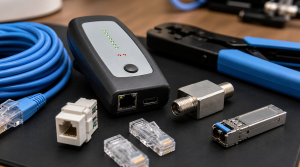
| Cabling tools | Cat6 cable tester and patch cables | Backhaul problems often hide in bad cables. | Amazon: Klein LAN Scout Jr. cable tester Amazon: Cable Matters Cat6 patch cables |
Common Mistakes
- Buying more mesh nodes instead of fixing placement.
- Putting APs in closets behind metal racks.
- Using wireless backhaul for every high-bandwidth room when coax or Ethernet is available.
- Creating too many SSIDs.
- Expecting roaming to be perfect on every client.
Related TechGeeks Resources
- Homelab VLAN Design: Simple Network Segmentation That Works
- IoT Isolation for Homelabs: VLANs, Firewall Rules, and mDNS
- 15 Router Security Settings to Audit Before Something Breaks
References
- Ubiquiti Wireless Mesh Considerations
- MoCA 2.5 Overview
- Telecommunications Industry Association (TIA) 568 Standards Announcement
- NIST SP 800-153: Guidelines for Securing Wireless Local Area Networks
Final Thought
Choose the backhaul you can build and verify, then use a one-AP pilot to identify any remaining coverage gap. Keep the configuration backup and room-by-room results so later changes can be compared under the same conditions.