
Homelab VLAN Design: Simple Network Segmentation That Works
 Tech Guru
Separate daily clients, server workloads, IoT, guests and device management when they need different access policies. The sample below gives each group a subnet and routes traffic between them through a firewall. Adapt the groups to actual dependencies rather than creating a VLAN for every device type.
IEEE 802.1Q identifies Ethernet VLANs, while RFC 1918 supplies private IPv4 address ranges. Neither chooses your trust policy. The diagram and six-row map are examples, not a target VLAN count; document the allowed service flows and management path before assigning ports.
Design principle: Use VLANs to separate trust and function, then use firewall policy to control movement between them. VLAN tags organize the network. Firewall rules secure it.
A Practical VLAN Map
| VLAN | Name | Example Subnet | Purpose | Default Policy |
|---|---|---|---|---|
| 10 | Trusted Data | 10.10.10.0/24 | Main laptops, phones, daily-use computers. | Can reach approved services. Limited management access. |
| 20 | Servers | 10.10.20.0/24 | NAS services, VM/container workloads and internal apps; separate administrative interfaces into management. | Accepts only required client and admin traffic. |
| 30 | IoT | 10.10.30.0/24 | TVs, speakers, plugs, appliances, smart home devices. | Internet, DNS, NTP, and specific controller exceptions only. |
| 40 | Kids / Guest | 10.10.40.0/24 | Untrusted or temporary devices. | Internet only. No LAN access. |
| 50 | Lab | 10.10.50.0/24 | Experiments, test VMs, temporary projects. | Restricted access to production services. |
| 99 | Management | 10.10.99.0/24 | Switches, APs, gateways, hypervisors, IPMI. | Reachable only from admin devices or VPN admin peers. |
Build Order That Avoids Pain
- Export the current gateway and switch configuration before changing VLANs.
- Create the new virtual networks on the gateway, but do not migrate devices yet.
- Define DHCP ranges, DNS servers, and domain options for each VLAN.
- Stage the required DHCP, DNS and service permissions plus internal default denies for both address families. Preserve the emergency management path.
- Configure one test switch port as an access port in the new VLAN.
- Move one noncritical wired client and verify DHCP, DNS, internet, and blocked LAN paths.
- Configure AP SSIDs mapped to VLANs only after wired validation works.
- Move devices in batches and keep a known-good management path connected.
- Document switch uplinks as trunks and endpoint ports as access ports.
Firewall Policy Baseline
| Policy | Source | Destination | Decision |
|---|---|---|---|
| Trusted to servers | Trusted Data | Named server ports | Allow only required services such as HTTPS, SMB, SSH jump host, or app ports. |
| Servers to trusted | Servers | Trusted Data | Deny by default unless a service must initiate back. |
| IoT to LAN | IoT | Trusted, Servers, Management | Deny and log. Add tiny exceptions for controllers. |
| Guest to LAN | Kids / Guest | All internal networks | Deny. Internet only. |
| Admin to management | Admin device group or VPN admin peers | Management VLAN | Allow specific protocols. |
| Lab to production | Lab | Trusted and Servers | Deny by default. Temporary rules expire. |
Trunks, Access Ports, And Native VLANs
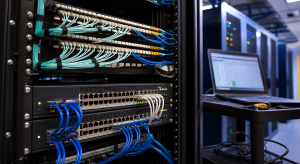
Port mode mismatches are one failure mode to check. A trunk carries multiple tagged VLANs between infrastructure devices such as gateway to switch, switch to switch, or switch to access point. An access port carries one untagged VLAN to an endpoint such as a PC, printer, camera, or game console.
Keep native or untagged VLAN behavior boring. Do not rely on VLAN 1 for real traffic. If a port is a trunk, document which VLANs are allowed. If a port is an access port, document which VLAN it belongs to. If a device suddenly gets an address from the wrong subnet, look at the port profile before blaming DHCP.
Wi-Fi Design
- Use a primary SSID for trusted devices mapped to the trusted VLAN.
- Use a separate IoT SSID mapped to the IoT VLAN.
- Use guest isolation and a guest VLAN for visitors.
- Avoid creating an SSID for every tiny category. Airtime and operations matter.
- Use scoped mDNS only when discovery is needed across VLANs, such as phone to printer or Home Assistant to speakers.
Rollback habit: Before changing a remote switch or AP uplink profile, make sure you have another management path. A beautiful VLAN design is less fun when the AP you need to fix is now unreachable.
Validation Checklist
- Every VLAN receives the intended DHCP scope and DNS servers.
- A trusted client reaches intended server services but not management gear.
- An IoT device reaches internet, DNS, NTP, and approved controllers only.
- A guest device cannot reach protected internal IPv4 or IPv6 addresses or gateway administration; required DHCP/DNS service exceptions remain narrow.
- Switch and AP management addresses live in the management VLAN.
- Firewall deny logs show blocked cross-VLAN attempts without breaking approved workflows.
Failure Diagnosis and Rollback
When a moved device fails, test one layer at a time. Confirm link state and port profile, then inspect the assigned address, gateway, DNS server, and lease. Verify the switch uplink allows the VLAN, the gateway has the expected interface, and the firewall sees the flow. For discovery failures, test direct IP and DNS first; only then inspect scoped multicast DNS (mDNS). This sequence separates tagging, addressing, name resolution, policy, and discovery instead of changing all five at once.
Keep a rollback sheet beside the change plan: previous endpoint port profile, previous AP uplink profile, old SSID mapping, prior firewall rules, and the location of the gateway and switch exports. Preserve one local admin device on a known-good access port. If management is lost, restore that port and the infrastructure management path before troubleshooting client convenience. After rollback, retest DHCP, DNS, internet, internal denies, and device administration; a green controller alone does not prove recovery.
Security, Privacy, Legal, and Recovery Boundaries
VLANs reduce broadcast scope and give a firewall policy boundaries, but they do not authenticate a device or make an allowed service safe. Patch endpoints and network gear, protect management with unique credentials and multifactor authentication where supported, and log denied inter-VLAN attempts without exposing administration to daily client networks. Avoid broad rules such as IoT to all servers; name the controller address and ports, then review the exception when the device or service is retired.
DNS, DHCP, firewall, and wireless logs can reveal device names, addresses, sites, usage times, and household behavior. Limit collection and retention to troubleshooting and security needs. Only monitor networks and devices you own or are authorized to administer. In rentals, shared housing, workplaces, and guest networks, obtain the appropriate permission and follow local privacy and communications law before capturing traffic or associating activity with a person.
Configuration exports are part of recovery, but store them securely because they can contain addresses, keys, certificates, and credentials. Test restoring to a spare device or an isolated maintenance window when practical. Keep offline documentation for VLAN IDs, subnets, trunks, access ports, and the emergency management path so recovery does not depend on the controller being reachable.
What Validation Does Not Prove
The checklist is a reader-run procedure; TechGeeks did not test this sample topology in a lab for this revision. A blocked guest-to-LAN probe does not prove every lateral path is closed. A working mDNS exception does not prove the IoT device is trustworthy. A correct VLAN tag does not prove the firewall rule, return path, DNS policy, or application authorization is correct. Test both allowed and denied flows from representative devices and retain the matching rule and log evidence.
Useful Gear And Buyer Notes
Affiliate disclosure: As an Amazon Associate, TechGeeks may earn from qualifying purchases. The product links below are buying references, not a requirement to buy a specific brand or seller. Verify compatibility, seller quality, warranty, and current specs before ordering.
| Need | Good Choice | Why It Fits | Affiliate Link |
|---|---|---|---|
| VLAN-capable gateway | UniFi Cloud Gateway Ultra or Max | Clean fit for home VLANs, firewall rules, and managed UniFi APs. | Amazon: UCG Ultra Amazon: UCG Max No Storage |
| Managed PoE switch | TP-Link TL-SG2008P or UniFi switch | VLAN-aware access and PoE for APs or cameras. | Amazon: TP-Link TL-SG2008P |
| Managed non-PoE switch | TP-Link TL-SG2008 | Good small managed switch when PoE is not needed. | Amazon: TP-Link TL-SG2008 |
| Cable tester | Klein Tools VDV526-200 | VLAN troubleshooting is easier when the copper is known good. | Amazon: Klein Tools cable tester |
| Labels and patch discipline | Brother P-touch labeler and short Cat6 patch cables | Future you will thank current you when tracing ports. | Amazon: Brother PT-D610BT Amazon: Cable Matters 1ft Cat6 10-pack |
Common Mistakes
- Creating too many VLANs before you have clear firewall rules.
- Treating VLAN IDs as security without enforcing inter-VLAN policy.
- Forgetting printers, casting, and discovery workflows when moving IoT.
- Putting management interfaces on the same VLAN as daily clients.
- Changing trunk profiles remotely without a rollback path.
Related TechGeeks
- IoT Isolation for Homelabs: VLANs, Firewall Rules, and mDNS
- Homelab DNS Guide: Local Names, Ad Blocking, and Reliability
- WireGuard Home VPN: Secure Remote Access for Your Homelab
References
- IEEE 802.1Q-2022 Standard
- RFC 1918 Private Address Space
- UniFi VLAN and virtual network help search
- RFC 6762 Multicast DNS
- CISA enhanced visibility and network segmentation guidance
Final Thought
Keep the final port map and policy matrix with the configuration exports. Recheck allowed services, denied paths and local management after each migration; a VLAN assignment is only one part of that evidence.
8 thoughts on “Homelab VLAN Design: Simple Network Segmentation That Works”