Public IP vs Private IP: What Your Router Is Hiding
 Tech Guru
Quick Answer
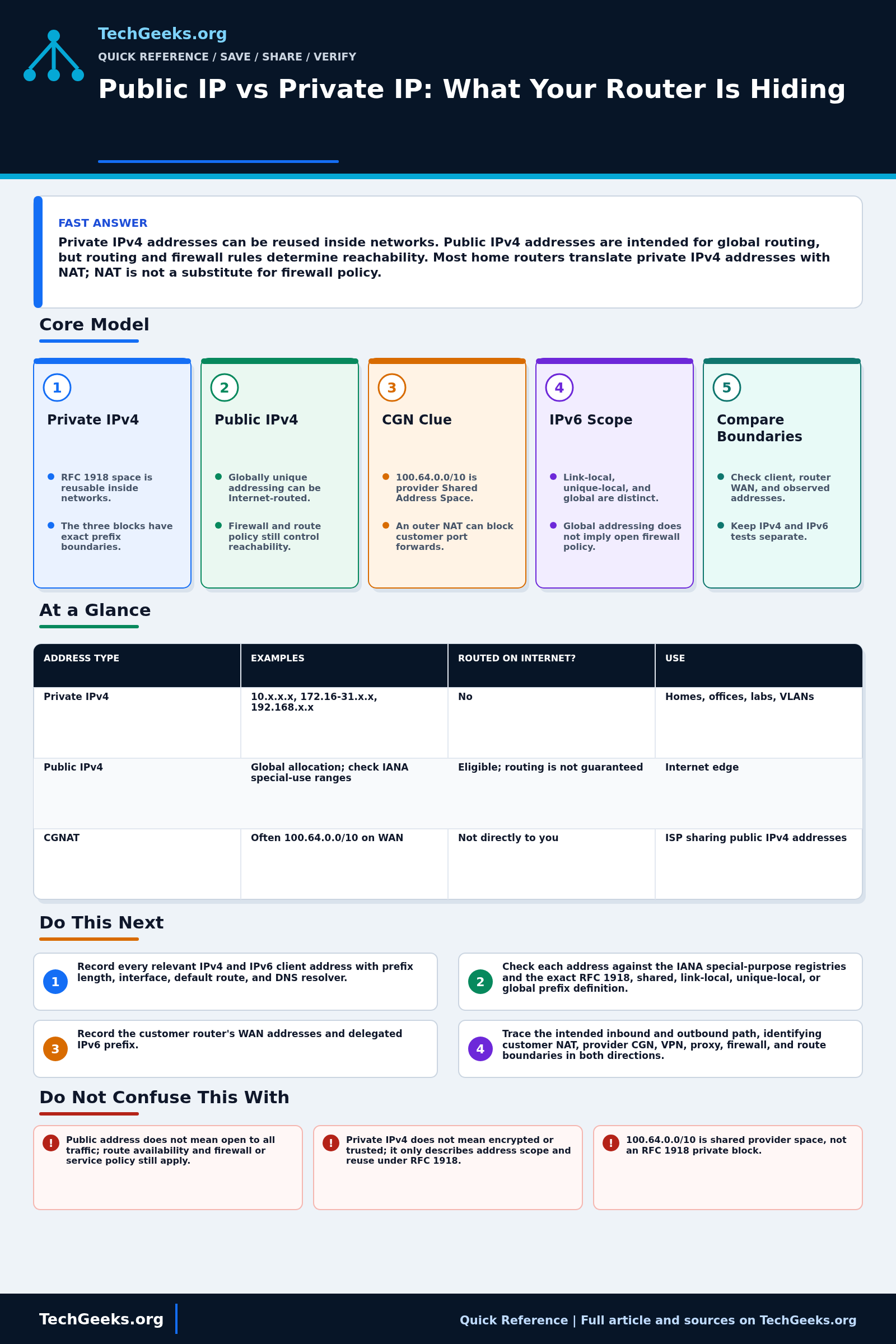
Private IPv4 ranges can be reused inside separate networks; public addressing is intended for global routing, not guaranteed access. Your router's WAN address may differ from an IP-check site's result because of upstream NAT, a VPN, or a proxy. Check IPv4 and IPv6 separately. Test only authorized services and save firewall, NAT, and VPN settings before changing inbound access; neither private addresses nor NAT replace firewall policy.
Start Here: The Beginner Foundation
For IPv4, RFC 1918 reserves three blocks for private internets: 10.0.0.0/8, 172.16.0.0/12, and 192.168.0.0/16. Organizations can reuse them without coordinating a globally unique allocation, which is why many unrelated homes contain the same address such as 192.168.1.10. Those addresses are not intended to be routed across the public Internet. They can still communicate between sites when a private routing domain or tunnel carries them and the address plans do not overlap.
A public IPv4 address is globally unique address space assigned for use outside private or special-purpose ranges, but public does not mean universally reachable. Routing announcements, provider policy, firewalls, service listeners, and translation rules still determine whether traffic can arrive. Home networks commonly use network address and port translation so many private IPv4 clients share one public address for outbound flows. Some providers add carrier-grade NAT, placing another translation boundary outside the customer's control.
IPv6 does not use the phrase private address as a direct equivalent of RFC 1918. Interfaces normally have link-local addresses and may also have global unicast or unique local addresses, with scope and routing determining use. A global IPv6 address can exist directly on a client without IPv4-style NAT; a stateful firewall can still block unsolicited inbound traffic. Diagnose each address family separately by comparing the client address, default route, customer-edge WAN state, provider delegation, and externally observed address.
The Fast Comparison
| Address type | Examples | Routed on internet? | Use |
|---|---|---|---|
| Private IPv4 | 10.x.x.x, 172.16-31.x.x, 192.168.x.x | No | Homes, offices, labs, VLANs |
| Public IPv4 | ISP-assigned non-private address | Intended for global routing; reachability depends on routing and policy | Internet edge |
| CGNAT | Often 100.64.0.0/10 on WAN | Not directly to you | ISP sharing public IPv4 addresses |
Advanced Notes and Design Boundaries
Address scope, global routing, translation, and reachability are separate questions. Diagnose IPv4 and IPv6 independently, and use the IANA registries rather than guessing from the first octet or treating every address shown by a website as the router's own interface.
- RFC 1918 private IPv4 blocks are exactly 10.0.0.0/8, 172.16.0.0/12, and 192.168.0.0/16; not every address beginning with 172 is private.
- 100.64.0.0/10 is IETF Shared Address Space for service-provider use and is distinct from RFC 1918, even though its appearance on a WAN often accompanies carrier-grade NAT.
- An IANA special-purpose address is not automatically public merely because it is outside RFC 1918; loopback, link-local, documentation, benchmarking, and other blocks have defined non-global properties.
- IPv6 unique local addresses use fc00::/7 under RFC 4193 and are not expected to be globally routed, while link-local fe80::/10 addresses are confined to a link and require interface context in many tools.
- A globally scoped address describes addressing and routing intent, not exposure: ingress filtering, stateful firewall policy, host firewall rules, and application binding still control reachability.
Troubleshooting Workflow
Build an address-path record before editing port forwards or VPN policy: client address, prefix, route, router LAN and WAN addresses, provider handoff, externally observed address, DNS result, and firewall decision. A test must use the same IP family and source location as the failing application or it may exercise a different path.
- Record every relevant IPv4 and IPv6 client address with prefix length, interface, default route, and DNS resolver; do not classify by appearance alone.
- Check each address against the IANA special-purpose registries and the exact RFC 1918, shared, link-local, unique-local, or global prefix definition.
- Record the customer router's WAN addresses and delegated IPv6 prefix, then compare them with an externally observed address using the same IP family.
- Trace the intended inbound and outbound path, identifying customer NAT, provider CGN, VPN, proxy, firewall, and route boundaries in both directions.
- Test local gateway, provider-side reachability, and target service by address family, then inspect route and firewall logs rather than assuming NAT is the failure.
- For remote access, verify a stable destination, correct translation or IPv6 firewall rule, application listener, DNS record, and non-overlapping private routes before retesting externally.
Evidence and Acceptance Tests
Evidence status: documentation-backed. TechGeeks reviewed IETF and IANA address definitions plus independent CGN measurement research; no ISP circuit, NAT implementation, IPv6 firewall, or port-forwarding lab was operated for this article.
- Save redacted client, router, VPN, and externally observed IPv4/IPv6 values with interfaces, prefixes, routes, test source, DNS answers, and UTC time.
- For outbound acceptance, verify the client reaches the intended destination over the expected family and record the egress address and route without assuming that a successful web request tests inbound reachability.
- For inbound acceptance, test from a genuinely external network and require the expected translation or IPv6 firewall hit, listener response, and source restriction while an unapproved port remains blocked.
- For a site VPN, verify both directions, non-overlapping prefixes, DNS behavior, and at least one denied network as well as the permitted destination.
- Remove the test forward, temporary firewall rule, or tunnel and confirm the previous exposure and routing state are restored.
Security, Privacy, and Recovery Boundaries
- A private address is not a trust label and NAT is not a substitute for firewall policy, authentication, patching, or encrypted remote access.
- Public addresses, timestamps, DNS names, provider details, and NAT logs can identify a subscriber or reveal service use. Redact them from screenshots and retain mapping logs only for authorized operational or legal needs.
- Do not scan third-party addresses, bypass provider controls, or publish another subscriber's connection data without authorization. Provider logging and disclosure obligations vary by jurisdiction.
- Keep a local management path, export the current edge configuration, and time-limit every diagnostic allow rule. Roll back by removing the new exposure and restoring the previous route, NAT, DNS, and firewall entries as one documented set.
What This Does Not Mean
- An IP-check website showing a public address does not prove that address is configured on your router or that unsolicited inbound traffic can reach it.
- A WAN address in 100.64.0.0/10 is evidence of shared address space, but it does not by itself reveal the provider's complete CGN topology, mapping policy, or inbound service options.
- A successful ping or trace does not prove the application listener, NAT rule, return path, DNS name, or stateful firewall policy is correct.
- A global IPv6 address does not prove exposure, and a private IPv4 address does not prove encryption, isolation, or trust.
Real-World Use Cases
- Use private IPs freely inside your LAN design.
- Use DNS names instead of memorizing private addresses.
- Use VPN or tunnel access instead of opening ports casually.
- Check for CGNAT before troubleshooting failed port forwarding.
Failure Patterns to Recognize
- Inbound traffic stops at an upstream private-address or CGN boundary where the required mapping is unavailable.
- Two networks use the same private range and VPN routing conflicts.
- A globally addressed device lacks the intended host or network firewall policy.
- Remote users try to reach a private address from the internet.
Common Mistakes
- Assuming 192.168.x.x is unique worldwide.
- Opening a port without understanding which private host receives it.
- Using the same LAN subnet at home and at a remote site.
- Blaming DNS when the route to a private network does not exist.
Quick Checklist
- Compare client IP, router LAN IP, router WAN IP, and public IP from a test site.
- Check whether the WAN IP is private or CGNAT.
- Document private ranges per VLAN/site.
- Use VPN routes for private networks.
- Avoid overlapping subnets.
Common Questions
Useful Gear And Buyer Notes
Affiliate disclosure: As an Amazon Associate, TechGeeks may earn from qualifying purchases. The product links below are buying references, not a requirement to buy a specific brand or seller. Verify compatibility, seller quality, warranty, and current specs before ordering.
Buy edge hardware for the actual requirement: native IPv6, VPN throughput, stateful firewall policy, VLANs, update support, logging, and a recoverable configuration. A new router cannot give you subscriber-controlled inbound IPv4 through provider CGN unless the service or an outbound tunnel supplies that path.
Related TechGeeks Reading
- Remote Access Without Opening Router Ports
- 15 Router Security Settings to Audit Before Something Breaks
- Networking Field Notes: Start Here
References
- RFC 1918: Address Allocation for Private Internets
- RFC 3022: Traditional IP Network Address Translator
- RFC Editor: RFC 6598, IANA-Reserved IPv4 Prefix for Shared Address Space
- IANA: IPv4 Special-Purpose Address Space
- RFC Editor: RFC 4291, IP Version 6 Addressing Architecture
- RFC Editor: RFC 4193, Unique Local IPv6 Unicast Addresses
- Independent research: A Multi-perspective Analysis of Carrier-Grade NAT Deployment