NAS vs DAS vs Cloud: Choosing Storage by Workflow
 Tech Guru
Quick Answer
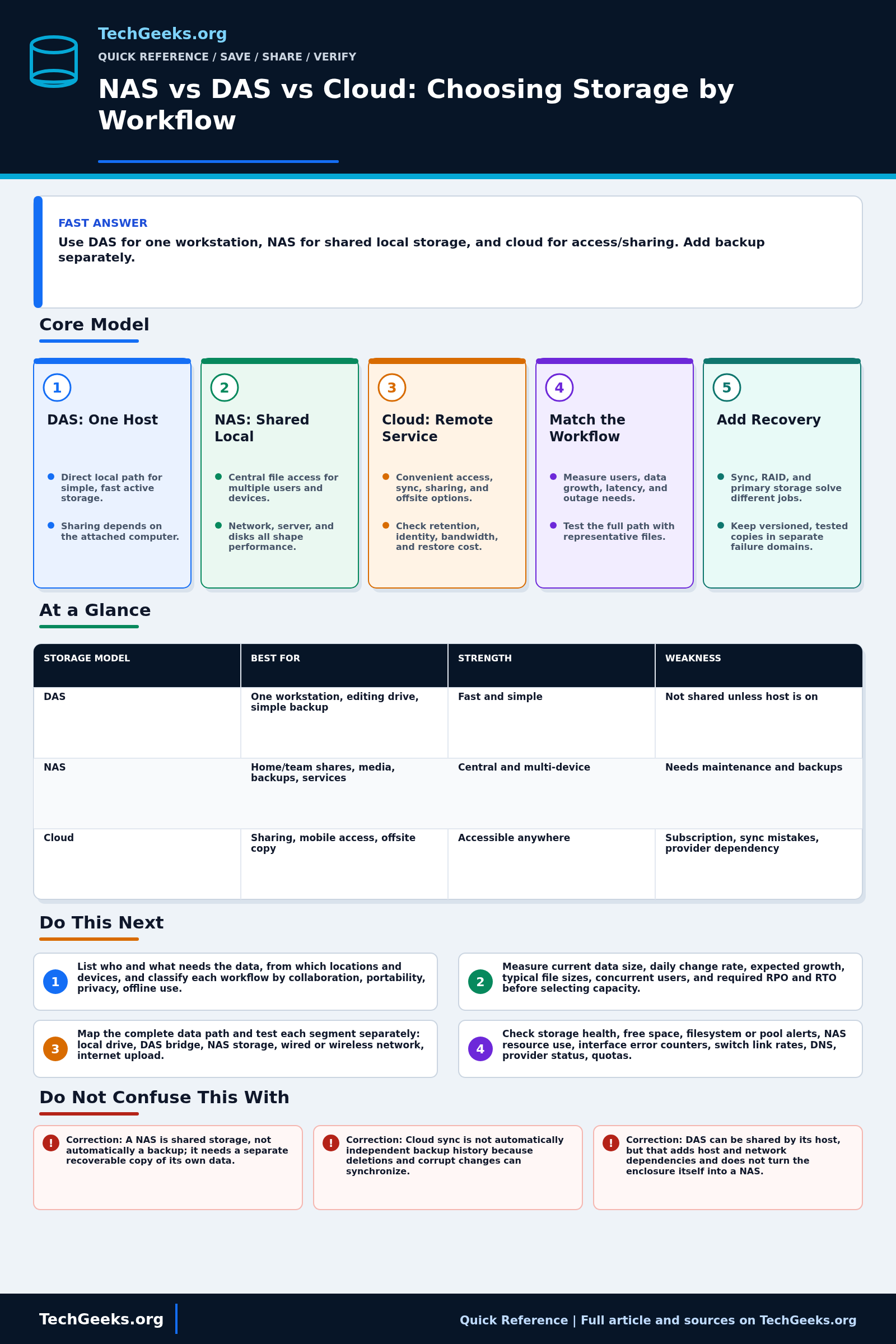
Use direct-attached storage (DAS) for one workstation's local work, network-attached storage (NAS) for shared local files, and cloud services for supported remote access or collaboration. A hybrid can serve several needs. Choose the primary workflow first, then add an independently recoverable backup. RAID, sync, and an offsite location do not by themselves establish usable recovery history.
Start Here: The Beginner Foundation
DAS, or direct-attached storage, connects to one host through an internal bus or a port such as SATA, PCIe, USB, or Thunderbolt. It is usually the simplest path to predictable local performance because there is no file-server network between the application and the device. A DAS unit can be shared by its host, but then access depends on that computer being powered, reachable, and configured as a server. DAS is a strong fit for one workstation's active media, a portable transfer device, or a local backup target that can be disconnected.
NAS, or network-attached storage, provides file-level access across a network, commonly through SMB or NFS. It centralizes data for multiple computers, users, media players, backup jobs, and services. Real speed depends on the whole path: disks or SSDs, RAID and filesystem, NAS CPU and memory, protocol, network interfaces, switches, cabling, Wi-Fi, and the client. A NAS also becomes an administered server, so account security, updates, monitoring, capacity planning, snapshots, and a separate backup are ongoing responsibilities.
Cloud storage places data behind a provider's network service and can offer convenient remote access, synchronization, sharing, elasticity, and an offsite location. The word cloud covers different products: a synchronized folder, object storage bucket, hosted file share, and managed backup service do not have the same recovery behavior. Internet bandwidth, latency, identity security, retention, versioning, provider availability, export or egress cost (charges for retrieving data), and restore time all matter. Many good designs are hybrid: fast DAS for one editor, NAS for shared local data, and cloud or another site for selected collaboration and recovery copies.
The Fast Comparison
| Storage model | Best for | Strength | Weakness |
|---|---|---|---|
| DAS | One workstation, editing drive, simple backup | Fast and simple | Not shared unless host is on |
| NAS | Home/team shares, media, backups, services | Central and multi-device | Needs maintenance and backups |
| Cloud | Sharing, mobile access, offsite copy | Accessible anywhere | Subscription, sync mistakes, provider dependency |
Advanced Notes and Design Boundaries
NAS, DAS, and cloud storage solve different access problems. The useful comparison starts with who needs the data, from which devices, at what speed, during which outages, and how much operator work is acceptable. Capacity and benchmark numbers are secondary until the workflow, failure domain, encryption-key custody, and restore target are explicit.
- NAS throughput is bounded by the slowest relevant stage and by workload concurrency. A 1Gb/s Ethernet link has a 125 MB/s raw byte-rate ceiling before protocol overhead, while random metadata-heavy access may be limited by storage latency or server CPU long before link saturation.
- File, block, and object access have different semantics. SMB and NFS expose shared files with locking and identity behavior; iSCSI exposes blocks to a host filesystem; cloud object APIs address objects rather than acting like a fully compatible local filesystem.
- A DAS enclosure's connector label is not an end-to-end performance guarantee. Drive media, bridge chipset, USB or Thunderbolt mode, cable capability, port lane allocation, filesystem, command support, and thermal design can each constrain or change behavior.
- Cloud durability, availability, versioning, retention lock, replication, and geographic placement are separate service properties. Verify the exact tier and configuration; a provider account, region, or synchronized client can remain a shared failure or administrative domain.
- Remote NAS access should use a maintained, authenticated path with least privilege, encryption, MFA where supported, logging, and prompt updates. Avoid exposing management interfaces or legacy file-sharing services directly to the public internet.
Troubleshooting Workflow
When storage becomes slow or unavailable, preserve the source copy and identify the failing layer before moving data. Record client, protocol, network path, enclosure or NAS health, cloud sync state, free space, recent changes, and a checksum for one representative file; avoid launching multiple repair or synchronization jobs against the same uncertain dataset.
- List who and what needs the data, from which locations and devices, and classify each workflow by collaboration, portability, privacy, offline use, and acceptable interruption.
- Measure current data size, daily change rate, expected growth, typical file sizes, concurrent users, and the recovery point objective (RPO, acceptable recent data loss) and recovery time objective (RTO, acceptable restore duration) before selecting capacity or a service tier.
- Map the complete data path and test each segment separately: local drive, DAS bridge, NAS storage, wired or wireless network, internet upload and download, protocol, and client. Use representative files rather than only a peak synthetic result.
- Check storage health, free space, filesystem or pool alerts, NAS resource use, interface error counters, switch link rates, DNS, provider status, quotas, retention settings, credentials, and client sync errors.
- Exercise likely failures by restoring an old version, disconnecting a DAS backup after use, testing local work during an internet outage, and timing a representative cloud or NAS restore to an alternate location.
- Choose one primary workflow and explicit recovery layers, then document ownership, updates, access controls, encryption keys, costs, retention, monitoring, and the next restore test. Re-measure after deployment and as data grows.
Evidence and Restore Acceptance Test
This comparison is documentation-backed. TechGeeks did not independently benchmark a particular enclosure, NAS, LAN, or cloud provider, and no universal speed, cost, durability, or recovery claim is made. Test with representative file counts and sizes because one large video, thousands of small files, a database, and a photo library stress different parts of the path.
- Copy a representative dataset to the candidate target, record elapsed time and errors, and compare checksums rather than trusting a progress dialog.
- Open the data from every required device and account, including one remote or offline scenario the workflow depends on.
- Use a disposable test file with saved recovery history for the deletion or corruption test. Restore its intended older version without touching production data or using the working copy as the recovery source.
- In an isolated test or agreed maintenance window, simulate the relevant outage: disconnect the test DAS, stop its NAS or LAN path, or block its cloud access. Record what work can continue and restore normal access before ending the test.
- Restore to a clean alternate location with the normal account unavailable and record credentials, encryption keys, egress, and elapsed time.
What Storage Location Does Not Prove
- A NAS is shared storage, not automatically a backup; it needs a separate recoverable copy of its own data.
- Cloud sync is not automatically independent backup history because deletions and corrupt changes can synchronize.
- DAS can be shared by its host, but that adds host and network dependencies and does not turn the enclosure itself into a NAS.
- Cloud is not always slower or always safer; performance and recovery depend on the service, network, identity controls, configuration, and failure scenario.
Data Loss, Privacy, and Exit Boundaries
RAID, snapshots, synchronization, and version history are useful controls, but none automatically creates an independent backup. Malware, mistaken deletion, stolen credentials, fire, theft, account suspension, or a shared administrator can affect several apparent copies at once. Keep at least one recoverable copy outside the primary storage and ordinary write credentials, then test that copy.
Cloud and remotely accessible NAS workflows can expose filenames, metadata, sharing relationships, and sometimes content to providers or administrators. Check encryption, key recovery, region, retention, deletion, legal-hold, acceptable-use, and account-exit terms for the actual data and jurisdiction. Do not place the only encryption key or recovery instructions inside the account or NAS they unlock.
Real-World Use Cases
- Choose DAS for one computer needing fast local storage.
- Choose NAS when several devices need the same data.
- Choose cloud for sharing and offsite convenience.
- Use a backup plan regardless of storage choice.
Failure Patterns to Recognize
- NAS becomes a single point of failure.
- Cloud sync deletes a file everywhere.
- DAS drive failure has no second copy.
- Remote access to NAS is exposed unsafely.
Common Mistakes
- Buying a NAS before defining backup.
- Using cloud sync as the only archive.
- Attaching DAS to one PC and expecting always-on service.
- Ignoring restore speed and internet upload limits.
Quick Checklist
- List devices/users needing access.
- List performance needs.
- Choose primary storage.
- Define backup and offsite copy.
- Test restore.
Common Questions
Storage Definition and Cost Recheck
Fact-checked July 15, 2026 against NIST SP 800-145 and SP 800-209, current SMB documentation, CISA ransomware guidance, and the April 28, 2026 SNIA Dictionary. Independent user research is used only to corroborate that synchronization, backup, and security expectations are frequent sources of confusion; it does not establish product reliability.
Related TechGeeks Reading
- NAS vs DAS vs Mini PC: The Storage Decision Tree
- Homelab Backup Strategy: NAS, Offsite Copies, and Restore Tests
- Google Drive Is Not a Backup
Useful Gear And Buyer Notes
Affiliate disclosure: As an Amazon Associate, TechGeeks may earn from qualifying purchases. The product links below are buying references, not a requirement to buy a specific brand or seller. Verify compatibility, seller quality, warranty, and current specs before ordering.
Match storage purchases to measured working-set size, daily change, transfer window, interface speed, device support, drive workload, power-loss behavior, noise, warranty, and restore objective. Budget for an independent backup and replacement path; spending the whole amount on the primary NAS or fastest enclosure leaves the actual recovery problem unsolved.
- Amazon search: 2 bay NAS diskless
- Amazon search: USB-C external SSD
- Amazon search: external hard drive 12TB
References
- NIST NCCoE: Protecting Data From Ransomware and Other Data Loss Events
- NIST SP 800-209: DAS, NAS, Cloud Storage, and Data Protection
- NIST SP 800-145: The NIST Definition of Cloud Computing
- SNIA Dictionary: Current Storage Terminology
- Microsoft Learn: SMB Protocol Overview
- CISA: How to Protect Data Stored on Your Devices
- CISA: StopRansomware Guide
- Library Hi Tech: Information security and technical issues of cloud storage services
The July 15, 2026 review supports the workflow distinctions, not a promise about any current provider price, NAS model, drive, network, or restore duration.