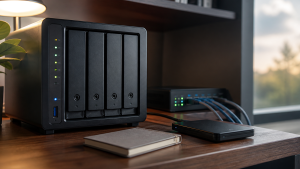
Is 2026 a Bad Time to Buy a NAS?
 Tech Guru
It is not a bad time to buy a NAS if you have a real storage problem today. It is a bad time to buy one casually because high-capacity drives, vendor compatibility rules, and app expectations can turn a cheap box into an expensive commitment.
Design principle: Separate working data, local recovery, and offsite recovery. One box can help, but one box should not be the whole plan.
The Short Version
- It is not a bad time to buy a NAS if you have a real storage problem today. It is a bad time to buy one casually because high-capacity drives, vendor compatibility rules, and app expectations can turn a cheap box into an expensive commitment.
- The practical decision is operational, not cosmetic: choose the path you can document, test, maintain, and recover.
- Use the decision matrix below, then prove the result with the validation checklist before making it the default.
Why This Matters Now
A NAS purchase starts with the data, not the enclosure: record current usable terabytes, annual growth, the laptops and phones that need shares or backup, the applications that need local storage, and the restore time the household can tolerate. Those inputs determine whether a turnkey NAS, DIY server, DAS, or no purchase fits.
Current NAS buying decisions are shaped by low-power Intel mini PCs, 2.5GbE switches, better DIY NAS cases, and turnkey appliances with app ecosystems.
The current risk is overbuying a NAS for compute when a small x86 host would run containers and media tasks better.
Drive replacement cost, backup cost, and power cost matter as much as the empty enclosure price.
The decision below connects enclosure cost to drive count, usable capacity, backup capacity, network speed, support policy, and recovery work. A 2026 NAS is a sound purchase only when the complete storage path solves a measured problem and a representative restore works without depending on the new box.
Recommended Baseline
Price three destinations before choosing a NAS. The working shares need enough usable capacity for current files and growth; a local versioned target needs room for quick folder and application restores; an offsite or offline copy must remain recoverable if the enclosure, its administrator account, or the home is unavailable.
NAS replication, phone-photo upload, and cloud synchronization can make files convenient without making them recoverable. Check whether deletion or encryption propagates to every destination, how long version history lasts, and whether ordinary NAS credentials can erase the backup target; any shared failure still needs an independent retained copy.
What Changed In 2026
NAS units now compete with mini PCs, cloud backup, and direct-attached storage. The box is no longer the obvious answer for every home lab.
Drive supply and high-capacity demand matter because the enclosure is often the cheap part. The drives, backup target, and UPS can dominate the real cost.
Capacity Math First
Add current data, yearly growth, retention, snapshots, and rebuild comfort. A two-bay NAS can be fine, but a four-bay NAS often gives a cleaner growth path.
Do not forget backup capacity. If the NAS holds 16 TB of important data, a single 2 TB portable drive is not a backup plan.
Hardware Worth Paying For
Prioritize drive bays, RAM, 2.5GbE or better where needed, a supported CPU for your apps, and clean alerting. Avoid paying for features that will not be used.
If media transcoding is the reason for the purchase, compare a NAS against a cheap Intel mini PC plus NAS storage. That split is often easier to upgrade.
Compatibility And Support
Read the vendor drive compatibility policy before buying disks. Some appliances are more restrictive than others, and unsupported drives can create alert noise or support problems.
Check security update history. A NAS is an internet-adjacent server even when it is not exposed directly.
Decision Matrix
| Move | Use It When | Avoid It When |
|---|---|---|
| Buy now | You need shared backup or storage this quarter. | You have no backup plan or capacity estimate. |
| Wait | Current storage is safe and prices are poor. | The current system is already failing. |
| Buy used | You understand drive health and support limits. | You need warranty and low admin work. |
| DIY | You want TrueNAS, Unraid, or custom hardware. | You want appliance-style updates and support. |
Decision Worksheet
Complete the worksheet with your actual usable-capacity target, yearly growth, parity or mirror layout, snapshot retention, backup destination, client link speeds, application requirements, and replacement-drive budget. Those entries reveal whether buying now fixes a constraint or merely moves scattered data into a more expensive single failure domain.
| Worksheet Item | What To Write Down | Why It Matters |
|---|---|---|
| Primary question | Is 2026 a bad time to buy a NAS? | This keeps the article tied to the reader's real decision instead of drifting into a generic product comparison. |
| Affected systems | People, apps, and devices that create or need the files, photos, backups, databases, or shares. | Readers should know who and what they are protecting before they choose hardware, software, or a cloud service. |
| Failure model | Deletion, ransomware, drive failure, bad sync, account lockout, theft, fire, and hardware replacement. | Different failures need different controls. This row prevents RAID, sync, VPN, or MFA from being treated as magic. |
| Proof test | Restore a real folder, one recently changed file, and one app-owned data set to a clean location. | A recommendation is not proven until it survives a small, repeatable test using realistic data, clients, or accounts. |
| Rollback path | Keep the original copy and credentials available until restores, permissions, and metadata are confirmed. | A reversible change is less stressful, easier to explain, and less likely to turn a weekend project into an outage. |
| Measurement to capture | Usable capacity after parity, mirrors, snapshots, and retention. | Numbers, logs, screenshots, or restore notes give the reader confidence that the decision was based on evidence. |
Capacity Math Before Enclosure Shopping
Start with usable capacity, not bay count. Four 12TB drives in RAIDZ1, RAIDZ2, RAID10, SHR, or a mirror layout do not produce the same usable space or the same rebuild risk. Add snapshots, photo growth, VM backups, surveillance retention, and an offsite target before deciding that an enclosure is big enough.
Also price the support items: a UPS, backup drive or second target, 2.5GbE or 10GbE networking if needed, replacement drive budget, and power cost. A cheap NAS that cannot be backed up is not cheap. A DIY NAS that saves money but becomes the only system one person can fix may also be the wrong answer for a family setup.
Real-World Example
Consider a household replacing scattered laptop and phone storage with a four-bay NAS. The enclosure decision follows only after sizing the photo library, computer backups, application data, snapshots, and future growth, then pricing drives, a UPS, and a separate backup target. The purchase is accepted after a real folder and an app-owned data set restore to a clean location.
Size candidate hardware from the data tiers. Family photos, documents, vault exports, and app databases require working capacity plus local and offsite recovery. VM images, media metadata, and configuration may justify a shorter retention target. Cache does not deserve expensive protected space. This ordering turns bay count and disk size into a traceable capacity calculation.
An enclosure comparison is incomplete without the failed-pool and replacement-host procedures. Ask how shares, permissions, application databases, encryption keys, and snapshots move when the selected NAS is gone, and whether a vendor account or proprietary backup format blocks recovery. The answer matters more than a fast dashboard demo or an empty-bay sale price.
Rollout And Recovery Plan
Before migrating into a new NAS, inventory each source and freeze the proposed share names, users, quotas, snapshot policy, and backup destination. Build the pool and copy a pilot data set rather than moving it. Validate clients and restores, then copy the remaining data while retaining the original disks until the new backup and alert paths are proven.
Test the proposed NAS recovery path with one ordinary share folder, one recently changed file, and one application-owned data set. Restore them to a clean client or alternate host, then inspect names, timestamps, permissions, thumbnails, and application behavior. A restore that requires the healthy original pool, its live credentials, or an undocumented vendor setting does not validate replacement-hardware recovery.
Implementation Details
Schedule the first NAS cutover when household file writes, photo imports, and computer backups can pause. Record the old share paths and credentials, copy rather than delete source data, move one client first, and keep a direct administrative path available so failed SMB, NFS, DNS, or permission changes can be reversed without improvising.
- Write down the current state before changing anything: devices, accounts, IP addresses, storage paths, and who depends on the service.
- Pilot the recommendation with one device, one folder, one app, or one user before changing the entire home or lab.
- Keep the old path available until validation passes.
- Document rollback steps while the working setup is still fresh.
- Schedule a review date so firmware, subscriptions, certificates, and backups do not drift for months.
Record these details while you build, not after the memory has already gone fuzzy:
- Usable capacity after parity, mirrors, snapshots, and retention.
- Restore time for a realistic folder, VM, app database, or photo library.
- Offsite copy age and whether backup credentials are separate from normal user credentials.
- Drive health, scrub status, alert delivery, and UPS shutdown behavior.
Evidence To Collect
Keep the evidence that justifies this purchase: capacity math after parity and retention, the exact enclosure and drive compatibility result, negotiated client link rates, backup-job records, configuration exports, and a restore note. This revision did not test a named NAS, so reader-run results must carry the acceptance decision.
- A data inventory that separates irreplaceable, painful-to-recreate, and disposable data.
- Screenshots or logs from the latest backup job, snapshot job, scrub, SMART check, and offsite sync.
- A restore note showing what was restored, where it was restored, how long it took, and what did not come back cleanly.
- A credential note proving backup administration is separate from normal daily user access.
- Capacity math that includes snapshots, retention, app databases, photo growth, and replacement-drive budget.
Failure Signals
- Backups complete but nobody has restored from them.
- Snapshots and sync jobs live on the same system as the only important copy.
- Drive, UPS, or scrub alerts go to an inbox nobody checks.
- Cloud-only files, app databases, or metadata are missing from the backup plan.
Adopt, Pilot, Defer, Avoid
- Adopt: Adopt the design when it separates working data, local recovery, and offsite or offline recovery.
- Pilot: Pilot with one folder, one app export, or one photo subset before reorganizing the whole data set.
- Defer: Wait when the current setup is stable, backed up, monitored, and the proposed change is mostly curiosity.
- Avoid: Avoid treating RAID, snapshots, sync, or cloud drive alone as a complete backup plan.
Validation Checklist
- Build a capacity worksheet before shopping.
- Check the exact drive model against the NAS vendor compatibility list.
- Confirm backup target capacity is large enough.
- Verify UPS support and safe shutdown behavior.
- Check whether required apps need Docker, VM support, or hardware transcoding.
Common Mistakes
- Buying the enclosure before pricing drives.
- Buying a two-bay NAS when growth clearly points to four bays.
- Assuming vendor app stores will include every homelab service.
- Ignoring power, noise, and placement.
- Exposing NAS admin services to the internet.
Troubleshooting
| Symptom | Likely Cause | First Check |
|---|---|---|
| Restore fails | Backup captured files but missed app state, permissions, keys, or database exports. | Restore to a clean folder or VM and compare timestamps, permissions, and app behavior. |
| Storage feels slow | Network, disks, protocol overhead, Wi-Fi, or client limits are the real bottleneck. | Test wired transfer speed, disk health, and client link speed separately. |
| Backups look successful but feel risky | Jobs report completion without proving recovery. | Schedule a restore drill and record exactly what did and did not come back. |
Maintenance Cadence
A NAS plan needs scheduled checks because capacity, drive health, firmware support, offsite-copy age, and household applications change after installation. Put the monthly health review, quarterly representative restore, and annual capacity and replacement-budget review on the same calendar as other home infrastructure work.
- Monthly: Check backup job status, drive health, free space, and the age of the newest offsite copy.
- Quarterly: Restore a real folder or app export to a clean location and confirm permissions, metadata, and versions.
- Yearly: Review capacity, replace aging drives or UPS batteries as needed, and confirm the offsite copy still matches the risk.
For this NAS, restore evidence should include a shared folder and one application state from the local or offsite target to a separate location. Confirm permissions, metadata, encryption-key access, and client readability; successful snapshots, scrubs, and backup jobs alone do not show that the household can recover after losing the enclosure.
When To Spend Money
Use the spending table only after the worksheet identifies a measured shortage in capacity, bay count, network throughput, power protection, or backup space. Compare the listed NAS, disks, network cards, and N100 hardware against that shortage, including support policy and recovery cost, rather than treating a discount as the requirement.
| Stage | Signal | Practical Buying Guidance |
|---|---|---|
| Do not buy yet | Restore has not been tested, data has not been tiered, or the existing bottleneck is unknown. | Spend time on inventory, restore proof, labels, and documentation before buying another enclosure. |
| Small useful spend | Backups are working but the weak point is power, replacement media, or offsite transport. | UPS with shutdown signaling, external backup drive, spare drive, drive labels, or a safe storage case. |
| Larger upgrade | Capacity, restore time, drive bays, network throughput, or app-data reliability is now a measured constraint. | NAS, larger disks, 2.5GbE/10GbE path, offsite target, or a separate compute host. |
Useful Gear And Buyer Notes
The product links below are intentionally search links, starting with 4 bay NAS 2.5GbE, because model numbers, bundles, and prices change quickly. Use them to compare categories, then verify exact specifications against the article's decision points before buying. For infrastructure gear, prioritize firmware support, replaceability, warranty, idle power, and recovery behavior over headline specs.
Affiliate disclosure: As an Amazon Associate, TechGeeks may earn from qualifying purchases. The product links below are buying references, not a requirement to buy a specific brand or seller. Verify compatibility, seller quality, warranty, and current specs before ordering.
- Amazon search: 4 bay NAS 2.5GbE
- Amazon search: NAS hard drive 16TB
- Amazon search: used enterprise hard drive renewed
- Amazon search: 10GbE NAS card
- Amazon search: N100 NAS motherboard
Related TechGeeks resources
- Media Server Storage Design: NAS, CIFS/NFS Mounts, Permissions, and Local Cache
- Backup and Disaster Recovery for Plex, Sonarr, Radarr, Tdarr, Prowlarr, and SABnzbd
- Monitoring and Health Checks for a Plex and Arr Homelab
Security, Privacy, Legal, and Recovery Boundaries
- Security: isolate NAS administration, require unique accounts and multifactor authentication where supported, patch deliberately, restrict shares, and do not expose management directly to the internet.
- Privacy: a NAS can centralize family documents, photos, backups, and access logs. Limit administrators, remote services, telemetry, indexing, and retention to what the household intends.
- Legal: store and share only data and media you are authorized to keep, and account for warranty, software licensing, workplace, retention, disposal, and local privacy obligations.
- Recovery: RAID is not backup. Keep versioned and failure-independent copies, record encryption and admin recovery material, and prove a clean restore before retiring the old storage path.
What This Does Not Protect or Validate
A compatibility-list match or one clean file transfer does not prove that a NAS will meet the intended workload, survive a failure, or restore data correctly. This guide also cannot guarantee that pricing, bundles, firmware behavior, subscription terms, or support policies will stay the same; verify the exact model, drives, documentation, and recovery path before buying or migrating.
This buying guide does not establish the security or recoverability of a particular enclosure. A purchaser still has to restrict administration, patch the NAS, protect credentials, export configuration, separate backup access, and document replacement-host recovery. The recommendation is a decision framework, not evidence that an untested product will survive those failures.
Parity or mirrors may preserve service through a supported disk failure, and snapshots or sync may shorten recovery from recent mistakes, but each can share the NAS failure domain. Before buying, assign a separate retained copy and verify that representative data can be restored without the candidate enclosure.
Practical FAQ
Is 2026 a bad time to buy a NAS?
It is not a bad time to buy a NAS if you have a real storage problem today. It is a bad time to buy one casually because high-capacity drives, vendor compatibility rules, and app expectations can turn a cheap box into an expensive commitment. The important next step is to validate the recommendation with one small test before treating it as the default.
Should I buy a turnkey NAS, a DIY N100/N150 box, a mini PC plus storage, or used hardware?
Choose a turnkey NAS when appliance updates, supported drive lists, and family-manageable recovery are worth the platform constraints. Choose DIY hardware when you can own TrueNAS or another operating system, component compatibility, power tuning, and replacement procedures. A mini PC plus storage fits when compute and drive growth should upgrade independently.
Which buying decision is most likely to age badly?
The purchase most likely to age badly is an enclosure selected before growth, backup, and platform exit are priced. Too few bays, a closed app requirement, unsupported drives, or no independent backup budget can make an inexpensive NAS costly long before its processor or network port becomes obsolete.
References
- https://www.backblaze.com/blog/backblaze-drive-stats-for-2025/
- https://kb.synology.com/en-global/DSM/tutorial/Drive_compatibility_policies
- https://www.truenas.com/docs/scale/gettingstarted/scalehardwareguide/
Final Thought
A NAS is still one of the cleanest home-infrastructure purchases when the need is real. Treat the drives, backup, and support policy as part of the purchase, not accessories.