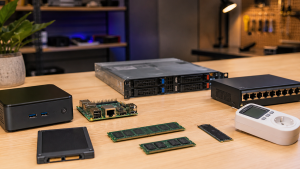
Cisco Live 2026 Lab Build: A Small-Scale Reference Architecture
 Tech Guru
A Cisco Live lab does not need to reproduce an enterprise. It needs to reproduce the decisions engineers actually make: segment the campus, steer branch traffic, protect private apps, observe user experience, approve a change, and recover when the change is wrong. Build the lab around those workflows so it becomes a reusable design tool.
Design takeaway: the lab should produce reusable artifacts: topology, Internet Protocol (IP) plan, virtual routing and forwarding (VRF) and virtual local area network (VLAN) map, policy matrix, telemetry tests, failure injections, and rollback notes.
Reference Topology
Tie the lab back to the Cisco Live themes without forcing every product into the rack: Cloud Control, AgenticOps, Secure Access, Multicloud Fabric, and Cisco SD-Access-style segmentation. Physical Catalyst, Meraki, or Cisco routing platforms make the exercises richer, but virtual routers, containers, and cloud test VPCs are enough to validate the design logic.
Minimum Build
| Component | Minimum | Better | What It Validates |
|---|---|---|---|
| Campus edge | One switch or virtual L3 gateway with virtual local area networks (VLANs). | Two fabric edges with routed underlay and anycast gateway. | Endpoint classification, segmentation, and failure behavior. |
| Policy boundary | Firewall VM or access control list (ACL) router. | Stateful firewall plus identity-aware rules. | VRF handoff, inspection, network address translation (NAT), and denied-flow evidence. |
| Branch | One virtual router with two uplinks. | software-defined wide area network (SD-WAN) edge or router with application-aware path policy. | Branch-to-SaaS and branch-to-private-app steering. |
| Cloud | One VPC or VNet with test app and route table. | Two regions with transit and private Domain Name System (DNS). | Cloud route control, DNS, and failover visibility. |
| Telemetry | Ping, traceroute, logs, packet capture. | ThousandEyes plus device telemetry and app synthetic tests. | Root-cause separation across DNS, path, policy, and app. |
| Workflow | Markdown change record. | Approval flow with precheck, proposed diff, postcheck, rollback. | AgenticOps-style guardrails with human approval. |
IP, VRF, and VLAN Plan
| Zone | VRF | VLAN | Subnet | Gateway | Role Tags |
|---|---|---|---|---|---|
| Employees | USER | 110 | 10.10.10.0/24 | 10.10.10.1 | Employee, Admin |
| Contractors | USER | 120 | 10.10.20.0/24 | 10.10.20.1 | Contractor |
| Cameras | IOT | 210 | 10.20.10.0/24 | 10.20.10.1 | Camera |
| Printers | IOT | 220 | 10.20.20.0/24 | 10.20.20.1 | Printer |
| Guests | GUEST | 310 | 10.30.10.0/24 | 10.30.10.1 | Guest |
| Shared services | SHARED | 410 | 10.40.10.0/24 | 10.40.10.1 | DNS, Dynamic Host Configuration Protocol (DHCP), Network Time Protocol (NTP), AD |
| Branch users | BRANCH | 510 | 10.50.10.0/24 | 10.50.10.1 | BranchUser |
| Cloud app | CLOUD | none | 10.60.10.0/24 | cloud route table | App, Database |
Reserve loopbacks and transit space separately. For example, use 10.255.0.0/24 for infrastructure loopbacks and 10.255.10.0/24 for point-to-point routed links. That keeps endpoint tests from being confused with underlay reachability tests.
Policy Matrix
| Source | Destination | Expected Result | Reason |
|---|---|---|---|
| Employee | Shared DNS, DHCP, NTP | Allow | Baseline enterprise services. |
| Employee | Cloud private app Transmission Control Protocol (TCP) 443 | Allow | Business app access through policy boundary. |
| Contractor | Cloud private app TCP 443 | Deny or zero trust network access (ZTNA) only | Proves identity-based access difference inside USER. |
| Camera | Video management TCP 443 and RTP range | Allow | Device reaches only its application. |
| Camera | Employee subnet | Deny | Validates this camera-to-employee deny path; repeat for other lateral paths before treating the segment as protected. |
| Printer | Print server TCP 9100 or Internet Printing Protocol (IPP) | Allow | Documents service-specific exception. |
| Guest | Internet DNS and web | Allow after NAT | Guest egress only. |
| Guest | Any internal RFC1918 subnet | Deny | Confirms no internal route leak. |
| Admin | Network management Secure Shell (SSH) and Hypertext Transfer Protocol Secure (HTTPS) | Allow | Privileged access is explicit and logged. |
Lab Exercises
- Baseline: verify every subnet gateway, DNS answer, default route, and firewall zone before adding policy complexity.
- Segmentation: validate that USER, IOT, GUEST, SHARED, BRANCH, and CLOUD route domains are isolated except for documented services.
- Identity: change one endpoint from Employee to Contractor and validate that access changes without changing its IP subnet.
- SD-WAN concept: steer branch SaaS directly while sending private app traffic through the firewall and cloud route path.
- Secure Access concept: simulate ZTNA by allowing Contractor to the private app only through a controlled proxy or policy gateway.
- Telemetry: create tests from campus, branch, and cloud perspectives for DNS, Hypertext Transfer Protocol (HTTP), path trace, and app transaction time.
- Failure injection: break DNS, remove a route, deny an SGT-to-SGT policy relationship, flap an uplink, and expire a certificate.
- AgenticOps workflow: generate a proposed route or policy change, run prechecks, require approval, apply it, run postchecks, then roll it back.
Sample Test Cases
| ID | Test | Command or Method | Pass Condition |
|---|---|---|---|
| TC-01 | Guest isolation | From 10.30.10.50, connect to 10.40.10.10 and internet target. | Internal blocked, internet allowed after NAT. |
| TC-02 | Camera least privilege | From 10.20.10.50, test video server and employee subnet. | Video allowed, employee subnet denied with policy log. |
| TC-03 | Admin privilege | From Employee and Admin hosts, attempt SSH to network device loopback. | Only Admin role succeeds; both attempts logged. |
| TC-04 | Private app DNS | Resolve app.lab.example from campus, branch, cloud, and guest. | Campus and branch get private answer; guest does not. |
| TC-05 | Cloud path symmetry | Trace from branch to app and from app back to branch. | Both directions traverse intended firewall or fabric path. |
| TC-06 | Rollback | Apply pilot route, validate, withdraw route, validate old path. | Application works in both states; evidence is captured. |
| TC-07 | Telemetry diagnosis | Break DNS while keeping routing intact. | Monitoring flags DNS failure, not wide area network (WAN) outage. |
IPv6 and Scale Tests
An IPv4-only lab can produce a false sense of isolation when production clients also receive IPv6. Either disable IPv6 explicitly for the exercise and document that limitation, or build a parallel address and policy plan. Test router advertisements, DHCPv6 where used, DNS AAAA answers, first-hop security, firewall policy, management access, and guest or IoT lateral paths. A denied IPv4 flow does not prove the equivalent IPv6 flow is denied.
Scale tests should also be honest about what a small lab can show. Generate enough routes, endpoints, policies, telemetry events, and concurrent transactions to exercise the workflow, then record CPU, memory, queueing, convergence, dropped telemetry, and controller response. These observations can expose obvious design limits, but virtual traffic generation and a handful of endpoints do not predict production forwarding capacity or license scale.
Artifacts to Keep
- A topology diagram with every routed handoff, firewall zone, NAT point, DNS resolver, and cloud route table.
- A source-of-truth file for subnets, VLANs, virtual routing and forwarding instances (VRFs), role tags, route targets, test users, and app VIPs.
- A policy matrix that includes denied flows, not only allowed flows.
- A precheck and postcheck list for every route, policy, DNS, and firewall change.
- A rollback note that names the exact route, policy, or DNS record to restore.
- Packet captures and telemetry screenshots for both working and broken states.
Validation and Evidence
| Area | Pass | Not Ready |
|---|---|---|
| Segmentation | Allowed and denied flows match the matrix with logs. | Reachability works but deny reasons are unclear. |
| Cloud access | Branch and campus paths have documented route, DNS, firewall, and return behavior. | Forward path is known but return path is assumed. |
| Telemetry | Failure injections produce distinct signals for DNS, path, policy, and app. | All failures appear as generic outage alerts. |
| Change workflow | Precheck, approval, postcheck, and rollback are repeatable. | Rollback depends on memory or console history. |
| Reuse | Artifacts can seed a production design review. | The lab only produced screenshots. |
Run each case from a named source and retain the timestamp, configuration version, packet or flow evidence, expected result, actual result, and cleanup state. A successful ping is not enough: it does not prove identity assignment, return-path symmetry, firewall inspection, application health, or that an unauthorized path is denied. Pair every allow test with at least one negative test.
Failure Modes, Safety, and Rollback
- Address overlap: reused RFC1918 space can make branch and cloud routes ambiguous. Detect overlap before connecting domains; use temporary NAT only as a documented migration control.
- Asymmetric routing: a forward trace can succeed while return traffic bypasses the stateful policy point. Capture both directions and inspect session state.
- Identity drift: endpoints may fall into a default group when profiling, 802.1X, or Security Group Tag assignment fails. Test the default authorization result and fail closed for sensitive services.
- DNS confusion: split-horizon answers, stale caches, and missing reverse records can look like routing failures. Record the resolver, answer, TTL, and authoritative zone for each test.
- Automation error: a generated change may use stale topology or an overbroad template. Limit credentials and devices, require a diff, and keep execution disabled until the rollback test passes.
- Telemetry blind spots: dashboards can stay green when the synthetic test starts on the wrong side of the fault. Place tests in campus, branch, cloud, and policy zones.
Before each exercise, export device and controller configuration, snapshot virtual components where supported, record cloud route tables and firewall policy, and verify console access. Roll back only the variable under test, then rerun the baseline suite. Delete temporary accounts, routes, certificates, packet captures, and cloud resources after the exercise. Packet captures and identity logs may contain credentials, personal identifiers, or application data; minimize capture scope, encrypt artifacts, and apply a retention date.
What This Lab Does Not Prove
- A virtual or small-scale topology does not prove production scale, convergence, throughput, latency, high availability, hardware forwarding, radio behavior, or license eligibility.
- A simulated ZTNA gateway does not prove Cisco Secure Access policy, identity, client, or tenant behavior.
- A manual AgenticOps-style workflow does not prove Cisco Cloud Control availability or autonomous-change safety.
- One successful segmentation test does not prove every lateral, IPv6, management, multicast, or shared-service path is controlled.
- No TechGeeks lab run, screenshot set, packet capture, or measurement was performed for this editorial revision. The topology and tests are a documentation-backed plan.
Related TechGeeks
- Cisco Live 2026: Network Announcements That Matter
- Implementing AgenticOps Safely
- Designing an AI-Ready Campus Network After Cisco Live 2026