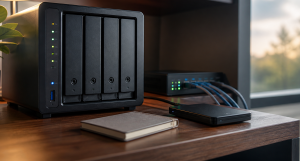
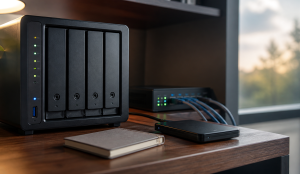
Your NAS Is Dying in a Closet: Fix Heat, Dust, Power, and Neglect
 Tech Guru
A NAS should not be treated like a cable box. Heat, dust, power cuts, failed fans, full volumes, ignored SMART warnings, and missing alerts can destroy the value of the storage long before the enclosure looks broken.
Design principle: Separate working data, local recovery, and offsite recovery. One box can help, but one box should not be the whole plan.
The Short Version
- A NAS should not be treated like a cable box. Heat, dust, power cuts, failed fans, full volumes, ignored SMART warnings, and missing alerts can destroy the value of the storage long before the enclosure looks broken.
- The practical decision is operational, not cosmetic: choose the path you can document, test, maintain, and recover.
- Use the decision matrix below, then prove the result with the validation checklist before making it the default.
Why This Matters Now
For NAS reliability, start with what the pool contains and who sees a warning. A family photo library and active backup target cannot tolerate the same blind outage as replaceable media. Write down who receives temperature, fan, SMART, scrub, volume, and UPS notifications and how a degraded pool will be handled; enclosure branding matters less than a visible failure path.
Home labs now run real household services: DNS, photos, media, backups, smart-home control, remote access, and sometimes work-adjacent systems.
The right answer is usually not the largest option. It is the design that is documented, recoverable, and quiet enough to live with.
Prices, firmware, subscriptions, and product bundles change quickly, so verify current model numbers and vendor terms before buying.
The checks below turn a hidden closet into an observable NAS environment: inspect airflow and dust, review drive and pool health, prove UPS signaling, deliver alerts off the box, and restore protected data elsewhere. Buying notes come last because a new drive, fan, or battery cannot repair an unknown thermal trend, a missing notification route, or an untested backup.
Recommended Baseline
Protect three separate things: the live NAS pool, a quick local restore, and a house-independent copy. Snapshots on the NAS can reverse some user mistakes, a USB disk or second system can provide local recovery, and an offline or offsite backup covers enclosure loss. Keep configuration exports, encryption keys, alert contacts, and restore notes outside the NAS so a dead box does not hide its own recovery instructions.
NAS replication and file sync improve availability, but they may mirror corruption, ransomware, or an administrator's mistaken deletion. Retain versioned history under credentials that are not controlled only by the NAS, and verify a restore through that separate path. A second synchronized enclosure in the same hot closet also shares the original system's power, temperature, and room-level risks.
The Closet Problem
Closets trap heat and dust. They also make it easy to ignore warning LEDs, fan noise, and UPS alarms.
If the NAS must live in a closet, give it ventilation, stable power, and remote alerting. A closed shelf with no airflow is not a server room.
Heat And Airflow
Watch drive temperature trends. A drive that is always hot ages differently than one in a ventilated room.
Leave space around the enclosure, keep vents clear, and avoid stacking gear directly on top of it. If the closet is warm in summer, measure it.
Power And Shutdown
A UPS is useful only when the NAS can shut down cleanly before the battery dies. USB signaling support matters.
Test the shutdown path during a maintenance window. A UPS that beeps during an outage but never tells the NAS to stop writing is incomplete.
Drive Health And Pools
SMART data is not perfect, but trends matter. Reallocated sectors, pending sectors, rising temperature, and scrub failures deserve attention.
Keep a known-good spare plan. The time to learn drive replacement is not during a degraded array.
Decision Matrix
| Maintenance Item | Cadence | Evidence |
|---|---|---|
| Alerts | Weekly glance | Recent email or push notification test. |
| Drive health | Monthly | SMART status, scrub result, bad sector trend. |
| Dust and airflow | Quarterly | Temperature history and clean vents. |
| Restore drill | At least yearly | Restored folder and notes. |
Decision Worksheet
Use the worksheet to record closet conditions, vent clearance, dust load, drive-temperature trends, fan status, UPS signaling, pool layout, spare-drive process, free-space alerts, notification recipients, and backup destinations. A quiet archive and a NAS hosting active photos, Home Assistant data, or machine backups create different urgency, but both need an owner and a tested path out of the enclosure.
| Worksheet Item | What To Write Down | Why It Matters |
|---|---|---|
| Primary question | How do I know if my NAS is slowly dying in a closet? | This keeps the article tied to the reader's real decision instead of drifting into a generic product comparison. |
| Affected systems | People, apps, and devices that create or need the files, photos, backups, databases, or shares. | Readers should know who and what they are protecting before they choose hardware, software, or a cloud service. |
| Failure model | Deletion, ransomware, drive failure, bad sync, account lockout, theft, fire, and hardware replacement. | Different failures need different controls. This row prevents RAID, sync, VPN, or MFA from being treated as magic. |
| Proof test | Restore a real folder, one recently changed file, and one app-owned data set to a clean location. | A recommendation is not proven until it survives a small, repeatable test using realistic data, clients, or accounts. |
| Rollback path | Keep the original copy and credentials available until restores, permissions, and metadata are confirmed. | A reversible change is less stressful, easier to explain, and less likely to turn a weekend project into an outage. |
| Measurement to capture | Usable capacity after parity, mirrors, snapshots, and retention. | Numbers, logs, screenshots, or restore notes give the reader confidence that the decision was based on evidence. |
Closet Maintenance Is Reliability Work
A NAS hidden in a closet still needs airflow, dust control, clean power, alert delivery, and restore testing. Check intake dust, fan speed, drive temperature, UPS battery age, SMART warnings, scrub history, and free space. Heat and dust usually do not create dramatic failures first; they create flaky disks, throttling, failed fans, and shortened component life.
The test is simple: if a drive fails tonight, do you know which bay, which replacement model, what backup exists, and who receives the alert? If not, the closet has turned into a blind spot.
Real-World Example
Imagine the household photo NAS from the opening sitting behind a closed closet door with dusty intakes and no useful alert route. The first response is not more bays: inspect vents and fans, separate nearby heat sources, verify UPS communication, and make health notifications reach an operator. Before replacing a disk, fan, or battery, restore a sample photo folder and an application database to a clean destination.
Triage conditions that threaten current writes first: a failed fan, rising drive temperatures, a degraded pool, scrub errors, or a UPS that cannot trigger clean shutdown. Next fix missing alerts, low free space, stale tests, and undocumented replacement steps. Protect photos, documents, application data, configuration exports, and encryption keys before replaceable media or cache so maintenance never stresses the only copy of irreplaceable data.
Closet hardening is not complete after adding a fan or UPS. Document bay order, pool and filesystem details, configuration exports, administrator recovery, backup credentials, and encryption keys for the case where the enclosure or controller will not boot. The recovery proof is a share or application restored without trusting the NAS dashboard, its live pool, or a synchronized copy under the same administrator account.
Rollout And Recovery Plan
Establish recovery before disturbing the closet. Export the NAS configuration, check the age and reachability of backups, review current temperature, fan, SMART, scrub, and free-space status, and inspect the ventilation path. Improve airflow, power, and alerting one change at a time. Do not pull drives, rebuild a pool, or reorganize shares until the external copy has been verified.
Restore one NAS share folder, a recently changed file, and an application-owned data set to another host or clean location. Check names, timestamps, access controls, thumbnails where relevant, and whether protected files open using credentials stored outside the NAS. Test the UPS shutdown path separately during a controlled window; do not combine a power drill with a degraded pool or an unverified backup.
Implementation Details
Take the maintenance window while the NAS can still shut down cleanly and household writes can pause. Photograph bay order and cabling, label disks, export configuration, and verify the backup target before cleaning vents or replacing a fan, UPS battery, or drive. Change one physical component at a time, especially when an array is degraded, so a cable or bay mistake remains identifiable and reversible.
- Write down the current state before changing anything: devices, accounts, IP addresses, storage paths, and who depends on the service.
- Pilot the recommendation with one device, one folder, one app, or one user before changing the entire home or lab.
- Keep the old path available until validation passes.
- Document rollback steps while the working setup is still fresh.
- Schedule a review date so firmware, subscriptions, certificates, and backups do not drift for months.
Record these details while you build, not after the memory has already gone fuzzy:
- Usable capacity after parity, mirrors, snapshots, and retention.
- Restore time for a realistic folder, VM, app database, or photo library.
- Offsite copy age and whether backup credentials are separate from normal user credentials.
- Drive health, scrub status, alert delivery, and UPS shutdown behavior.
Evidence To Collect
Record the NAS-reported drive temperatures and fan speed, relevant SMART changes, the latest scrub result, free space, UPS communication state, delivery of a test alert, and the independent restore result. These are reader-run observations, not TechGeeks measurements. Evidence should connect a fault to the exact bay and to the person who receives it, not stop at a generic green dashboard.
- A data inventory that separates irreplaceable, painful-to-recreate, and disposable data.
- Screenshots or logs from the latest backup job, snapshot job, scrub, SMART check, and offsite sync.
- A restore note showing what was restored, where it was restored, how long it took, and what did not come back cleanly.
- A credential note proving backup administration is separate from normal daily user access.
- Capacity math that includes snapshots, retention, app databases, photo growth, and replacement-drive budget.
Failure Signals
- Backups complete but nobody has restored from them.
- Snapshots and sync jobs live on the same system as the only important copy.
- Drive, UPS, or scrub alerts go to an inbox nobody checks.
- Cloud-only files, app databases, or metadata are missing from the backup plan.
Adopt, Pilot, Defer, Avoid
- Adopt: Adopt the design when it separates working data, local recovery, and offsite or offline recovery.
- Pilot: Pilot with one folder, one app export, or one photo subset before reorganizing the whole data set.
- Defer: Wait when the current setup is stable, backed up, monitored, and the proposed change is mostly curiosity.
- Avoid: Avoid treating RAID, snapshots, sync, or cloud drive alone as a complete backup plan.
Validation Checklist
- Check drive temperatures after a heavy copy or scrub.
- Send a test alert from the NAS.
- Run or review the most recent scrub.
- Confirm UPS USB status appears in the NAS interface.
- Restore a file from backup, not only from a snapshot.
Common Mistakes
- Putting the NAS in a sealed cabinet.
- Ignoring alert configuration because the web UI looks fine.
- Buying a UPS but never connecting the data cable.
- Replacing a failed drive without checking backup health first.
- Letting snapshots consume the whole volume.
Troubleshooting
| Symptom | Likely Cause | First Check |
|---|---|---|
| Restore fails | Backup captured files but missed app state, permissions, keys, or database exports. | Restore to a clean folder or VM and compare timestamps, permissions, and app behavior. |
| Storage feels slow | Network, disks, protocol overhead, Wi-Fi, or client limits are the real bottleneck. | Test wired transfer speed, disk health, and client link speed separately. |
| Backups look successful but feel risky | Jobs report completion without proving recovery. | Schedule a restore drill and record exactly what did and did not come back. |
Maintenance Cadence
Put the checks in this section on a calendar and account for seasonal closet heat. Review temperature trends, vents, free space, pool events, and alert delivery often enough to notice drift; schedule deeper disk, scrub, UPS, and restore work according to the platform and backup plan. Update the record after moving the NAS or changing a drive, fan, battery, firmware train, notification service, or backup destination.
- Monthly: Check backup job status, drive health, free space, and the age of the newest offsite copy.
- Quarterly: Restore a real folder or app export to a clean location and confirm permissions, metadata, and versions.
- Yearly: Review capacity, replace aging drives or UPS batteries as needed, and confirm the offsite copy still matches the risk.
A closet-NAS restore drill should assume the enclosure is unavailable. Recover a protected share and application data to another system, apply the saved access controls, and use separately stored encryption keys and backup credentials. Confirm that filenames, ownership, metadata, and application state remain usable there; successful scrubs, snapshots, or replication jobs only describe controls that may still depend on the original NAS.
When To Spend Money
Buy against an observed failure signal: a compatible fan for lost airflow, a signaling UPS for uncontrolled shutdowns, supported drives for capacity or replacement, or environmental monitoring when closet conditions remain unknown. Verify the NAS model, drive list, connector, load, communication protocol, and warranty before ordering. No purchase substitutes for alert delivery, a configuration export, and a backup outside the enclosure.
| Stage | Signal | Practical Buying Guidance |
|---|---|---|
| Do not buy yet | Restore has not been tested, data has not been tiered, or the existing bottleneck is unknown. | Spend time on inventory, restore proof, labels, and documentation before buying another enclosure. |
| Small useful spend | Backups are working but the weak point is power, replacement media, or offsite transport. | UPS with shutdown signaling, external backup drive, spare drive, drive labels, or a safe storage case. |
| Larger upgrade | Capacity, restore time, drive bays, network throughput, or app-data reliability is now a measured constraint. | NAS, larger disks, 2.5GbE/10GbE path, offsite target, or a separate compute host. |
Useful Gear And Buyer Notes
The product links below are intentionally search links, starting with UPS battery backup NAS, because model numbers, bundles, and prices change quickly. Use them to compare categories, then verify exact specifications against the article's decision points before buying. For infrastructure gear, prioritize firmware support, replaceability, warranty, idle power, and recovery behavior over headline specs.
Affiliate disclosure: As an Amazon Associate, TechGeeks may earn from qualifying purchases. The product links below are buying references, not a requirement to buy a specific brand or seller. Verify compatibility, seller quality, warranty, and current specs before ordering.
- Amazon search: UPS battery backup NAS
- Amazon search: digital thermometer humidity sensor
- Amazon search: compressed air electronics
- Amazon search: NAS cooling fan
- Amazon search: RJ45 cable tester
Related TechGeeks resources
- Media Server Storage Design: NAS, CIFS/NFS Mounts, Permissions, and Local Cache
- Backup and Disaster Recovery for Plex, Sonarr, Radarr, Tdarr, Prowlarr, and SABnzbd
- Monitoring and Health Checks for a Plex and Arr Homelab
What This Does Not Protect or Validate
A healthy Self-Monitoring, Analysis and Reporting Technology (SMART) status does not prove a drive will not fail, and a successful scrub does not prove another copy can be restored. Temperature readings also do not validate fan redundancy, power quality, filesystem integrity, or offsite recovery. This guide is documentation-backed; TechGeeks did not measure drive lifespan or failure rates.
NAS alerts and logs can expose filenames, usernames, addresses, share names, and device health, so restrict access and retention. Follow electrical load, battery, ventilation, fire, warranty, and e-waste requirements for the installation. Before retiring a drive, use an appropriate data-destruction process. Recovery still requires a separate backup, protected credentials and encryption keys, and a restore drill to a clean destination.
RAID may keep the NAS online through a supported disk failure and snapshots may reverse selected file changes, but neither covers controller loss, fire, theft, broken credentials, or every pool failure. A closet reliability plan is complete only when configuration, keys, and backups are reachable without the NAS and a real share or application restore succeeds at a separate destination.
Practical FAQ
How do I know if my NAS is slowly dying in a closet?
A NAS should not be treated like a cable box. Heat, dust, power cuts, failed fans, full volumes, ignored SMART warnings, and missing alerts can destroy the value of the storage long before the enclosure looks broken. The important next step is to validate the recommendation with one small test before treating it as the default.
Which maintenance checks matter before a drive, fan, UPS battery, or backup silently fails?
Match each warning to its likely boundary: high drive temperature or a fan alarm points to airflow; pending sectors or scrub errors point to a disk or pool; unclean shutdowns point to power and UPS signaling; missing messages point to the alert route; and a failed restore points to backup. Review vendor diagnostics and confirm external recovery before intervening in a degraded array.
How often should a home NAS be cleaned, tested, and reviewed?
Set the cadence from the NAS workload and rate of change: inspect vents, temperature, free space, and alert delivery often enough to see drift; run supported SMART tests and scrubs; review UPS status and battery condition; and periodically restore a share and application data outside the NAS. Repeat the relevant checks after a move, firmware update, or drive, fan, UPS, notification, or backup change.
Sources
- Synology DSM UPS guidance
- Synology SMART guidance
- QNAP QTS disk-health documentation
- QNAP SMART status definitions
- NIST SP 1800-11: Data Integrity and Recovery
Final Thought
A NAS is boring only when it is maintained. Good airflow, alerting, UPS signaling, and restore drills turn a closet box back into reliable infrastructure.