How to Build Cheap Offsite Backup at a Friend or Family Member's House
 Tech Guru
Quick Answer
Place an encrypted backup repository at a consenting friend's or family member's home, reached through a private tunnel such as WireGuard or Tailscale. Keep a fast local recovery copy, seed large backups locally where practical, and cap transfers to the household's agreed schedule. Store decryption keys independently of both hosts and test a restore over the real connection. Encryption protects confidentiality; it does not by itself prevent deletion or make the remote site available.
Why This Matters Now
Design this offsite copy around two households. Your side owns backup selection, client-side encryption, retention, keys, monitoring, and restores; the remote side should only provide agreed power, storage, and connectivity, with a simple instruction for identifying, rebooting, or unplugging the device.
Offsite backup does not have to mean a large cloud bill if a trusted location is available.
The remote person should not need to administer your backup system.
Encryption before upload protects privacy if the remote device is stolen or inspected.
The workflow below covers a Restic, Borg, or Kopia repository reached through WireGuard or Tailscale, seeded locally where practical, throttled for the host household, checked for integrity, and restored remotely. It is documentation-backed; no TechGeeks transfer benchmark or restore drill is claimed.
Recommended Baseline
Keep the source data and fast local restore under your control, then add the encrypted remote repository as protection from loss of your site. Preserve keys and repository configuration somewhere independent of both hosts so either a failed source or failed remote box can be replaced.
Send versioned backup snapshots rather than a writable mirror. Restrict the remote account to its repository and separate it from daily household accounts, but inspect its deletion and pruning powers: credentials available on a compromised source may still destroy recovery points. Use a separately controlled offline or deletion-resistant recovery copy where required. Follow the chosen tool's documented limits; for example, Borg's append-only server option protects underlying segments from compaction but does not prohibit logical delete or prune operations.
Decision Matrix
| Choice | Best Fit | Watch Point |
|---|---|---|
| Remote NAS | Simple always-on target. | Higher hardware cost. |
| Mini PC plus USB drive | Cheap flexible target. | USB and power reliability need care. |
| Rotated external drives | Offline ransomware resistance. | Manual discipline required. |
| Cloud storage | No remote family dependency. | Recurring cost and provider dependency. |
Decision Worksheet
Fill out this worksheet with both households present. Record protected data and growth, initial seed size, upload schedule and cap, remote usable capacity, tunnel and host accounts, client-side key custody, retention, alert owner, expected recovery point, device replacement, and consented removal procedure.
| Agreement | Record | Check |
|---|---|---|
| Host consent | Equipment location, power use, maintenance access, and removal procedure. | The household can identify and safely disconnect its equipment. |
| Capacity | Protected data, growth, initial seed, retention, and remote free-space reserve. | The repository fits without consuming unrelated household storage. |
| Network | Tunnel identity, permitted paths, bandwidth cap, and transfer window. | A real remote restore works without disrupting the household. |
| Keys | Independent decryption-key copies and authorized custodians, not secret values. | Restore is possible without the original source host. |
| Deletion | Which credentials may prune, compact, delete, or change retention. | The recovery plan accounts for compromise of source-held credentials. |
| Support | Alert recipient, allowed backup age, replacement process, and fallback copy. | A disk or tunnel failure does not leave the host household acting as help desk. |
Make The Remote Site Boring For The Other Person
The friend or family member should not become your help desk. Seed the first backup locally, encrypt before data leaves your control, use a simple tunnel such as WireGuard or Tailscale, rate-limit transfers, and document what the remote person can safely unplug or reboot.
Test restore over the tunnel, not only backup upload. Also test the uncomfortable cases: your home is offline, their internet changed, the remote disk is full, the tunnel device died, or you lost the encryption key.
Real-World Example
Consider sending a household's laptop documents and NAS photo library to a small encrypted repository at a sibling's home. The first snapshot is staged locally to avoid monopolizing either internet connection; later increments cross the private tunnel on a capped overnight schedule, while the sibling has no plaintext access or backup administration duty.
Seed irreplaceable photos, documents, application exports, and required encryption material first. Include VM images or media metadata only when remote capacity and restore value justify them, and exclude caches and reproducible downloads. Set retention from the deletion and ransomware window instead of filling the host's disk indiscriminately.
The arrangement is incomplete until it handles loss of the source NAS, a full remote disk, changed internet service at the host house, a dead tunnel node, stolen repository credentials, and loss of one key copy. Recovery must work without exposing SMB or an administration panel to the public internet.
Rollout And Recovery Plan
Build the repository with a representative subset before shipping hardware. Encrypt at the client, connect over the intended WireGuard or Tailscale route, run the backup tool's repository checks, verify pruning on test snapshots, and restore locally. Then place the labeled device remotely and repeat the restore through the real tunnel.
Restore selected files and one larger representative set to a destination separate from the source. Compare content hashes, filenames, timestamps, ownership, permissions, and application readability; record recovery-point age and duration without treating that reader measurement as a universal benchmark. Repeat with a key copy not stored on the source host.
Implementation Details
Coordinate installation with the remote household and avoid their busy network hours. Label the host, disk, power supply, and safe reboot procedure; deny unrelated host access; schedule and cap transfers; send alerts to yourself; and confirm the remote person can remove the equipment without handling encryption keys or software.
- Choose the remote hardware and label it clearly.
- Create a tunnel with Tailscale or WireGuard and deny unnecessary inbound access.
- Use encrypted backup software with retention and pruning.
- Throttle bandwidth and schedule jobs outside busy hours.
- Document how the remote person can safely power-cycle or replace the device.
Record these details while you build, not after the memory has already gone fuzzy:
- Usable capacity after parity, mirrors, snapshots, and retention.
- Restore time for a realistic folder, VM, app database, or photo library.
- Offsite copy age and whether backup credentials are separate from normal user credentials.
- Drive health, scrub status, alert delivery, and UPS shutdown behavior.
Evidence To Collect
Retain the backup transcript, repository-check result, source and transferred byte counts, schedule and bandwidth cap, newest recovery-point timestamp, remote free space, alert delivery, clean-destination restore notes, hash comparison, permissions check, and confirmation that an independent key copy unlocked the repository.
- A data inventory that separates irreplaceable, painful-to-recreate, and disposable data.
- Screenshots or logs from the latest backup job, snapshot job, scrub, SMART check, and offsite sync.
- A restore note showing what was restored, where it was restored, how long it took, and what did not come back cleanly.
- A credential note proving backup administration is separate from normal daily user access.
- Capacity math that includes snapshots, retention, app databases, photo growth, and replacement-drive budget.
Failure Signals
- Backups complete but nobody has restored from them.
- Snapshots and sync jobs live on the same system as the only important copy.
- Drive, UPS, or scrub alerts go to an inbox nobody checks.
- Cloud-only files, app databases, or metadata are missing from the backup plan.
Validation Checklist
- Remote backups complete without exposing SMB to the public internet.
- The backup repository is encrypted and requires a separate key.
- A restore works from the remote location.
- The remote site owner can identify the device and power supply.
- Alerts fire when backups stop for more than the allowed window.
Common Mistakes
- Sending unencrypted family data to another house.
- Depending on a remote person to troubleshoot complex software.
- Opening router ports for SMB, rsync, or admin panels.
- Ignoring upload caps and bandwidth fairness.
- Never testing restore over the real tunnel.
Troubleshooting
| Symptom | Likely Cause | First Check |
|---|---|---|
| Restore fails | Backup captured files but missed app state, permissions, keys, or database exports. | Restore to a clean folder or VM and compare timestamps, permissions, and app behavior. |
| Storage feels slow | Network, disks, protocol overhead, Wi-Fi, or client limits are the real bottleneck. | Test wired transfer speed, disk health, and client link speed separately. |
| Backups look successful but feel risky | Jobs report completion without proving recovery. | Schedule a restore drill and record exactly what did and did not come back. |
Maintenance Cadence
Calendar the responsibilities that should never fall to the host household: inspect backup age and failures, repository integrity, retention and prune results, remote capacity and disk health, tunnel device status, key-copy accessibility, and whether the agreed bandwidth window still suits their connection.
- After each backup: Check the result and newest offsite recovery point; alert before its age exceeds the agreed recovery window. Review drive health and free space routinely.
- Quarterly: Restore a real folder or app export to a clean location and confirm permissions, metadata, and versions.
- Yearly: Review capacity, replace aging drives or UPS batteries as needed, and confirm the offsite copy still matches the risk.
The quarterly remote drill should restore over the actual tunnel to a clean local destination using independently stored keys. Verify selected hashes, ownership, permissions, and application data, then document any recovery-point or bandwidth constraint. A completed upload and repository check do not prove those restore properties.
When To Spend Money
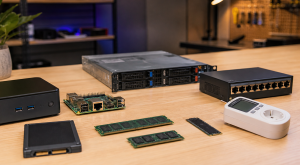
Choose hardware only after sizing encrypted retention and agreeing on remote-site support. A diskless NAS may simplify drive management, a mini PC plus external disk may reduce cost, and a UPS may cover unstable power; measured capacity, restore needs, idle power, and replaceability should decide.
| Stage | Signal | Practical Buying Guidance |
|---|---|---|
| Do not buy yet | Restore has not been tested, data has not been tiered, or the existing bottleneck is unknown. | Spend time on inventory, restore proof, labels, and documentation before buying another enclosure. |
| Small useful spend | Backups are working but the weak point is power, replacement media, or offsite transport. | UPS with shutdown signaling, external backup drive, spare drive, drive labels, or a safe storage case. |
| Larger upgrade | Capacity, restore time, drive bays, network throughput, or app-data reliability is now a measured constraint. | NAS, larger disks, 2.5GbE/10GbE path, offsite target, or a separate compute host. |
Useful Gear And Buyer Notes
The product links below are intentionally search links, starting with 2 bay NAS diskless, because model numbers, bundles, and prices change quickly. Use them to compare categories, then verify exact specifications against the article's decision points before buying. For infrastructure gear, prioritize firmware support, replaceability, warranty, idle power, and recovery behavior over headline specs.
Affiliate disclosure: As an Amazon Associate, TechGeeks may earn from qualifying purchases. The product links below are buying references, not a requirement to buy a specific brand or seller. Verify compatibility, seller quality, warranty, and current specs before ordering.
- Amazon search: 2 bay NAS diskless
- Amazon search: external hard drive 12TB
- Amazon search: Intel N100 mini PC
- Amazon search: Tailscale subnet router mini PC
- Amazon search: UPS small network
Related TechGeeks resources
- Media Server Storage Design: NAS, CIFS/NFS Mounts, Permissions, and Local Cache
- Backup and Disaster Recovery for Plex, Sonarr, Radarr, Tdarr, Prowlarr, and SABnzbd
- Monitoring and Health Checks for a Plex and Arr Homelab
What This Does Not Protect or Validate
Restic, Borg, Kopia, WireGuard, Tailscale, NAS firmware, drive models, and internet-service terms can change independently. Verify supported repository formats, retention commands, account limits, hardware compatibility, warranty, and the remote household's current network policy before purchasing or deploying the target.
Encrypt backup data before it leaves the source, keep repository credentials separate from normal household accounts, and prevent the remote host from browsing plaintext. The host should explicitly agree to the equipment, bandwidth, power use, maintenance access, and removal plan. Back up only data you own or are authorized to store, and account for privacy, breach-notification, retention, and cross-border requirements when another person or provider holds the encrypted repository.
A remote disk, encrypted repository, completed snapshot, integrity check, and private tunnel each address a different risk. The design remains unproven until independent keys can restore readable data and required metadata while the original source path is unavailable.
A successful backup job does not prove that keys survive loss of the source, that the remote disk is healthy, that retention resists ransomware, or that the host can be reached after an account or tunnel failure. The procedures here are documentation-backed and reader-run; TechGeeks did not perform a transfer-speed, restore-time, or power measurement for this revision. Keep a second recovery path and a written process for replacing or securely removing the remote device.