
Matter in 2026: Buy, Wait, or Bridge?
 Tech Guru
Quick Answer
Buy one Matter accessory when its exact functions work with your intended controller and transport. Bridge existing gear when the exposed features meet the need; keep a mature native integration when it offers required local functions. Wait when commissioning, offline behavior or recovery is unproven. A Matter logo does not guarantee equivalent features across every ecosystem.
Design principle: Keep control local where it matters, but design the network so discovery, mobile apps, and automations still work after segmentation.
Why This Matters Now
Start with the household function, not the Matter logo. A lamp can tolerate feature gaps; a lock, leak sensor, thermostat, or family-access routine needs controller support, local fallback, secure recovery, and a tested manual path.
Home labs now run real household services: DNS, photos, media, backups, smart-home control, remote access, and sometimes work-adjacent systems.
The right answer is usually not the largest option. It is the design that is documented, recoverable, and quiet enough to live with.
Prices, firmware, subscriptions, and product bundles change quickly, so verify current model numbers and vendor terms before buying.
The guide separates specification support from shipped behavior, then tests one device across commissioning, controller restart, WAN loss, multi-admin sharing, removal, and restoration. Those checks decide whether to buy native Matter, retain a bridge, or wait.
Recommended Baseline
Map the Matter controller, Thread border routers, Wi-Fi devices, bridges, Home Assistant host, phone, multicast discovery, and cloud endpoints before changing VLANs. A firewall rule that permits unicast traffic but breaks mDNS can make a healthy accessory look unsupported.
For critical Matter routines, require local controller execution or a manual fallback and store controller backups away from that controller. Disconnect WAN during the pilot to identify voice, account, bridge, notification, or automation paths that still depend on a vendor cloud.
The 2026 Reality Check
Matter 1.6 adds useful specification progress, but specification support does not mean your controller, firmware, or app supports every feature today.
Buy based on tested product behavior, not only the logo on the box.
Buy Native Matter When The Device Is Simple
A low-impact lamp or plug is a useful first pilot because a failed test is easier to reverse. That is a testing choice, not a safety certification for an entire device category. Confirm the exact controller exposes every required sensor event, switch action or energy field before buying more.
Keep the first purchase small. One room or one device class is a better test than a whole-home replacement.
Wait When You Need Deep Features
Advanced lighting scenes, cameras, vacuums, energy reporting, and brand-specific controls may work better through native integrations.
If Home Assistant already exposes a mature local integration, compare it before switching to Matter.
Bridge Existing Gear
Matter bridges can be useful when they expose reliable existing devices to multiple ecosystems.
Check exactly which child devices and features the bridge exposes. A bridge can simplify control or hide features depending on the platform.
Decision Matrix
| Device Type | Buy | Wait Or Bridge |
|---|---|---|
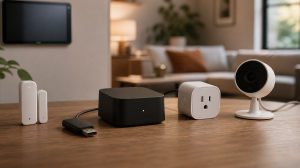
| Smart plugs and basic sensors | Good first Matter candidates. | Still verify platform support. |
| Locks and thermostats | Buy only after review and support check. | Keep native integration if features matter. |
| Cameras and advanced scenes | Usually wait. | Native ecosystems may be richer. |
| Existing Hue, Aqara, IKEA | Bridge if it reduces cloud dependence. | Do not rebuild a stable setup just for a logo. |
Decision Worksheet
Fill out this worksheet for one exact Matter accessory and controller combination. Record device category, transport, controller, border router or bridge, desired ecosystems, required functions, cloud dependency, household impact, setup-code storage, and reset procedure.
| Exact Combination | Record | Decision |
|---|---|---|
| Accessory and transport | Model/firmware, Matter support and Wi-Fi/Ethernet/Thread. | Add a Thread border router only when that transport requires it. |
| Controller functions | Required commands/events/measurements in each ecosystem. | Missing required features justify native integration or waiting. |
| Bridge | Supported child devices and exposed attributes. | Keep existing gear only if bridge behavior meets the workflow. |
| Commissioning/sharing | Phone, controller, existing fabric and setup material. | Use multi-admin sharing for an already commissioned device where supported. |
| Recovery | Protected codes, backups, administrators and manual fallback. | Do not migrate critical routines before a bounded recovery rehearsal. |
Matter Layers That Matter
Matter is an application layer, not a guarantee that every feature works everywhere. A Matter device may use Thread, Wi-Fi, or Ethernet underneath. Thread needs border routers. Multi-admin needs controllers to agree. Bridges can expose older devices, but bridged features may be simpler than the vendor app.
Buy Matter for simple plugs, lights, and sensors when the exact feature set is acceptable. Bridge when your existing Zigbee or vendor ecosystem is stable. Wait for devices where advanced features matter: cameras, locks, thermostats, robot vacuums, and anything where the vendor app still exposes important controls that Matter does not.
First Accessory Setup
Confirm the supported Home Assistant installation and Matter integration first. For Matter over Thread, verify an available border router and the phone's Thread credentials; Wi-Fi Matter does not need a Thread radio. Use the Companion app's documented commissioning path near the device, then test the exact commands and events at its intended location. A paired entry alone is not an automation test.
If the accessory already belongs to another Matter controller, use that controller's sharing/commissioning-window flow to obtain the current sharing code. Do not factory-reset a working device merely to add a second ecosystem. Keep original setup material for recovery and record which controllers own fabrics. The linked Home Assistant guide distinguishes new-device setup from sharing.
Illustrative Acceptance Plan
Pilot one inexpensive representative device before replacing a room or an existing bridge. Record which features appear in each controller, whether automations remain local, how the device behaves after power loss, and what is required to remove and recommission it.
Validate three Matter paths separately: direct control of a light or plug, a safety-adjacent alert such as a leak notification, and a shared phone or voice-assistant action. Repeat them after WAN loss, controller restart, device power loss, and phone network changes.
A successful Matter pilot includes ordinary household use: stable border-router and bridge power, useful device names in every ecosystem, adequate Thread or Wi-Fi coverage, working multicast discovery, and a recovery note another household member can follow.
Rollout And Recovery Plan
Migrate one Matter device class at a time, starting with low-impact plugs or lamps rather than locks, climate, leak response, or access control. Confirm the old native integration or bridge remains available until every required phone, automation, voice, and local-control path passes.
Matter recovery depends on fabric ownership and setup material as well as a Home Assistant backup. Record controllers, administrators, Thread border routers, credentials, setup codes, bridge ownership, VLAN exceptions, and whether a controller restore preserves pairings or forces recommissioning.
Implementation Details
Commission or migrate Matter devices when the affected room and automation can be unavailable. Freeze controller, border-router, bridge, firmware, VLAN, and mobile-app changes so a failed pairing has one plausible cause and the old control path remains recoverable.
- Write down the current state before changing anything: devices, accounts, IP addresses, storage paths, and who depends on the service.
- Pilot the recommendation with one device, one folder, one app, or one user before changing the entire home or lab.
- Keep the old path available until validation passes.
- Document rollback steps while the working setup is still fresh.
- Schedule a review date so firmware, subscriptions, certificates, and backups do not drift for months.
Record these details while you build, not after the memory has already gone fuzzy:
- Controller backup location, restore result, and where backups live outside the controller.
- Radio or border-router placement, channel choice, coordinator backup, and network-key storage.
- Internet-disconnected behavior for lights, sensors, locks, cameras, and critical automations.
- mDNS, Matter, Thread, casting, phone-app, and VLAN exceptions with a reason for each.
Evidence To Collect
Keep a device-specific evidence record: model and firmware, Matter and transport type, controller/app versions, feature matrix per ecosystem, offline result, restart result, multi-admin result, removal behavior, and the location of protected recovery instructions.
- A device inventory with protocol, room, controller, VLAN or SSID, cloud dependency, and reset method.
- Controller backup location, restore date, radio type, coordinator backup, and network-key storage.
- Results from internet-disconnected tests for lights, sensors, locks, cameras, and critical automations.
- mDNS, Matter, Thread, casting, camera, and phone-app firewall exceptions with a reason for each.
- A photo or diagram of coordinator placement, PoE/camera wiring, hubs, and any USB extension used for radios.
Failure Signals
- Lights, cameras, or automations fail when the internet is unplugged.
- Home Assistant cannot reach devices after VLAN changes.
- Matter, Thread, or mDNS troubleshooting turns into firewall guessing.
- Backups live only on the Home Assistant host.
Adopt, Pilot, Defer, Avoid
- Adopt: Adopt the design when critical routines work locally, backups exist, and discovery behavior is understood.
- Pilot: Pilot one device class or one room before moving the whole smart home to new radios, VLANs, or controllers.
- Defer: Wait when the current setup is stable, backed up, monitored, and the proposed change is mostly curiosity.
- Avoid: Avoid designs that make lights, locks, cameras, or safety-adjacent routines depend on weekend troubleshooting.
Validation Checklist
- Commission one test device and share it to another ecosystem if that matters.
- Reboot Home Assistant or the controller and confirm the device returns.
- Test with internet disconnected if local control is the goal.
- Record whether the device uses Wi-Fi, Ethernet, or Thread.
- Save QR codes and recovery instructions.
Common Mistakes
- Assuming Thread means Matter.
- Buying based on future firmware promises.
- Replacing a stable Zigbee setup without a benefit.
- Throwing away QR setup codes.
- Using Matter when the native integration is richer and local.
Troubleshooting
| Symptom | Check | Next Step |
|---|---|---|
| Phone discovers device but setup fails | Commissioning state, phone permissions, Bluetooth and IP reachability. | Follow the exact controller flow; preserve existing fabrics before any reset. |
| Thread device joins but is unreachable | Intended Thread network, border-router state, local IPv6 and discovery. | Fix the network path before replacing the accessory. |
| Feature exists in vendor app only | Actual controller/bridge feature mapping. | Keep the local native integration when it supplies the required feature. |
| Second ecosystem cannot add it | Sharing window/code and supported multi-admin flow. | Use a fresh authorized sharing flow rather than deleting the first controller. |
Maintenance Cadence
Revisit the pilot after normal use. A Matter device that pairs once but later depends on a missing border router, stale controller, vendor login, or undocumented setup code has not delivered the portability the label implied.
- Monthly: Check alerts, backups, free space, updates, and the services that other people depend on.
- Quarterly: Run a small failure drill and confirm the recovery note still works.
- Yearly: Review whether the design is still worth its power, maintenance, and support cost.
After a Matter controller, device firmware, bridge, border-router, or VLAN update, rerun the affected offline and reboot checks before touching another layer. Schedule lock, climate, leak, and household-access changes only when a manual fallback is available.
When To Spend Money
Use the product links to locate categories, then verify the exact listing's Matter certification, transport, controller requirements, border-router need, bridge behavior, ecosystem feature matrix, reset procedure, update policy, and seller or warranty terms.
| Stage | Signal | Practical Buying Guidance |
|---|---|---|
| Do not buy yet | The controller backup, radio placement, VLAN policy, and offline behavior are untested. | Document the current setup and run device, automation, and internet-disconnect tests first. |
| Small useful spend | Reliability problems point to power, radio placement, or weak mesh coverage. | Ethernet coordinator, USB extension, PoE switch, spare hub, or stable mains-powered router devices. |
| Larger upgrade | The platform or camera/NVR design cannot meet retention, local control, or household reliability requirements. | Dedicated Home Assistant host, PoE camera system, NVR storage, or better access points. |
Useful Gear And Buyer Notes
The product links below are intentionally search links, starting with Matter smart plug Thread, because model numbers, bundles, and prices change quickly. Use them to compare categories, then verify exact specifications against the article's decision points before buying. For infrastructure gear, prioritize firmware support, replaceability, warranty, idle power, and recovery behavior over headline specs.
Affiliate disclosure: As an Amazon Associate, TechGeeks may earn from qualifying purchases. The product links below are buying references, not a requirement to buy a specific brand or seller. Verify compatibility, seller quality, warranty, and current specs before ordering.
- Amazon search: Matter smart plug Thread
- Amazon search: Matter over Thread contact sensor
- Amazon search: Matter smart lock Thread
- Amazon search: Aqara M3 hub Matter bridge
- Amazon search: Philips Hue Bridge Matter
- Amazon search: SwitchBot Hub 3 Matter
- Amazon search: IKEA DIRIGERA Matter hub
Related TechGeeks resources
- A Local-First Smart Home Without Becoming a Full-Time Sysadmin for the household operating model.
- Zigbee vs Thread for Home Assistant for the radio and border-router decision.
- IoT Isolation for Homelabs for VLAN, firewall, and discovery behavior.
What This Does Not Protect or Validate
This documentation-backed decision does not prove that a feature listed in Matter 1.6 exists in a particular controller, bridge, app, or device firmware. It also does not prove that a commissioned device works offline, retains vendor-specific features, shares cleanly to a second ecosystem, or can be recovered after a controller failure. Those are version-specific pilot tests.
Matter certification does not remove vendor accounts, cloud automations, telemetry, or household privacy concerns. Store setup codes and Thread credentials as recovery secrets, document fabric ownership and border routers, keep controller backups off-host, and know whether a restore retains pairings before migrating more than one test device.
This revision is documentation-backed; it does not report a TechGeeks interoperability lab or prove that a specific device works across every controller. Setup codes and Thread credentials are recovery secrets. Camera, lock, occupancy, and voice data can reveal household behavior, so review each vendor's retention, remote-access, and account-deletion terms before commissioning. Matter compatibility does not by itself remove a vendor cloud dependency.
Practical FAQ
Is Matter finally worth caring about in 2026?
Matter is worth using for simple device categories when the actual platform support is proven. It is not automatically better than a mature native integration. In 2026, the practical answer is buy simple Matter devices, bridge stable existing ecosystems, and wait on categories where features still lag. The important next step is to validate the recommendation with one small test before treating it as the default.
Why do Matter, Thread, IPv6, and mDNS get complicated across VLANs?
Matter uses local IPv6, and discovery uses multicast that routed networks do not automatically carry. Thread adds a border-router path between its radio mesh and the LAN. Reflecting mDNS alone does not make a discovered address reachable or satisfy firewall policy. Home Assistant recommends a simple local network; test segmentation separately rather than treating one broad allow rule as a fix.
Should I buy Matter devices, bridge older devices, or wait?
Buy when the accessory/controller feature matrix passes a small pilot. Bridge when existing supported devices remain useful and the bridge exposes what you need. Wait when a missing function, required cloud setup or untested recovery would affect a household-critical routine. Do not replace functioning gear solely to change its protocol label.
References
- Connectivity Standards Alliance: Matter 1.6 Release
- Home Assistant Matter Integration and Known Limitations
- Home Assistant Thread Integration and Troubleshooting
- Apple: Pair and Manage Matter Accessories
- Philips Hue Matter Support Guide
- SwitchBot Matter Compatibility
Final Thought
Matter is becoming useful, but the best smart home is still built from devices that work reliably in your actual controller.
One thought on “Matter in 2026: Buy, Wait, or Bridge?”