
Local-First Smart Home Without Becoming a Sysadmin
 Tech Guru
Quick Answer
Keep the first local-first system small: a supported controller, one low-impact local routine, ordinary manual switches and off-controller recovery material. Verify the complete trigger-to-action path with WAN unavailable, then test controller recovery separately. Cloud conveniences can remain when their loss is acceptable; a local protocol alone does not make notifications, voice or household operation independent of the internet.
Design principle: Keep control local where it matters, but design the network so discovery, mobile apps, and automations still work after segmentation.
Why This Matters Now
For a local-first smart home, begin with the routines people would notice during an internet or controller outage. List which lights, locks, leak alerts, climate controls, cameras, and phone actions need local behavior, which have a manual fallback, and how long the household can tolerate each failure.
Home labs now run real household services: DNS, photos, media, backups, smart-home control, remote access, and sometimes work-adjacent systems.
The right answer is usually not the largest option. It is the design that is documented, recoverable, and quiet enough to live with.
Prices, firmware, subscriptions, and product bundles change quickly, so verify current model numbers and vendor terms before buying.
The guide therefore follows the path a maintainable home needs: classify critical routines, choose local-capable integrations, place the controller and radios, account for discovery across network boundaries, copy backups off-host, and define the offline and restore checks the household must run before depending on the result.
Recommended Baseline
Place Home Assistant where it can reach the required Zigbee or Z-Wave coordinator, Matter controller, Thread border router, cameras, and LAN integrations without broad management access. If a VLAN separates devices, enumerate the DNS, NTP, mDNS, commissioning, controller, and application flows before moving them.
A practical baseline keeps critical automations on local-capable paths, reserves cloud calls for features the household can lose temporarily, and copies controller backups somewhere outside the controller. Internet loss should not remove the ordinary switch, sensor, or manual control path for essential routines.
Local-First, Not Cloud-Zero
A local-first home can still use cloud voice assistants, notifications, or remote access. The key is that core automations do not depend on the cloud.
Define which automations are critical: lights, leak shutoff, climate, locks, and alerts may deserve local behavior.
Use Boring Hardware
A Home Assistant appliance or stable mini PC is better than an experimental stack for a family-critical home.
Keep the controller on Ethernet and a UPS where possible. Avoid making Wi-Fi the single point of failure.
Pick Local Protocols First
Zigbee, Z-Wave, Matter/Thread, ESPHome, and local LAN integrations are common local-first paths.
Check each integration class in Home Assistant. Local Push or Local Polling is usually preferable to cloud-only control.
Backups And Updates
In Settings > System > Backups, configure the automatic schedule, selected data, retention and an available off-controller location. Follow the Home Assistant backup procedure and store the emergency kit independently; encrypted archives need its key for restoration. Check completed backups at the destination, not just an enabled schedule. Protect downloaded copies too: the documented UI download can decrypt an archive.
Review ordinary updates on a schedule you can maintain, but assess security advisories when they arrive rather than waiting for the next monthly slot. Back up first and change one layer at a time. Each custom integration adds another dependency and recovery requirement; add one only for a required function.
Decision Matrix
| Layer | Practical Default | Avoid |
|---|---|---|
| Controller | Home Assistant Green or HA OS. | Unmaintained custom install. |
| Protocol | Zigbee, Z-Wave, Matter/Thread where tested. | Cloud-only devices for critical actions. |
| Network | Ethernet controller, simple SSID. | Complex VLANs before need. |
| Remote access | Home Assistant Cloud or VPN. | Exposed port 8123. |
Decision Worksheet
Complete the worksheet against the actual house before choosing a controller, radio, or VLAN. Record the people and routines affected, each device protocol and cloud dependency, the phone commissioning path, the expected behavior during WAN loss, and the old controller or manual control that provides rollback.
| Routine | Record | Failure Plan |
|---|---|---|
| Everyday light | Sensor/switch, controller rule, actuator and physical control. | Manual operation remains available during controller loss. |
| Notification | Local event, delivery service, phone connectivity and account. | A local sensor does not guarantee an offsite alert during WAN loss. |
| Safety-adjacent action | Existing independent protection and operator responsibility. | Do not replace required standalone/manual protection with an untested automation. |
| Recovery | Backup destination, emergency kit, radio/network credentials and spare target. | Rehearse offline from production control paths. |
| Maintenance | Owner, update review and another household contact. | Someone else can find the manual controls and recovery note. |
Local-First Does Not Mean Cloud-Zero
Classify automations before buying devices. Lights, leak sensors, climate, locks, and safety-adjacent routines should have local behavior or a manual fallback. Holiday lights, dashboards, voice extras, and convenience scenes can tolerate more cloud dependency.
Keep the local design boring: a supported Home Assistant install, a reliable radio, backed-up configuration, documented device names, and a network plan that does not break discovery every weekend. The goal is a house that keeps working, not a perfect ideology.
Real-World Example
Pilot the design in one room or with one device class instead of migrating the whole house. A local light, one sensor-driven routine, and one phone session are enough to expose controller reachability, discovery, radio placement, cloud dependence, and family-acceptance problems while the previous path still exists.
Build the acceptance check around three real workflows: an everyday light or plug, a safety-adjacent leak or camera alert, and the phone control household members actually use. Exercise each with WAN available, WAN disconnected, the controller restarted, and the phone moved between local and remote networks; record outcomes rather than assuming protocol support proves the workflow.
The pilot is ready to expand only when radio placement and power are stable, device names identify the physical load, off-controller backups exist, and every firewall exception has a purpose. Normal household use should not require anyone to diagnose Zigbee channels, Thread paths, mDNS forwarding, VLAN rules, or Home Assistant storage.
Rollout And Recovery Plan
Move one smart-home dependency at a time: first a noncritical device, then its automation, phone access, voice path, and any camera or notification integration. Keep locks, leak response, climate, and other safety-adjacent routines on their previous control path until the same checks pass for that device class.
A Home Assistant backup covers only part of recovery. The runbook also needs the coordinator model and backup, Zigbee or Z-Wave network keys, Thread and Matter ownership, add-ons, integrations, radio placement, and VLAN exceptions. For each failure of the SD card, host, VM, or radio, state whether devices rejoin or require physical pairing.
Implementation Details
Schedule controller, radio, and network changes when manual control remains available and the household expects possible disruption. Export the Home Assistant backup and radio data first, change one layer, verify the representative routines, and restore the old controller, coordinator, or VLAN rule if commissioning or local control fails.
- Write down the current state before changing anything: devices, accounts, IP addresses, storage paths, and who depends on the service.
- Pilot the recommendation with one device, one folder, one app, or one user before changing the entire home or lab.
- Keep the old path available until validation passes.
- Document rollback steps while the working setup is still fresh.
- Schedule a review date so firmware, subscriptions, certificates, and backups do not drift for months.
Record these details while you build, not after the memory has already gone fuzzy:
- Controller backup location, restore result, and where backups live outside the controller.
- Radio or border-router placement, channel choice, coordinator backup, and network-key storage.
- Internet-disconnected behavior for lights, sensors, locks, cameras, and critical automations.
- mDNS, Matter, Thread, casting, phone-app, and VLAN exceptions with a reason for each.
Evidence To Collect
Useful evidence here is a device-and-protocol inventory, an off-controller backup location, coordinator and network-key records, the result of each WAN-disconnected workflow, and the narrow rules required for discovery and control. These are acceptance checks for the reader; this documentation-backed guide does not report that they passed in a TechGeeks household.
- A device inventory with protocol, room, controller, VLAN or SSID, cloud dependency, and reset method.
- Controller backup location, restore date, radio type, coordinator backup, and network-key storage.
- Results from internet-disconnected tests for lights, sensors, locks, cameras, and critical automations.
- mDNS, Matter, Thread, casting, camera, and phone-app firewall exceptions with a reason for each.
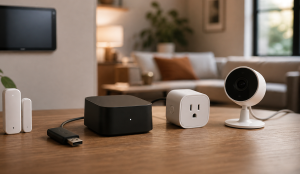
- A photo or diagram of coordinator placement, PoE/camera wiring, hubs, and any USB extension used for radios.
Failure Signals
- Lights, cameras, or automations fail when the internet is unplugged.
- Home Assistant cannot reach devices after VLAN changes.
- Matter, Thread, or mDNS troubleshooting turns into firewall guessing.
- Backups live only on the Home Assistant host.
Adopt, Pilot, Defer, Avoid
- Adopt: Adopt the design when critical routines work locally, backups exist, and discovery behavior is understood.
- Pilot: Pilot one device class or one room before moving the whole smart home to new radios, VLANs, or controllers.
- Defer: Wait when the current setup is stable, backed up, monitored, and the proposed change is mostly curiosity.
- Avoid: Avoid designs that make lights, locks, cameras, or safety-adjacent routines depend on weekend troubleshooting.
Validation Checklist
- Disconnect the internet and test critical automations.
- Restore to an isolated spare target with production radios, device networks and cloud-control paths disconnected. A cloned controller must not run duplicate automations against the real home.
- Confirm remote access does not use direct port forwarding.
- Review integration quality for cloud dependency.
- Replace battery sensors or document battery alerts.
Common Mistakes
- Trying to automate the whole house in one weekend.
- Running Home Assistant on unreliable storage.
- Depending on cloud-only devices for critical actions.
- Opening port 8123 to the internet.
- Skipping backup restore testing.
Troubleshooting
| Symptom | Likely Cause | First Check |
|---|---|---|
| Devices disappear | mDNS, controller reachability, radio placement, or VLAN policy changed. | Test from the Home Assistant host and from the phone used for commissioning. |
| Automations fail offline | The routine depends on cloud APIs, voice assistants, or remote identity. | Unplug WAN and test the critical automation path directly. |
| Radio mesh is unstable | Coordinator placement, channel overlap, USB interference, or too few router devices. | Move the coordinator, check channel overlap, and add stable mains-powered routers. |
Maintenance Cadence
Keep the smart-home review tied to the components that drift. Check backup copies, batteries, storage, integrations, and controller updates monthly; repeat offline and restart checks after meaningful firmware or network changes; and revisit unsupported devices or cloud-only dependencies before they become critical routines.
- Monthly: Check alerts, backups, free space, updates, and the services that other people depend on.
- Quarterly: Run a small failure drill and confirm the recovery note still works.
- Yearly: Review whether the design is still worth its power, maintenance, and support cost.
Use the household's tolerance for disruption to order maintenance: confirm lights, locks, leak response, climate, cameras, and family phone access immediately after controller, coordinator, border-router, firmware, or VLAN work. Schedule dashboards, voice experiments, and novelty scenes separately so their failure cannot obscure a critical regression.
When To Spend Money
Buy smart-home hardware only after the inventory and failure checks locate the weak layer. A supported Home Assistant host addresses controller stability; an Ethernet coordinator or USB extension addresses placement; mains-powered routers address mesh reach; and off-host storage addresses backup location. None proves offline behavior without the workflow tests.
| Stage | Signal | Practical Buying Guidance |
|---|---|---|
| Do not buy yet | The controller backup, radio placement, VLAN policy, and offline behavior are untested. | Document the current setup and run device, automation, and internet-disconnect tests first. |
| Small useful spend | Reliability problems point to power, radio placement, or weak mesh coverage. | Ethernet coordinator, USB extension, PoE switch, spare hub, or stable mains-powered router devices. |
| Larger upgrade | The platform or camera/NVR design cannot meet retention, local control, or household reliability requirements. | Dedicated Home Assistant host, PoE camera system, NVR storage, or better access points. |
Useful Gear And Buyer Notes
The product links below are intentionally search links, starting with Home Assistant Green, because model numbers, bundles, and prices change quickly. Use them to compare categories, then verify exact specifications against the article's decision points before buying. For infrastructure gear, prioritize firmware support, replaceability, warranty, idle power, and recovery behavior over headline specs.
Affiliate disclosure: As an Amazon Associate, TechGeeks may earn from qualifying purchases. The product links below are buying references, not a requirement to buy a specific brand or seller. Verify compatibility, seller quality, warranty, and current specs before ordering.
- Amazon search: Home Assistant Green
- Amazon search: Home Assistant Yellow
- Amazon search: Home Assistant Connect ZBT-2
- Amazon search: Zigbee smart plug repeater
- Amazon search: Matter Thread contact sensor
- Amazon search: Z-Wave 800 USB stick Home Assistant
- Amazon search: external SSD Home Assistant backup
Related TechGeeks resources
- IoT Isolation for Homelabs: VLANs, Firewall Rules, and mDNS
- Homelab VLAN Design: Simple Network Segmentation That Works
- Homelab DNS Guide: Local Names, Ad Blocking, and Reliability
What This Does Not Protect or Validate
Home Assistant integrations, device firmware, Matter and Thread behavior, cloud APIs, subscriptions, and hardware bundles can change after publication. Recheck the current integration class, radio and border-router requirements, backup compatibility, and vendor support before buying devices or moving a working routine to a new controller.
It also does not replace a full security, backup, or disaster-recovery program. This is a documentation-backed design, not a report of a TechGeeks household deployment. The offline, restore, radio, and access checks are acceptance tests for the reader to run; no reliability, privacy, or recovery result is claimed until those tests produce evidence in the actual home.
Practical FAQ
Can I build a local-first smart home without becoming a full-time sysadmin?
Local-first does not mean cloud-zero. It means critical automations still work when the internet is down. Use boring hardware, local protocols, backups, and restraint. Add cloud services only where they improve remote access, voice, or family usability. The important next step is to validate the recommendation with one small test before treating it as the default.
Which pieces should stay simple, and which ones deserve isolation?
Use the household impact as the deciding factor. Critical routines should work locally or have a manual fallback. Convenience automations can tolerate more cloud dependency and experimentation.
How do I avoid cloud lock-in without creating a fragile house?
Choose integrations with documented local functions and supported export/recovery paths, keep setup codes and credentials, and buy only the features you can maintain. Test WAN loss separately from controller loss: a local automation may survive the first and stop during the second. Preserve manual operation and do not depend on an account hosted by the same system you need to repair.
References
- Home Assistant installation methods
- Home Assistant backup integration
- Home Assistant remote-access guidance
- Home Assistant Cloud
- NIST IR 8425: Profile of the IoT Core Baseline for Consumer IoT Products
- Buil-Gil et al.: systematic literature review of digital harms from smart-home devices
Final Thought
The best local-first smart home feels boring day to day. That is the point: useful automations, recoverable controller, and fewer cloud surprises.
One thought on “Local-First Smart Home Without Becoming a Sysadmin”