Local Water Meter Monitoring: Privacy, Radio Data, and Safe Setup
 Tech Guru
The safest useful design is narrow: monitor only the water service and meter you are authorized to monitor, use a receive-only path, allow-list your endpoint identifier before anything reaches MQTT or a database, store the coarsest interval that can answer your leak or budgeting question, and keep a manual meter-reading and provider-alert path for recovery. Do not assume that an unencrypted signal, an ISM-band frequency, or ownership of an SDR grants permission to decode, retain, use, or publish water-meter radio data.
Ask the water provider first. A supported portal, export or customer-accessible output may give you the data without radio capture. If the provider authorizes receive-only monitoring, identify the exact meter's radio module, often called an endpoint, and confirm decoder support before buying anything. A software-defined radio (SDR) receiver is only one part of that setup. Filter to your approved meter before storing data, and keep only the totals or alerts your household needs.
Evidence: The linked project, manufacturer, government and research sources explain the approach. TechGeeks has not captured a meter signal, calibrated a counter, tested a leak alert, operated a shutoff or verified a cloud outage and restore. The checks below are an unperformed plan for an authorized installation.
Open each stage. A responsible design establishes authority at the source, narrows reception immediately, stores less than it can decode, and keeps alerts useful without publishing household routines.
01Authorize the source
Keep: water-provider approval, account-holder consent, exact meter/module model, endpoint ID, and permitted use.
Stop: uncertain ownership, encrypted traffic, a neighbor's meter, workplace/tenant data, or meter tampering.
02Receive narrowly
Keep: receive-only hardware, localhost service, one documented protocol, and one approved identifier.
Stop: transmission, replay, jamming, decryption, broad discovery logs, or public receiver ports.
03Filter before export
Keep: the allow-listed reading, timestamp, unit mapping, and receiver-health state.
Drop: unmatched IDs, raw frames, radio fingerprints, precise location, and decoder debug output.
04Aggregate and expire
Keep: hourly or daily totals and the minimum short window required for a leak rule.
Expire: fine-grained events on schedule; encrypt backups and restrict dashboards and exports.
05Alert and recover
Keep: a concise alert, manual confirmation, known-good configuration, and restore test.
Stop: public graphs, occupancy messages, or automatic shutoff based on an unverified receive-only feed.
The Short Version
- Start with the water provider. An approved portal, customer export/API, or documented customer-accessible output is easier to authorize and support than reverse-engineered radio capture.
- Receive-only does not mean permission-free. U.S. federal statutes distinguish reception, accessibility, use, and disclosure, while state law, other countries, leases, employment rules, and water-service agreements can be stricter.
- Identify the exact water endpoint from account records, a provider response, or a safely visible label. Do not discover your meter by recording the neighborhood and turning fixtures on and off until one trace changes.
- Filter before MQTT, InfluxDB, Home Assistant, logs, or backups. An endpoint ID can become address-linked data, and high-resolution water use can support fixture, routine, and occupancy inference.
- Choose hardware by path: receive-only SDR for an authorized compatible water-meter broadcast; a non-invasive sensor for a compatible water meter; an inline monitor only when shutoff and pressure data justify plumbing work; a provider portal when supported billing data matters more than latency.
- A radio reading is not a billing result or a proven leak. Calibrate units, compare cumulative deltas with the physical register and bill, test missed frames and restarts, and retain evidence limits.
Choose The Data Path Before The Dashboard
A water-meter monitor is a chain, not a sensor. The meter or add-on produces a reading; radio, Wi-Fi, or the water provider's system transports it; software assigns an identity and unit; storage turns readings into history; an account or dashboard exposes that history; and an alert converts an inference into household action. Privacy and recovery depend on every link.
| Path | Useful When | Primary Dependency | Privacy Question | Recovery Evidence |
|---|---|---|---|---|
| Water-provider portal, export, or customer API | You need supported water-use history or bill reconciliation. | Water account, portal, data interval, and export/API availability. | Who can access or authorize third parties, and how are grants revoked? | Recent export, account recovery, documented data delay, and a manual bill/register comparison. |
| Authorized receive-only water-meter radio | The exact water endpoint broadcasts a supported message and the provider or applicable rules permit the use. | Meter/module model, protocol, endpoint ID, RF conditions, receiver, and decoder. | Can unmatched nearby messages be discarded before logs or network output? | Known-good config, receiver version, local backup, physical-register baseline, and rebuild instructions. |
| Non-invasive meter-mounted sensor | You want local installation without cutting pipe and the exact water meter is compatible. | Sensor battery, sensor-to-bridge radio, bridge power/Wi-Fi, vendor account, and cloud behavior. | Does the app or provider receive minute-level usage, address, household, or fixture data? | Export, account deletion/unlink process, replacement pairing, and documented offline behavior. |
| Inline water monitor and shutoff | Remote/manual shutoff, pressure testing, or active damage reduction justifies plumbing and power. | Qualified installation, valve power, Wi-Fi/cloud, firmware, manual override, and valve health. | Who sees flow, pressure, modes, alerts, occupants, and authorized-user activity? | Manual valve operation, power/WAN behavior, account transfer, and post-maintenance leak test. |
Documented example, not a universal product claim: the current Flume help material describes a battery sensor strapped to a compatible water meter, a 915 MHz link to an indoor Wi-Fi bridge, and cloud access from its app. Its installation FAQ says the bridge must remain on Wi-Fi for operation. By contrast, Moen documents that its inline Flo shutoff continues monitoring and stores data locally during Wi-Fi loss, then uploads after reconnection; remote alerts are delayed while offline. These are materially different failure models even though both products can be called smart water monitors.
Set The Lawful Receive-Only Boundary
Radio reception, decoding, recording, use, and disclosure are not one legal act. In the United States, 18 U.S.C. 2510 defines when a radio communication is "readily accessible to the general public" and excludes, among other cases, scrambled or encrypted traffic. 18 U.S.C. 2511 and 47 U.S.C. 605 contain additional rules and exceptions concerning interception, use, and divulgence. Those texts do not establish a blanket "if I can hear it, I can use it" rule for a water-meter endpoint.
TechGeeks recommendation, not legal advice: prefer a water-provider customer interface. Before local radio capture, obtain written confirmation covering your account, exact water endpoint, receive-only method, allowed purpose, retention, and any prohibition on disclosure. Check the law where the receiver and meter are located, plus the water-service agreement, lease or homeowners' rules, research-ethics requirements, and consent of affected adults. A landlord, employer, building operator, or researcher should not treat one account credential as consent from every person whose routines may be inferred.
- Receive only: use hardware and software solely as a receiver. Do not transmit, query, replay, impersonate, jam, or attempt to join a water-provider network.
- No bypass: stop at encryption, scrambling, withheld parameters, authentication, or an access control. Do not obtain keys, credentials, or firmware to defeat them.
- No meter intervention: do not open, disconnect, reprogram, relocate, attach probes to, defeat seals on, or obstruct water-provider equipment. A safely visible label is not permission to service the meter.
- No neighbor discovery: do not correlate nearby endpoint IDs with addresses, people, fixture tests, absence, or bills. Do not publish raw output or a neighborhood map.
- No interference: 47 U.S.C. 333 prohibits willful or malicious radio interference. Part 15 operation also must not cause harmful interference and must accept authorized interference under 47 CFR 15.5.
If authorization is uncertain, the recovery is simple: do not capture. Use the physical water register, bill, water-provider portal or export, or a customer-owned sensor that the provider confirms may be installed without interfering with its meter.
Identify Your Endpoint Without A Neighborhood Capture
Get the exact water-meter manufacturer, meter model, communication-module model, FCC ID or regional approval, physical register unit, endpoint ID, and installation date from the water provider or account records. If a label is visible without opening a cover, entering a restricted meter room, digging, defeating a seal, or moving equipment, photograph only your equipment and redact account and address details in any support request.
The FCC's Equipment Authorization System API guidance explains that an FCC ID or partial ID can be used to retrieve approved IDs. A grant or filing can help establish radio bands and equipment identity. It does not prove that an open-source decoder supports the installed firmware, that a message is unencrypted, that the water provider permits capture, or that a decoded counter uses billing units.
Documented example: Itron's 100W+ Water ERT page describes SCM+ consumption messages and links model-specific specification, compatibility, security, leak, and tamper resources. The correct conclusion is model-specificity: "Itron," "ERT," or "900 MHz" alone is not a water-meter compatibility, security, or permission result.
Do not use activity correlation as identification. Turning on a shower, watching hundreds of IDs, and selecting the changing trace collects other households first and attempts to infer private activity. Obtain the endpoint ID through an authorized source. If the water provider cannot provide it and does not authorize a discovery method, choose another monitoring path.
Build A Narrow Local Radio Collector
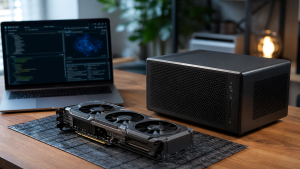
For an authorized compatible endpoint, a realistic baseline is one receive-only RTL-SDR-class USB receiver, an antenna appropriate for the documented band and connector, a stable Linux host you already operate, and local storage. More gain, an outdoor antenna, or a wideband SDR is not automatically better. The privacy goal is reliable reception of one approved endpoint, not maximum neighborhood coverage.
Itron ERT-Compatible Messages With rtlamr
The rtlamr source project describes a receiver for Itron ERT-compatible meters in the 900 MHz ISM band. Its current README documents several message types, including SCM+ and R900/R900BCD, but also says only limited meters were tested and its compatibility table includes unverified community data. For this water-meter workflow, use only the message type documented for the exact water module; the Itron 100W+ example above is specifically documented as SCM+. The configuration page documents -filterid, -msgtype, -format, -duration, and -version.
TechGeeks recommended pattern after authorization: run rtl_tcp on the same host, keep its listener on 127.0.0.1, select only the message type documented for the exact module, and provide the approved endpoint ID to -filterid before choosing JSON output. Do not start with -msgtype=all, omit the ID filter, expose port 1234 to the LAN, or enable a sample file.
# Terminal A. Template only: exact type and ID must come from authorized records.
rtl_tcp -a 127.0.0.1
# Terminal B.
rtlamr -server=127.0.0.1:1234 \
  -msgtype=<DOCUMENTED_MESSAGE_TYPE> \
  -filterid=<OWN_ENDPOINT_ID> \
  -format=json
This command is documentation-backed but unperformed by TechGeeks. Confirm the installed flags with rtlamr -h and record rtlamr -version. Replace placeholders before execution; never paste an actual meter ID into a public issue, screenshot, or article comment.
Other Supported Broadcasts With rtl_433
The rtl_433 project is a generic receive-side decoder for multiple ISM bands and SDR drivers. Its device list includes several water-meter decoders, but support is decoder-specific and output keys can change. Its own integration documentation says database pipelines likely need filtering and transformation.
TechGeeks recommendation: use rtl_433 -V and rtl_433 -R help to record the installed release and identify the one approved decoder. Select that decoder rather than every decoder, emit JSON only to a same-host allow-list process, drop every unmatched ID, and publish only the filtered record to a private broker. Leave raw signal saving, pulse analysis, generic flex decoding, and auto-discovery off in routine service.
# Architecture template, not a tested command for a specific meter.
rtl_433 -R <APPROVED_DECODER_NUMBER> -F json \
  | <LOCAL_ALLOW_LIST_FILTER_FOR_OWN_ENDPOINT> \
  | <PRIVATE_LOCAL_INGEST>
A placeholder is intentional here. The ID key, frequency, sample rate, decoder number, units, and integrity fields depend on the exact endpoint and installed rtl_433 build. A generic copy-and-run pipeline would invite broad capture and silently mis-handle data. Build the filter with a structured JSON parser, fail closed when the ID or integrity field is absent, and test it with a synthetic fixture before connecting live stdout.
Minimize Data Before MQTT And Storage
The NIST Privacy Framework 1.0 includes outcomes for authorizing data processing, managing retention, applying data minimization to records, controlling access, and deleting data according to policy. Apply those general principles to water-meter history at home even when no enterprise policy requires it.
- Purpose: write one sentence, such as "detect continuous flow lasting more than the household-approved window and compare daily consumption with the bill." A new analytics use requires a new decision.
- Collection: retain the approved endpoint ID only in a restricted configuration or map it to a local alias. Do not retain unmatched IDs or radio payloads.
- Resolution: keep the brief high-resolution window required to evaluate a suspected leak, then roll up to hourly or daily deltas. Budgeting rarely needs second-level history.
- Retention: set automatic expiry for detailed readings, alert evidence, application logs, MQTT retained messages, database backups, and exports. Backups must not become an indefinite bypass around deletion.
- Access: use a private broker, per-service credentials, encrypted transport across hosts, a non-public dashboard, and separate admin access. Avoid putting the database or
rtl_tcpon the internet. - Output: alerts should say "continuous flow needs checking" rather than "the house is occupied" or naming a fixture or person.
Do not treat a pseudonymous endpoint ID as anonymous. Once an ID is associated with an address, account, dashboard, radio location, or household label, it can identify a home's history. Hashing a small stable identifier without a secret does not remove that link; an observer can hash candidate IDs too.
Why Water Data Can Reveal Occupancy And Routine
Water traces are useful precisely because behavior leaves patterns. Flume's current portal documentation advertises minute-level views and appliance breakdowns. Moen's Flo privacy statement says its device collects flow, pressure, temperature, alarms, settings, user actions, home profile information, and water-use timing to learn normal patterns; it also refers to occupancy information shared among connected products. Those vendor statements demonstrate the product value and the privacy sensitivity at the same time.
Independent original research corroborates the inference risk but also defines its limits. A 2021 study used one-second data from one four-person household to disaggregate water events into appliance or fixture categories. A 2026 Building and Environment study inferred hourly occupancy from remotely readable water-meter data across 2,690 houses, while its validation accuracy varied among buildings. These studies do not prove that a particular radio counter, household, interval, leak, or fixture can be classified correctly. They show why detailed water-use history deserves privacy protection even when a particular household cannot be classified reliably.
Absence is especially easy to overstate. A period with no detected water could mean nobody is home, everyone is asleep, the receiver missed frames, the transmitter changed mode, the database failed, or the household simply used no water. Flow while away could be irrigation, an ice maker, a softener, a timed appliance, a pet device, or a leak. Build leak alerts around declared hydraulic conditions and manual confirmation, not a claim about people.
Cloud And Account Risk Is An Operational Dependency
A cloud monitor can be the right choice when easy installation, remote alerts, vendor analytics, warranty support, and household usability matter more than cloud independence. The decision should still be explicit. Home Assistant currently labels its Flume integration as Cloud Polling, which means adding a local dashboard does not make that data path local. Flume documents CSV/JSON exports and an account-deletion workflow; it also says deleting the account removes profile, locations, and Flume data and requires a new account and reinstall to return.
- Account ownership: use a durable household-controlled email alias, a unique password in a password manager, and multi-factor authentication where supported. Do not make one person's work address or shared password the recovery plan.
- Authorized users: list who can view history, change modes, silence alerts, operate a valve, add integrations, export data, or delete the location. Remove former residents, installers, and third-party grants promptly.
- Data inventory: check the current privacy notice and terms for address, occupancy, home profile, flow, pressure, fixture labels, device identifiers, IP addresses, support access, partners, insurers, water providers, retention, international processing, and deletion.
- Outage behavior: distinguish sensing, local buffering, automatic valve behavior, app display, alert delivery, remote control, update delivery, and post-outage sync. "Works offline" may cover only one of them.
- Exit: export before unlinking or deleting. Record whether exports preserve minute, hour, day, alerts, modes, units, timezone, and device identity. An export is not a restore unless the vendor documents import.
NIST IR 8425 is a useful buyer lens for the whole product, not just the sensor. Look for protected data, restricted logical interfaces, secure updates, cybersecurity-state awareness, documentation, a vulnerability-reporting channel, and a stated support period. Also ask what happens when the vendor cloud, app store listing, subscription, email account, bridge, or acquiring company changes.
Realistic Hardware Choices
- Use an existing host first. A stable Linux system with backed-up configuration is enough for a low-rate receive pipeline. A new single-board computer adds power, storage, update, and recovery work without improving protocol compatibility.
- Choose a receive-only-capable SDR supported by the decoder. Record chipset, serial, oscillator behavior, connector, driver, and USB path. Do not buy a transceiver for a receive-only requirement.
- Match the antenna to the documented water-endpoint band. Connector type and placement matter. Start indoors with modest coverage; do not optimize for distant endpoints.
- Use a short quality USB extension only when placement or host noise requires it. Secure the cable and receiver so maintenance does not stress the port or create intermittent disconnects.
- Do not attach to water-provider wiring, test pads, pulse terminals, pipes, or meter seals without explicit authorization and the required qualified installer. A customer-accessible pulse output must be documented as customer-accessible for that exact water meter.
For active shutoff, hardware selection becomes a plumbing and safety decision. Confirm pipe size and material, pressure and temperature limits, potable-water approvals, installation orientation, power supply, service clearance, manual valve operation, freeze exposure, warranty, and local code. Use a qualified plumber where required. Keep receive-only radio analytics advisory; do not drive an automatic whole-home shutoff from an unverified third-party decode.
Verification Plan For An Authorized Installation
Unperformed lab work: TechGeeks has not run these checks. They are a reader acceptance plan. Record the meter/module, protocol, authorization, receiver, antenna, host, OS, decoder version or commit, physical-register unit, timezone, storage policy, network path, and every person authorized to use the dashboard before testing.
- Photograph the physical register and safely visible labels without moving or opening water-provider equipment. Record the water account's billing unit and the time in UTC plus local timezone.
- Start the receiver with one decoder and the approved ID filter. Confirm that normal output contains no unmatched endpoint, raw frame, debug payload, precise address, or account identifier.
- Observe a short, declared window with no intentional fixture activity. Receiver health and message cadence should be visible separately from a zero consumption delta.
- Use a small, safe, measured draw through a household fixture while following local water-use rules. Compare the before/after physical register with decoded cumulative change. Do not infer units from a field name alone.
- Restart the decoder, receiver host, broker, and database one at a time. Confirm a cumulative reading does not become a giant usage spike, duplicate retained message, or silent data gap.
- Disconnect WAN while preserving the LAN. Verify which local collection, dashboard, alert, cloud, and time services continue. Restore WAN and check for duplicate uploads or delayed alerts.
- Simulate a receiver-data gap by stopping only the collector. The dashboard must say "data stale" rather than "zero flow" or "no leak."
- Export configuration and the minimum retained aggregate, restore them to an isolated target, and prove that the allow-list, units, expiry, alert state, and access controls survive.
- Review logs, MQTT topics, database series, dashboard URLs, backup files, and notifications for endpoint IDs, household names, fine-grained history, tokens, or public sharing.
| Check | Pass Evidence | Failure Signal | Recovery |
|---|---|---|---|
| Identity and filter | Authorized records and output agree on one endpoint; unmatched messages never reach persistent output. | Unknown IDs, broad auto-discovery, or address correlation is required. | Stop capture and restrict access to unintended records. Follow the applicable incident, retention and deletion requirements before removing records and affected backups; fix authorization/filtering or abandon radio capture. |
| Unit calibration | Known safe draw and physical-register delta agree within a declared tolerance over repeated checks. | Water-unit multiplier, rollover, direction, or precision is uncertain. | Disable usage and leak claims; retain raw data only if specifically authorized for short diagnosis. |
| Stale-data handling | Stopped receiver becomes an explicit stale/unknown state. | A gap appears as zero use, no leak, or normal occupancy. | Pause analytics and alerts, restore collector health, and backfill only from an authorized source. |
| WAN loss | Documented local functions continue; cloud functions fail clearly; reconnection does not duplicate data. | Silent alert loss, account loop, time drift, or duplicate post-outage events. | Restore connectivity, use the manual meter/valve path, and revise the dependency statement. |
| Restore | Isolated target restores allow-list, units, retention, credentials, dashboard privacy, and alerts. | Backup contains broad captures or cannot restore without the failed cloud/account. | Keep the old collector intact, rebuild from source and known-good config, and reduce backup scope. |
Failure And Recovery Rules
- No messages: confirm authorization and exact water endpoint first, then receiver presence, localhost service, antenna connection, documented band/message type, decoder version, and meter replacement. Do not widen to all protocols and all IDs as the first fix.
- Unexpected IDs: Stop downstream collection and restrict access to the unintended records. Keep only the diagnostic material needed and permitted to investigate the filter fault. Follow the applicable incident and retention rules when removing records, retained MQTT messages, database series, exports and affected backups. Do not destroy evidence that must be preserved.
- Counter jumps backward or forward: mark the interval unknown. Check rollover, replacement, reset, water-unit multiplier, direction, duplicate/stale frames, and decoder changes before resuming deltas.
- False leak alert: check staleness, expected appliance/irrigation activity, clock and timezone, calibration, and alert window. Keep the alert advisory until a person checks the property and approved shutoff path.
- Collector host fails: use the physical register, bill, and any water-provider alert while restoring the known-good OS/service configuration. A water meter continues its provider role without the hobby collector.
- Cloud or account fails: use documented local/manual behavior, account recovery codes, vendor support, and the latest export. Do not factory-reset or unlink a working device until the effect on history, local monitoring, valve state, and re-pairing is known.
- Moving or selling: export the minimum needed record, remove household integrations and authorized users, transfer or unlink hardware through the documented process, delete data when appropriate, and verify that the new property does not keep the old endpoint identity.
Recovery ends with a real-world check: current physical register, known safe draw, collector timestamp, derived delta, dashboard, alert channel, data-expiry job, and manual valve path must agree. A green process status alone does not prove fresh or correctly scaled water data.
What The Evidence Does Not Prove
A supported decoder does not prove legal authority, exact-water-meter compatibility, decryption permission, RF range, complete reception, billing accuracy, or stable future support. An FCC filing does not prove an application protocol or permitted use. An endpoint ID and cumulative counter do not establish gallons, cubic feet, liters, cubic meters, direction, interval, or billing interpretation without model and water-provider documentation.
A matching physical-register delta over one draw does not prove long-term accuracy. Continuous flow can be expected use, and a zero or missing delta does not prove absence or no leak. Research showing occupancy or fixture inference in particular datasets does not establish the identity, presence, or action of a person in this house. Vendor exports do not prove complete deletion, portability, or restore capability. A WAN-off check does not prove behavior during a vendor outage, expired token, app removal, account lockout, bridge replacement, or factory reset.
This article reports no original RF-capture, calibration, leak, occupancy, cloud-outage, valve, deletion or recovery results. A documented feature is not proof that it works with your account and equipment. Record the exact hardware, firmware, software and date when you perform your own authorized checks.
Related TechGeeks Reading
- Local-First Smart Home Without Becoming a Sysadmin
- IoT Isolation for Homelabs: VLANs, Firewall Rules, and mDNS
- How Do You Run Security Cameras Locally Without Cloud Dependency?
References
- rtlamr source repository and README
- rtlamr configuration flags
- rtl_433 source repository and documentation
- rtl_433 releases
- rtl_433 integration and filtering guidance
- Itron 100W+ Water ERT Module
- FCC Equipment Authorization System API guidance
- 18 U.S.C. 2510
- 18 U.S.C. 2511
- 47 U.S.C. 605
- 47 U.S.C. 333
- 47 CFR 15.5
- NIST Privacy Framework 1.0
- NIST IR 8425: Profile of the IoT Core Baseline for Consumer IoT Products
- Flume architecture
- Flume installation and connectivity FAQ
- Flume portal data views
- Flume water-usage export
- Flume account deletion
- Home Assistant Flume integration
- Moen Flo Wi-Fi and outage behavior
- Moen Flo product privacy statement
- Moen Flo device unlink guidance
- Moen Flo installation and operation manual
- Bethke, Cohen, and Stillwell: high-resolution smart water-meter end-use disaggregation
- Non-intrusive hourly occupancy detection using remotely readable water-meter data
Final Rule
A responsible local water-meter monitor does not collect everything its radio can hear. It begins with authority, narrows the receiver to one documented water endpoint, turns cumulative readings into the minimum useful aggregate, expires detail, protects the account, and treats every alert as a bounded inference. If permission, identity, units, stale-data handling, or recovery cannot be proved, return to the water provider's supported data path and the physical meter.