How Do You Document a Homelab So Someone Else Can Recover It?
 Tech Guru
Document the minimum facts needed to keep the house working: what runs where, how to log in, what must be paid, what can be turned off, and who to call. The goal is not a perfect wiki; it is a recovery packet that works when you are unavailable.
Design principle: Write for the person recovering the house under stress, not for the person who built the lab and remembers every shortcut.
Why This Matters Now
A homelab becomes a household dependency when only one person knows how DNS, Wi-Fi, backups, domains, billing, and recovery accounts fit together. The handoff must work while that person and the lab itself are unavailable.
Home labs now run DNS, photos, cameras, media, smart homes, backups, and sometimes family business records.
The person recovering the environment may not know what Proxmox, VLAN, Pi-hole, or reverse proxy means.
Documentation should separate emergency actions from nice-to-know architecture notes.
The sections below turn household dependencies into a one-page emergency sheet, a deeper host and service inventory, protected references to credentials and recovery codes, copies available when the lab is down, and a harmless family-run acceptance check.
Recommended Baseline
Create two layers. The emergency sheet explains what to do when the internet, Wi-Fi, DNS, backups, or a critical account fails. The deeper service inventory explains how the environment is built: hostnames, IP addresses, owners, login methods, backups, billing, renewal dates, and what breaks if a service is off.
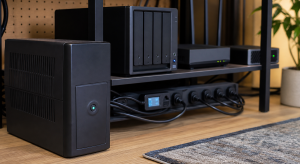
Do not host the only copy of the documentation on the lab it documents. Keep one secure digital copy and one offline copy with enough hardware labels or photos that someone else can identify the router, modem or ONT, NAS, UPS, and backup drive.
Decision Matrix
| Choice | Best Fit | Watch Point |
|---|---|---|
| One-page emergency sheet | Family recovery and urgent outages. | Cannot capture full design detail. |
| Private wiki | Ongoing notes and diagrams. | Fails if the wiki is hosted on the broken lab. |
| Password vault notes | Credentials, recovery codes, license data. | Needs emergency access and export plan. |
| Printed binder | Offline fallback. | Must be updated after major changes. |
Decision Worksheet
Complete the worksheet with one trusted recovery person in mind. Name the internet, Wi-Fi, DNS, backup, domain, billing, and password-vault dependencies they must recover, where instructions remain accessible offline, and which actions require an outside contact.
| Emergency Sheet Field | Write This | Keep Separate |
|---|---|---|
| Identity | Packet date,owner,approved helper and escalation contact. | Secret values and unrelated architecture detail. |
| Hardware | Photo/label,location and power/cable identity for ISP/router/NAS/UPS. | Instructions to factory-reset or unplug an unidentified box. |
| Safe action | One approved step,expected result,wait condition and undo. | Any repair needing unverified credentials or electrical work. |
| Access | How an authorized helper reaches the protected recovery kit offline. | Passwords or codes in a general household handout. |
| Continuity | Billing/renewal owner,backup location and what can remain off. | A dependency on the failed lab or unavailable owner. |
| Stop point | Exact failure or warning that requires the named expert. | Repeated resets,storage initialization or deleting backups. |
The Emergency Sheet Comes First
Write the one-page recovery sheet before the wiki. It should identify the ISP device, router, Wi-Fi name, NAS, UPS, password vault, backup location, domain registrar, cloud backup, and emergency contacts. Include photos or labels for the hardware a non-technical person might need to touch.
The deeper service inventory can live in a private wiki or document, but not only on the server it documents. Include service name, host, IP, URL, login method, backup location, billing owner, renewal date, and what breaks if it is turned off.
Illustrative Family Outage
Consider an illustrative family outage where the internet is down and the person who built the lab is unavailable. The useful document does not start with a network theory page. It starts with the ISP device, router, Wi-Fi name, what can be safely restarted, where the password vault and recovery codes live, how to bypass a failed DNS filter, and who to call if a billing or domain account is locked.
A strong handoff packet has two audiences. The emergency sheet is for restoring basic household function: internet, Wi-Fi, DNS, backups, smart-home basics, and account recovery. The longer inventory is for the person doing deeper repair: hosts, services, IP addresses, URLs, renewal dates, backup targets, and shutdown impact.
Begin the handoff test with a read-only task: identify the labeled router and UPS, locate the offline packet, or find the approved billing contact without changing the account. Record questions without verbal coaching. DNS bypass is a configuration change, not a harmless lookup; rehearse it separately only with authorization,original settings and a known way back.
Stop Conditions
The emergency sheet should explicitly forbid factory resets,storage initialization,repeated hard power cuts and deletion of backups. If the expected result does not appear, the helper should record the visible state and contact the named person, not improvise the next repair. For DNS recovery, state whether a temporary resolver will break local names or filtering and when the original configuration must be restored.
Rollout And Recovery Plan
Roll documentation out in layers. First write the emergency sheet that restores basic household function. Then add the deeper service inventory, diagrams, billing notes, and recovery-code references. Do not wait for a perfect wiki before creating the one page someone actually needs during an outage.
Recovery is the whole point of the document, so test it like any other recovery system. Have someone follow one safe step, update the unclear parts, and store a copy somewhere reachable when the lab is unavailable. A document that cannot be accessed during the failure it describes is only a comfort object.
Implementation Details
Build the handoff packet while every service and account is healthy. Photograph labels, confirm URLs and billing owners, and locate recovery materials without simultaneously rotating credentials or restructuring the network; otherwise the document and live environment can diverge before testing.
- Create a simple network diagram with ISP device, router, switch, access points, NAS, and servers.
- Write a service inventory with owner, host, IP, URL, login method, backup location, and shutdown impact.
- Document billing: domains, DNS provider, cloud backup, password manager, VPN, and media subscriptions.
- Export or print recovery codes for accounts that recover everything else.
- Ask a trusted person to follow the document for one low-risk task and fix unclear wording.
Record these details while you build, not after the memory has already gone fuzzy:
- Emergency-sheet location, last review date, and offline copy location.
- Critical services with host, IP, URL, owner, backup target, and shutdown impact.
- Recovery-code, billing, domain, and cloud-backup account references.
- Result of a handoff test performed by someone who did not build the lab.
Evidence To Collect
The evidence is the packet itself and a reader-run handoff note: a dated emergency sheet, current service inventory, reachable offline copy, and questions recorded while a trusted person identifies hardware or completes one harmless recovery action.
- One-page emergency sheet covering ISP device, router, Wi-Fi, DNS bypass, NAS, UPS, backups, and emergency contacts.
- Service inventory with host, IP, URL, login method, backup location, billing owner, renewal date, and shutdown impact.
- Recovery-code and password-vault emergency-access location without exposing secrets in plain notes.
- Hardware photos or labels that help a non-technical person identify the right box and cable.
- A handoff test note from someone following one recovery step without verbal coaching.
Failure Signals
- The only documentation lives on the server, wiki, or NAS that may be down.
- The notes describe architecture but not emergency actions.
- Recovery codes, billing accounts, domains, and cloud-backup details are missing.
- No one besides the builder has tried to follow the instructions.
Adopt, Pilot, Defer, Avoid
- Adopt: Adopt the emergency sheet as soon as it explains how to keep the household working during a basic outage.
- Pilot: Pilot the documentation by asking someone else to follow one harmless recovery step.
- Defer: postpone optional wiki tooling until the emergency sheet and offline access work; do not postpone documenting critical household dependencies.
- Avoid: Avoid hosting the only documentation copy on the systems the document is supposed to recover.
Validation Checklist
- A non-technical person can identify the router, NAS, and UPS from labels and photos.
- The document explains how to restore normal DNS if Pi-hole/AdGuard fails.
- Emergency contacts and account recovery steps are available without logging into the broken lab.
- A recent backup restore process is documented.
- The document has a review date within the last six months.
Common Mistakes
- Hosting the only documentation on the server it documents.
- Writing for yourself instead of the person who will need it under stress.
- Listing passwords in plain paper notes without a secure storage plan.
- Forgetting domain renewals, cloud backup billing, and registrar accounts.
- Using unlabeled cables and assuming memory will be enough later.
Troubleshooting
| Symptom | Likely Cause | First Check |
|---|---|---|
| Someone cannot use the notes | The document explains the design but not the action they need under stress. | Rewrite the step as an emergency action with photos, labels, and expected results. |
| The document is unavailable | It is stored only on the broken server, NAS, wiki, or cloud account. | Keep an offline copy and a secure external copy that does not depend on the lab. |
| Credentials or recovery codes are missing | Secrets were excluded without documenting where emergency access lives. | Reference the password vault emergency kit or secure offline storage location without exposing secrets. |
Maintenance Cadence
Review the emergency sheet after router, ISP, password-vault, domain, backup, billing, or household-contact changes. Periodically ask the designated person to locate the current packet and recovery materials; schedule a fuller walkthrough before obsolete labels and account owners accumulate.
- Monthly: Update the emergency sheet after account, router, Wi-Fi, backup, or billing changes.
- Quarterly: Ask someone else to follow one low-risk recovery step and mark unclear language.
- Yearly: Refresh printed copies, recovery codes, hardware photos, renewal dates, and trusted-contact instructions.
Documentation maintenance should happen whenever accounts, cables, IPs, Wi-Fi names, backup targets, or billing owners change. Stale emergency notes can be worse than no notes because they send the helper in the wrong direction.
When To Spend Money
Documentation comes before purchases. Add a binder, label maker, encrypted storage device, or security key only when the handoff exercise exposes a specific identification, offline-access, durability, or account-recovery gap that the item will close.
| Stage | Signal | Practical Buying Guidance |
|---|---|---|
| Do not buy yet | The emergency sheet, service inventory, and recovery-code locations are not written down. | Write and test the handoff before buying documentation tooling. |
| Small useful spend | The process works but needs durable offline storage or clearer labels. | Label maker, binder, fire-resistant document storage, cable labels, or spare recovery media. |
| Larger upgrade | The current documentation platform is unavailable during outages or hard for trusted helpers to access. | Password-manager family plan, secure document storage, or a dedicated documentation system with offline export. |
Useful Gear And Buyer Notes
The product links below are intentionally search links, starting with label maker, because model numbers, bundles, and prices change quickly. Use them to compare categories, then verify exact specifications against the article's decision points before buying. For infrastructure gear, prioritize firmware support, replaceability, warranty, idle power, and recovery behavior over headline specs.
Affiliate disclosure: As an Amazon Associate, TechGeeks may earn from qualifying purchases. The product links below are buying references, not a requirement to buy a specific brand or seller. Verify compatibility, seller quality, warranty, and current specs before ordering.
- Amazon search: label maker
- Amazon search: fireproof document safe
- Amazon search: binder sheet protectors
- Amazon search: YubiKey security key
- Amazon search: network cable labels
Related TechGeeks resources
- Network Security Field Notes: Start Here
- Linux and Homelab Notes: Start Here
- Backup and Disaster Recovery for Plex, Sonarr, Radarr, Tdarr, Prowlarr, and SABnzbd
- Google Drive Is Not a Backup: What It Protects, and What It Does Not
What This Does Not Protect or Validate
A handoff packet cannot guarantee recovery. Account-provider policies, domain contacts, hardware layout, and household dependencies change, so date every copy and review it after material changes.
Evidence limit: This article is documentation-backed. TechGeeks did not observe a family handoff exercise or inspect a household recovery packet for this revision. The suggested harmless handoff test remains a reader-run acceptance check.
Documentation should reference where secrets and recovery codes live without exposing them casually. Treat the emergency packet as sensitive household infrastructure.
Practical FAQ
How do I document my homelab so someone else can recover it?
Start with a dated offline emergency sheet containing labeled hardware,one approved recovery action,its expected result and stop point,and an authorized contact. Reference protected credentials without printing them in general notes. Add a deeper service inventory next, then ask the intended helper to locate and follow a read-only task without coaching.
References
- Ready.gov emergency planning
- NIST SP 800-34 Rev. 1 contingency planning
- CISA StopRansomware Guide
- NetBox documentation
- 1Password Families and recovery features
Final Thought
The right answer is the one you can operate, document, test, and recover without guessing.