
Home Assistant Local Voice Control: Build a Private Voice Assistant That Actually Works
 Tech Guru
Quick Answer
Start in one room with a supported satellite and a few harmless device commands. Use Speech-to-Phrase where its language and phrase set fit, or evaluate Whisper for broader speech on suitable hardware; Piper can provide local responses. Verify every speech and device-integration stage before calling the path fully local. Keep manual controls, leave sensitive actions unexposed, and measure recognition and latency before adding rooms or an LLM.
The difference is not magic. It comes down to understanding the voice pipeline, picking the right speech engine for the hardware you own, and treating voice as a control interface for your home instead of a general-purpose internet assistant. If your first goal is "turn off the office lights," "start bedtime," "is the front door locked," or "set a five-minute timer," Home Assistant Assist can be very useful. If your first goal is "replace every Echo speaker with a fully conversational AI that answers anything instantly," you need more hardware, more tuning, and more patience.
What Local Voice Control Actually Means
When people say "local voice control," they often mean several different things. One person means the wake word runs locally. Another means speech-to-text runs locally. Another means Home Assistant handles the command locally, but speech processing still uses Home Assistant Cloud. Another means everything, including wake word, transcription, intent matching, text-to-speech, and the smart-home action, stays inside the house.
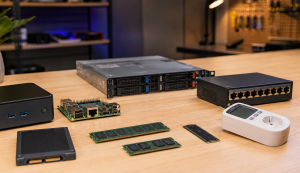
Home Assistant supports more than one path because there is not one perfect setup for every home. A low-power Home Assistant Green can run Home Assistant itself beautifully, but open-ended speech recognition with Whisper can be slow on weaker hardware. An Intel N100 mini PC has more room for local speech processing. Home Assistant Voice Preview Edition provides documented microphones, audio processing, and an Assist setup path; this guide has not compared microphone performance. A DIY ESPHome satellite can be cheap and flexible, but the audio quality and maintenance are on you.
The important thing is to think in pipeline terms. Voice control is not one box. It is a chain. If any part of the chain is weak, the whole experience feels weak.
Five Practical Setup Paths
The right setup depends on what you are optimizing for. A privacy-first setup is different from the easiest household setup. A tinkerer setup is different from the one you should hand to a spouse, parent, or guest and expect it to work.
| Setup path | Best for | What runs locally | Main tradeoff |
|---|---|---|---|
| Beginner voice setup | People who want Assist working quickly with the least maintenance. | Home Assistant intent handling; device actions are local only for local integrations. Speech may use Home Assistant Cloud if selected. | Easiest path, but not always fully local. |
| Focused local setup | Fast local control of lights, scenes, covers, fans, media players, timers, and common home commands. | Speech-to-Phrase, Assist intent handling, Piper text-to-speech, and device actions. | Limited to supported phrases; verify local speech settings and each device integration before claiming an entirely local path. |
| Full local speech setup | Users who want more flexible speech recognition without sending audio to cloud services. | Whisper or faster-whisper, Assist, Piper, and device actions. | Needs stronger CPU or GPU if you want fast responses. |
| DIY satellite setup | Tinkerers building room devices with ESPHome, ESP32-S3 boards, mic modules, and speakers. | Satellite firmware, sometimes wake word, plus whatever pipeline Home Assistant uses. | Cheap and flexible, but audio quality and stability depend on your parts and config. |
| Advanced local AI setup | Homelab users with a mini PC, GPU box, or separate AI server. | Faster-Whisper, Piper, optional local LLM, and Wyoming services on separate hardware. | Most capable, but easiest to overbuild and hardest to troubleshoot. |
Start With The Room Device, Not The AI Model
The most common mistake is starting with the server side. People ask whether they need Whisper, faster-whisper, a GPU, an N100 mini PC, or a local LLM before they ask whether the microphone can actually hear a normal command from across the room. That is backwards. A voice assistant is only as good as the audio it receives.
For most homes, the cleanest starting point is the Home Assistant Voice Preview Edition because it was built for Assist. It has dual microphones, a dedicated audio processor, physical controls, a visual LED ring, a physical microphone mute switch, and a setup flow designed for Home Assistant. It is not standalone; it still needs a Home Assistant server. It provides a documented hardware baseline, but room performance still needs testing.
DIY satellites are still useful. ESPHome voice devices, ESP32-S3 boards, M5Stack ATOM Echo-style devices, and ReSpeaker-style microphone boards can be great experiments. They also make sense when you need many rooms and do not want to buy official hardware for every location. Just be honest about the tradeoff: small microphones and tiny speakers often feel like prototypes unless the room is quiet, the device is close, and you tune the configuration.
Placement matters more than people expect. One modest satellite in each important room is usually better than one powerful server with a microphone in the wrong place. Avoid HVAC vents, TVs, speaker corners, kitchens with loud appliances, and spots where people will stand behind the microphone. Voice devices need to be out in the open.
Speech-to-Phrase vs Whisper: Pick The Right Engine
There are two local speech-recognition paths worth understanding before you buy hardware.
Speech-to-Phrase is the practical local path for common smart-home control. Instead of trying to transcribe anything a person might say, it works from a known set of home-control phrases. That limitation is also why it can be fast on lower-power hardware. It is a good fit for turning things on and off, changing brightness, controlling covers, triggering scenes, setting common timers, asking status questions, and running sentence-triggered automations.
Whisper is the more flexible speech-to-text path. It can handle open-ended speech better, but it is more hardware-sensitive. On weak hardware, it can make voice control feel slow enough that people stop using it. On a stronger mini PC, NUC, or separate server, it can become much more pleasant. GPU acceleration can help advanced users, but it adds driver, container, CUDA, and maintenance complexity.
The practical recommendation is simple: if your goal is reliable local home control, start with Speech-to-Phrase where your language and command set are supported. If you need broader speech recognition, use Whisper on a stronger machine or run faster-whisper as a separate Wyoming service. Do not buy Coral, random NPUs, or edge AI accelerators expecting plug-and-play acceleration for Home Assistant voice unless that exact runtime is documented for your stack.
The Hardware Baseline That Makes Sense
A local voice setup has two hardware layers: the Home Assistant server and the room satellite.
- Home Assistant Green or Raspberry Pi-class hardware: good for Home Assistant itself and focused local commands with Speech-to-Phrase and Piper. Be careful with full Whisper if response time matters.
- Raspberry Pi 5: a stronger small board for local Home Assistant and lighter voice workloads, especially if you use SSD storage and active cooling.
- Intel N100 or N150 mini PC: a practical baseline for full local Whisper plus Piper without turning the setup into a research project.
- Separate voice server: useful when Home Assistant runs on a small box but speech processing should run on a stronger machine using Wyoming services.
- GPU server: useful for multiple satellites, large Whisper models, local LLMs, or advanced experiments; usually overkill for basic light and scene control.
For satellites, think in terms of room coverage and audio quality:
- Home Assistant Voice Preview Edition: a documented starting point for the official Assist experience; verify audio performance in the intended room.
- ESP32-S3 voice devices: good for DIY room satellites if you are comfortable flashing firmware and tuning ESPHome.
- M5Stack ATOM Echo-style devices: good for inexpensive testing, but not a polished smart-speaker replacement.
- USB speakerphone or microphone array: useful for desktop, kitchen counter, or lab setups where a wired audio device makes sense.
- 3.5 mm or powered speakers: useful when the satellite has weak onboard audio and you want responses to be heard clearly.
What Works Well Today
Local Home Assistant voice is strongest when commands map cleanly to entities, areas, scenes, scripts, and automations.
- Lights: turn on, turn off, dim, brighten, change color, and control by room.
- Switches and fans: simple on/off and speed changes where the integration exposes the right domain.
- Covers and doors: open, close, stop, and status questions when device classes are correct.
- Scenes: bedtime, movie mode, dinner mode, cleaning mode, away mode, and other household states.
- Scripts: multi-step routines that are easier to trigger by phrase than by exposing every device.
- Timers and simple questions: good depending on pipeline and language support.
- Status checks: door locked, window open, temperature, humidity, power state, and similar sensor queries.
Voice gets worse when you expose too much, name things poorly, or expect the assistant to infer household language that Home Assistant cannot see. "Turn on Tuya Light Controller 0E54B1 Light 1" is technically precise and completely unusable as a voice command. "Turn on the kitchen counter lights" works because the device has a human name and belongs to the right area.
The Setup Work That Makes Voice Feel Natural
Most of the work is not installing add-ons. It is cleaning up your Home Assistant model.
- Expose the minimum number of entities: every exposed entity adds matching work and confusion. Do not expose every diagnostic sensor just because you can.
- Assign devices to areas and floors: room-aware commands only work when Home Assistant knows where things live.
- Use normal names: "Office lamp" is better than a manufacturer model name or integration-generated entity label.
- Add aliases: if one person says "TV" and another says "television," add both. If "patio light one" and "patio light 1" both happen in your home, account for both.
- Use the right device class: a valve, cover, lock, window, fan, and light should be represented as the right type when possible. Voice verbs depend on domains and device classes.
- Use scripts for complex actions: one clean script with a good name is better than asking voice to coordinate eight separate devices.
- Test from the room: a command that works from your desk may fail in the kitchen with the dishwasher running.
Where Cloud Still Makes Sense
Using Home Assistant Cloud is not the same as giving up on privacy. It is an optional service designed for Home Assistant, and it can offload speech-to-text and text-to-speech when local hardware is too weak, when language support is better in the cloud, or when you want a faster household experience with less maintenance.
The right question is not "cloud bad, local good." The right question is "which parts of this pipeline do I intentionally want local, and why?" If your smart-home actions are local but speech processing uses Home Assistant Cloud, compare that chosen service's data handling and outage dependencies with your requirements rather than assuming a privacy or reliability advantage. If your requirement is no audio leaves the house, then choose a fully local pipeline and buy enough hardware to make it pleasant.
Security Boundaries For Voice Control
Local does not automatically mean secure. A local voice assistant can still trigger sensitive actions if you expose them. Think carefully before voice-enabling locks, garage doors, gates, alarms, water valves, heaters, ovens, or anything that can create physical risk.
- Keep high-risk actions out of the voice pilot. A repeated voice confirmation is not user authentication. Sensitive actions require a separately authorized control path and device-specific safety design; do not rely on this guide to validate locks, alarms, gates, heaters, or valves.
- Use scripts with guardrails instead of exposing dangerous devices directly.
- Restrict exposed entities to the minimum set needed for daily voice use.
- Keep Home Assistant updated along with ESPHome firmware, add-ons, and integrations.
- Secure remote access separately; local voice privacy does not fix weak passwords, exposed dashboards, or unsafe port forwarding.
- Document the setup so another person can disable voice, mute devices, or recover the system if something misbehaves.
A Practical Build Plan
If you are starting from zero, do not build the most advanced version first. Build the version you can validate in one weekend.
- Step 1: Update Home Assistant. Review the target release and dependencies, make an off-device backup with recovery material, and verify manual control before updating in a maintenance window. Do not combine a platform migration and a new voice deployment without separate checks.
- Step 2: Pick one room. Do not deploy satellites everywhere until one room works reliably.
- Step 3: Use a known-good satellite. Start with Voice Preview Edition or documented ESPHome hardware before inventing a custom audio design.
- Step 4: Choose the voice pipeline. Use Speech-to-Phrase for fast local home commands or Whisper if your hardware can handle it.
- Step 5: Expose only useful entities. Lights, fans, covers, media players, scripts, scenes, and common sensors are good first targets.
- Step 6: Fix names and aliases. Speak like the household actually speaks, not like the entity registry was generated.
- Step 7: Run a 20-command test. Test the same commands with different people, from different places in the room, with normal background noise.
- Step 8: Expand room by room. Add satellites only after the first room is boring.
Validation and Test Conditions
Choose only commands supported by the selected engine, language, and device integrations. Test low-risk entities or harmless test scripts with manual control available; review the complete action behind each scene. The list is a test plan, not a guarantee that every pipeline supports every phrase:
- Turn on the living room lights.
- Turn off the living room lights.
- Dim the kitchen lights to 40 percent.
- Set the bedroom fan to low.
- Start movie mode.
- Start bedtime.
- Is the front door locked?
- Is the garage door open?
- What is the temperature in the nursery?
- Turn off the designated downstairs test lights.
- Set a timer for five minutes.
- Cancel the timer.
- Turn on the office lamp.
- Turn off the office.
- Open the blinds halfway.
- Close the blinds.
- Pause the living room media player.
- Resume the living room media player.
- Start a harmless test script named coffee routine; do not energize heating equipment for this pilot.
- Broadcast that dinner is ready, only on a pipeline that supports open-ended broadcasts. Speech-to-Phrase does not support this out of the box.
Mark each as pass, slow, wrong device, no response, misunderstood, or not supported by the selected pipeline. Unsupported phrases are not hardware performance failures. The pattern will tell you what to fix. If commands fail by room, fix area assignment or microphone placement. If commands fail by wording, add aliases or custom sentences. If commands are accurate but slow, change the speech engine or move processing to stronger hardware.
Troubleshooting The Annoying Parts
- The wake word is unreliable: move the satellite, reduce background noise, try push-to-talk for testing, or use better hardware with stronger audio processing.
- Speech recognition is slow: switch from Whisper to Speech-to-Phrase for known commands, or move Whisper to a stronger mini PC or GPU server.
- It controls the wrong device: clean up names, areas, floors, aliases, and exposed entities.
- It says it cannot find a device: make sure that device is exposed to Assist and assigned to the right area.
- It works from the dashboard but not the satellite: check satellite firmware, microphone config, speaker config, Wi-Fi quality, and pipeline selection.
- DIY ESPHome devices crash: reduce extra components, especially Bluetooth/BLE, and keep the audio configuration focused.
- The response is hard to hear: use a satellite with better audio output, connect a small external speaker, or adjust volume automation.
Useful Gear And Buyer Notes
Affiliate disclosure: As an Amazon Associate, TechGeeks may earn from qualifying purchases. The product links below are buying references, not a requirement to buy a specific brand or seller. Verify compatibility, seller quality, warranty, and current specs before ordering.
Compatibility matters here. Do not assume a random ESP32 board, microphone, or speaker will make a good Home Assistant voice satellite. Look for documented ESPHome examples, current firmware support, and real-world reports before buying parts for several rooms.
- Amazon search: Home Assistant Voice Preview Edition
- Amazon search: Home Assistant Green
- Amazon search: ESP32-S3-BOX-3B
- Amazon search: M5Stack ATOM Echo
- Amazon search: ESP32-S3 voice assistant
- Amazon search: Intel N100 mini PC 16GB SSD
- Amazon search: USB microphone array
- Amazon search: ReSpeaker 2-Mic HAT
- Amazon search: USB-C power supply for ESP32 devices
- Amazon search: small powered 3.5mm speaker
- Amazon search: USB-C PoE splitter
Who Should Build This Now?
Build local voice in Home Assistant now if you already use Home Assistant, care about privacy, want resilient smart-home control, and are willing to tune names, areas, exposed entities, and hardware placement. It is a good project for people who want practical control over a smart home without handing every command to a cloud assistant.
Wait or use a hybrid setup if you need polished general knowledge, music search, shopping, multi-user voice profiles, and zero-maintenance behavior. Home Assistant voice is improving quickly, but it is strongest when treated as a local home-control interface first.
The best first milestone is not "replace Alexa." It is "the household can reliably control the rooms and routines they use every day without thinking about the system." Once that is true, add more rooms, more phrases, and more intelligence.
What This Does Not Prove
This documentation-backed guide does not prove recognition accuracy, response latency, room coverage, privacy, or household acceptance for a specific Home Assistant voice setup. No microphone comparison, packet capture, 20-command result set, or product test was performed for this article. Treat the test list as a plan: record results by person and room, verify which pipeline handles audio, inspect outbound traffic if the privacy boundary matters, and keep manual controls available for every important device.
Related TechGeeks Resources
- Home Assistant OS vs Docker vs VM
- Local-First Smart Home Without Becoming a Sysadmin
- Smart Home VLAN, Guest Wi-Fi, or Second SSID?
References
- Home Assistant Assist voice control overview
- Home Assistant Assist pipeline integration
- Home Assistant: set up a fully local voice assistant
- Home Assistant Wyoming Protocol integration
- Home Assistant Voice Preview Edition product page
- Nabu Casa: getting started with Home Assistant Voice Preview Edition
- Home Assistant Voice Preview Edition launch blog
- Home Assistant Voice Chapter 9: Speech-to-Phrase
- Home Assistant Assist best practices
- ESPHome Voice Assistant component
- Ars Technica: Independent Voice Preview Edition Overview
- How-To Geek: Independent Local Voice Guide

One thought on “Home Assistant Local Voice Control: Build a Private Voice Assistant That Actually Works”