Wi-Fi 7 in the Enterprise: Where Cisco’s Outdoor APs Fit
 Tech Guru
Cisco wireless access points now include Wi-Fi 7 options for high-density, outdoor, and large-venue designs. The upgrade conversation should not start with peak physical layer (PHY) rate. It should start with airtime, channel reuse, client capability, Power over Ethernet (PoE), multigigabit Ethernet (mGig) switching, uplink oversubscription, roaming, and how the operations team will validate that user experience improved.
Design takeaway: treat Wi-Fi 7 as a radio frequency (RF), switching, cabling, power, and telemetry project. The access point (AP) model is only one line in the design.
Where Outdoor Wi-Fi 7 Fits
The Cisco Wireless 9179F Access Point data sheet positions the platform for outdoor and large public-venue coverage. That means the design target is often a stadium concourse, courtyard, campus quad, outdoor classroom, warehouse yard, public transit area, or event space where client count, reflection, mounting constraints, and weather matter as much as raw speed.
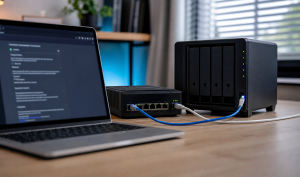
The diagram is intentionally simple because the failure chain is simple: weak RF slows the client, insufficient PoE downgrades the AP, marginal cabling limits mGig, constrained uplinks congest the campus, Dynamic Host Configuration Protocol (DHCP) or Domain Name System (DNS) problems look like Wi-Fi failure, and a poor application path turns a successful association into a poor user experience.
Decision Table
| Scenario | Wi-Fi 7 Priority | Design Emphasis | Do Not Skip |
|---|---|---|---|
| Outdoor courtyard or quad | Medium to high | Coverage, roaming edges, weatherproof mounting, client mix. | Post-install survey at real occupancy. |
| Stadium or arena concourse | High | Capacity, antenna pattern, channel reuse, high-density telemetry. | Application testing during an event, not an empty venue. |
| Warehouse or yard | Medium | RF reflection, roaming, barcode or voice devices, rugged mounting. | Legacy client validation. |
| Office carpeted space | Selective | Client readiness, 6 gigahertz (GHz) policy, PoE and switching refresh timing. | Avoid replacing good Wi-Fi 6E without a user problem. |
| Training room or auditorium | High | Capacity bursts, multicast or casting, roaming into adjacent halls. | DHCP scope size and uplink headroom. |
RF Planning Caveats
- Wider channels are not automatically better. In dense venues, narrower channels with cleaner reuse can beat impressive-looking 160 megahertz (MHz) or 320 MHz plans.
- 6 GHz can be excellent for capable clients, but outdoor use depends on regulatory domain, automated frequency coordination (AFC)/geolocation support, power rules, channel availability, and client support. For CW9179F-style outdoor designs, validate the country, deployment mode, AFC operation, and final channel/power plan before promising coverage.
- Multi-Link Operation helps only when clients support it and both links have usable RF conditions. It does not rescue a poor channel plan.
- Outdoor mounting height, downtilt, antenna pattern, and nearby metal or glass can dominate the result.
- Design for the real client mix. A venue full of older phones, scanners, or Internet of Things (IoT) devices will not behave like a lab full of Wi-Fi 7 laptops.
- Roaming tests need movement and application state. A static speed test tells you almost nothing about voice, point-of-sale, or scanning workflows.
PoE, mGig, and Uplink Readiness
Wi-Fi 7 moves the bottleneck. A high-end AP connected to a 1 GbE port, marginal copper, insufficient PoE, or an oversubscribed access uplink will not deliver the experience the refresh was meant to buy. The wired checklist should be done per AP location, not as a rough closet average.
| Layer | Question | Engineering Check | Failure Symptom |
|---|---|---|---|
| PoE | Can the port deliver the required power class with margin? | Switch power budget per closet, per module, and during failover. | AP disables radios, USB, BLE, or downgrades performance. |
| Cabling | Can the run support the negotiated mGig rate? | Copper certification, length, patch panel quality, outdoor surge protection. | Port falls back, flaps, or errors under load. |
| Access port | Is 2.5G, 5G, or 10G needed for this AP and cell? | Expected client count, channel width, traffic model, AP data sheet. | Great RF with wired congestion. |
| Closet uplink | Can multiple Wi-Fi 7 access points (APs) burst at once? | Oversubscription ratio and measured peak from comparable areas. | All clients slow during class change or event break. |
| Services | Are DHCP, DNS, Remote Authentication Dial-In User Service (RADIUS), and controller paths resilient? | Scope capacity, relay path, authentication, authorization, and accounting (AAA) latency, controller reachability. | Association succeeds but onboarding fails. |
Pilot Design
Start where users already complain or where the business is about to increase density: a courtyard, auditorium, high-density classroom, warehouse zone, or public venue area. Keep the pilot small enough to survey properly and large enough to include real roaming edges.
- Capture pre-refresh RF: received signal strength indicator (RSSI), signal-to-noise ratio (SNR), noise, retries, channel utilization, client count, roaming behavior, and application latency.
- Inventory the wired path: switch model, PoE class, power budget, port speed, cable rating, uplink capacity, DHCP relay, DNS path, and AAA path.
- Build a predictive model, but treat it as a hypothesis until the post-install survey.
- Install the APs with final antenna, mounting, grounding, surge, and weatherproofing details.
- Test with real clients: Wi-Fi 7, Wi-Fi 6E, Wi-Fi 6, legacy IoT, voice, scanning, and guest devices.
- Run load and roaming tests during a realistic occupancy window.
- Compare user experience, not RF heat maps alone.
Validation Matrix
| Test | Pass Condition | Fail Signal | Evidence |
|---|---|---|---|
| PoE and radio state | AP receives required power and all planned radios/features are enabled. | AP power negotiation downgrade or disabled function. | Switch PoE output, AP operational state. |
| mGig negotiation | Port negotiates expected speed with clean counters. | Fallback to 1G, CRC errors, flaps, or high output drops. | Switch interface counters and cable certification. |
| RF health | Retry, noise, utilization, and SNR meet design targets under load. | High retries or co-channel contention despite strong signal. | Survey data and controller telemetry. |
| Roaming | Voice or real-time app survives movement across cell boundaries. | Sticky client, reauth delay, dropped call, or captive portal loop. | Client capture, roaming logs, application test. |
| Application experience | software as a service (SaaS) and private app transactions improve or meet baseline at occupancy. | Speed test passes but business workflow is slow. | ThousandEyes, app synthetic test, help desk comparison. |
Operational Guardrails
- Do not enable maximum channel width everywhere because the dashboard makes it easy. Engineer channel reuse.
- Do not promise Wi-Fi 7 benefits to a client base that cannot use Wi-Fi 7 yet. Stage the refresh around problem areas and device lifecycle.
- Do not ignore wired maintenance windows. Access switch upgrades, PoE budgets, and uplink changes can be the actual critical path.
- Do not accept "green AP status" as validation. Require RF, client, service, and application evidence.
- Use the secure-campus framing from Cisco's secure campus networks discussion to keep wireless access tied to identity, segmentation, and monitoring.
Failure Handling and Rollback
Stage the refresh so an AP, switch-port, or software change can be reversed without taking an entire venue offline. Save controller and switch configuration, record old AP names and cable paths, and keep the previous channel and power plan. Change one RF area at a time, with a known-good neighboring cell available. If retries, onboarding time, voice quality, or legacy-client success worsens, restore the old radio profile or AP placement before changing another layer.
Do not use a speed test as the rollback trigger. Define thresholds for association success, DHCP and RADIUS timing, retry rate, channel utilization, roaming interruption, and the business transaction that users actually perform. Capture the same evidence before and after. A rollback is complete only when clients reconnect, services work, monitoring is quiet, and the wired port has returned to its expected power and link state.
Security, Privacy, and Legal Boundaries
Wi-Fi 7 does not replace WPA3, protected management frames, identity policy, guest isolation, patching, or rogue-AP monitoring. Restrict controller and switch administration, rotate shared secrets, and keep emergency access available if cloud management fails. Wireless telemetry may include device identifiers, usernames, location patterns, application categories, and association history. Collect only what operations needs, limit retention, and apply local privacy, workplace-monitoring, and public-venue notice requirements.
Outdoor use also has regulatory and physical boundaries. Confirm the country code, allowed frequencies, power limits, automated frequency coordination requirements, mounting approval, grounding, surge protection, weather rating, and property permission for each site. The Cisco data sheet describes product capabilities; it is not a site permit, spectrum authorization, structural review, or guarantee that every feature is available in every regulatory domain.
What Validation Does Not Prove
This revision is documentation-backed; TechGeeks did not perform an outdoor survey or comparative throughput test. Clean switch counters do not prove clean RF. Strong signal does not prove capacity, roaming, or application quality. A Wi-Fi 7 client reaching a high PHY rate does not prove older clients will improve. A successful empty-venue pilot does not validate an occupied stadium, warehouse shift, weather event, or interference pattern.
Use the matrix as an acceptance-test design, then set targets from the existing environment and business workflow. Preserve survey files, controller exports, client models, firmware versions, test times, and occupancy. Without that context, a before-and-after number cannot be attributed to the AP refresh alone.
Related TechGeeks
- Designing an AI-Ready Campus Network After Cisco Live 2026
- Designing ThousandEyes Visibility Across Branch, Cloud, and SaaS
- Cisco Live 2026: Network Announcements That Matter
Cisco References
- Cisco wireless access points
- Cisco Wireless 9179F Access Point data sheet
- Secure campus networks for the artificial intelligence (AI) era
- Wi-Fi Alliance introduces Wi-Fi CERTIFIED 7
- NIST SP 800-153: Guidelines for Securing Wireless LANs
Related foundation post: Cisco Live 2026: Network Announcements That Matter.
Need help applying this?
Bring TechGeeks into the real environment.
If you are working through this on a live network, WordPress site, Linux server, AI workflow, or PisoWiFi deployment, send the context and we can help turn it into a practical plan.